Short answer: To see which salesperson is following up and closing, give every lead a named owner, log every follow-up as a dated activity assigned to that person, and record a reason on every lost deal. Then check overdue follow-ups by salesperson every morning, and won and lost deals by salesperson every week. Judge people on follow-ups kept and deals closed, not on how busy they sound.
This guide covers why sales heads lose sight of follow-ups, what to track for each salesperson, how to set it up step by step, and how Sales Automation Suite handles it.
Why can't most sales heads see who is following up?
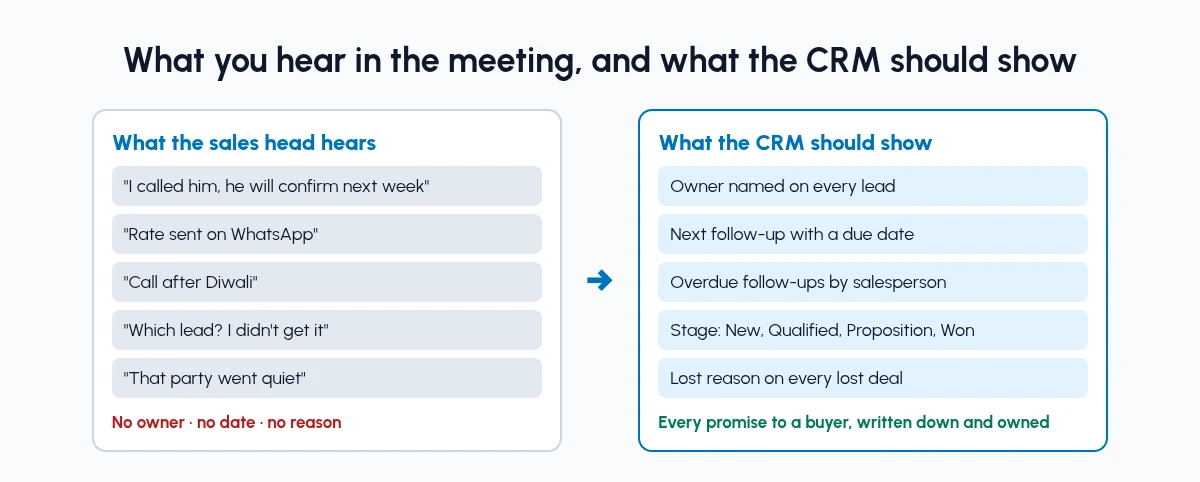
In many Indian B2B teams, the sales head finds out about follow-ups the same way every week: by asking. Leads come in from IndiaMART, TradeIndia, JustDial, Meta forms and WhatsApp. Each salesperson works them from a personal phone, a notebook or their own Excel sheet, and the CRM, if there is one, gets updated just before the review meeting.
That leaves gaps you cannot see from the outside:
Leads without an owner. A portal enquiry lands in a shared inbox, and everyone assumes someone else has called.
Follow-ups that live in memory. "Call after Diwali" is a promise made on the phone and written down nowhere, so nobody knows when it is missed.
Activity that sounds like progress. In a meeting, many calls to buyers who will never order sound the same as two calls that led to a quotation.
Lost deals with no reason. A deal goes quiet and is deleted, so you cannot tell whether you lost on price, delivery time or a late call-back.
Closing figures that arrive late. Won orders show up in accounts at month end, long after you could have helped the salesperson who was stuck.
None of this means your team is not working. It means the work is not recorded in one place, against one owner, with a date. Our post on Excel sheets for sales management covers the spreadsheet side of the same problem.
What should you track for each salesperson?
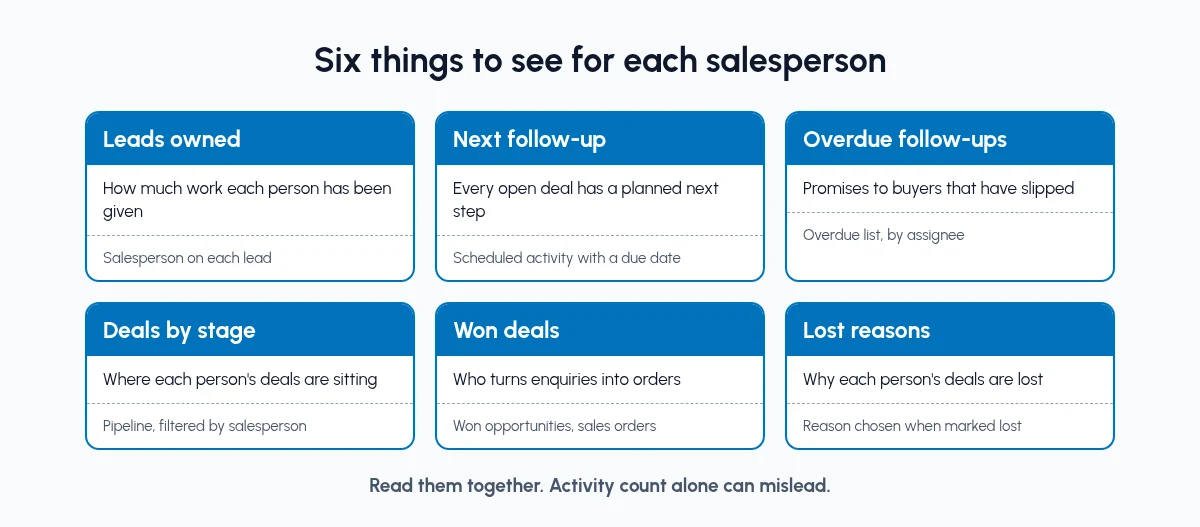
Six signals answer "who is following up, and who is closing?" Read them together, because any one of them alone can mislead.
Leads owned: How much work each person has been given. Where to find it: The salesperson named on each lead or opportunity.
Next follow-up date: Whether every open deal has a planned next step. Where to find it: A scheduled activity with a due date and an assignee.
Overdue follow-ups: Promises to buyers that have already slipped. Where to find it: The overdue activities list, by assignee.
Deals by stage: Where each person's deals are sitting. Where to find it: The pipeline, filtered by salesperson.
Won deals: Who is turning enquiries into orders. Where to find it: Won opportunities and confirmed sales orders.
Lost reasons: Why each person's deals are being lost. Where to find it: The reason chosen when a deal is marked lost.
A salesperson with plenty of leads, few overdue follow-ups and few wins may need help with quotations or pricing. One with a long overdue list either has more leads than one person can handle or is not logging calls. One whose lost reasons are mostly "no response" is probably calling back too late.
Do not rank people on activity count alone. A salesperson who logs many calls and closes nothing is not ahead of one who logs fewer and closes more.
How do I track sales team performance in a CRM?
Set it up in this order. Each step makes the next one possible.
Step 1: Give every lead a named owner
A lead with no owner gets no follow-up. Route new enquiries to salespeople by rule, for example by state, city, product or source, so each lead has an owner on the day it arrives. Portal leads should come in without anyone retyping them; our guide to IndiaMART CRM integration covers that part.
Step 2: Turn every promise into a dated activity
When a buyer says "call me on Monday" or "send the rate after the sample", the salesperson schedules an activity on that lead or deal: the type (call, meeting, email or to-do), the due date and who it is assigned to. If a follow-up is not scheduled, nobody can check whether it happened. For chats with buyers, see WhatsApp CRM automation.
Step 3: Make "no next step" visible
Every open deal should have one planned next activity. Agree a simple rule with the team: a deal with no next activity is either given one today or marked lost with a reason. In the pipeline view, deals with nothing scheduled should stand out, so the salesperson sees them first.
Step 4: Clear overdue follow-ups every morning
Overdue follow-ups show who is falling behind while there is still time to act. Each morning, every salesperson clears their own overdue list: do the follow-up, reschedule it with a note, or close the deal. Once a week, the sales head looks at the same list by salesperson.
Step 5: Record a reason on every lost deal
Keep a short list of lost reasons that fit your trade, such as price, delivery time, design or grade not available, went elsewhere and no response. Ask for one every time a deal is marked lost. Lost reasons by salesperson show coaching needs that a win count hides.
Step 6: Filter dashboards and reports by salesperson
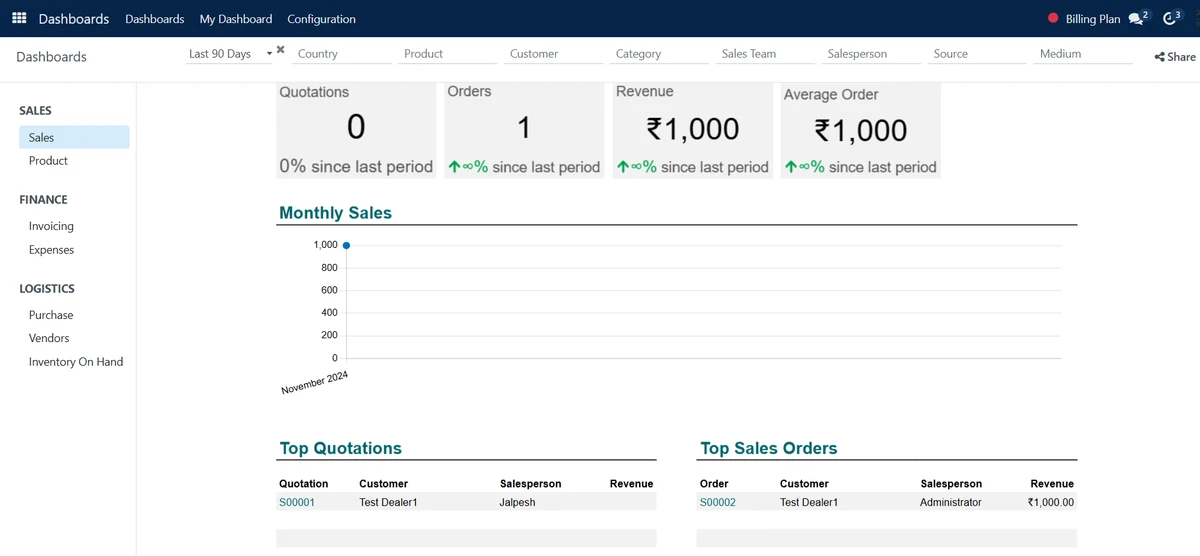
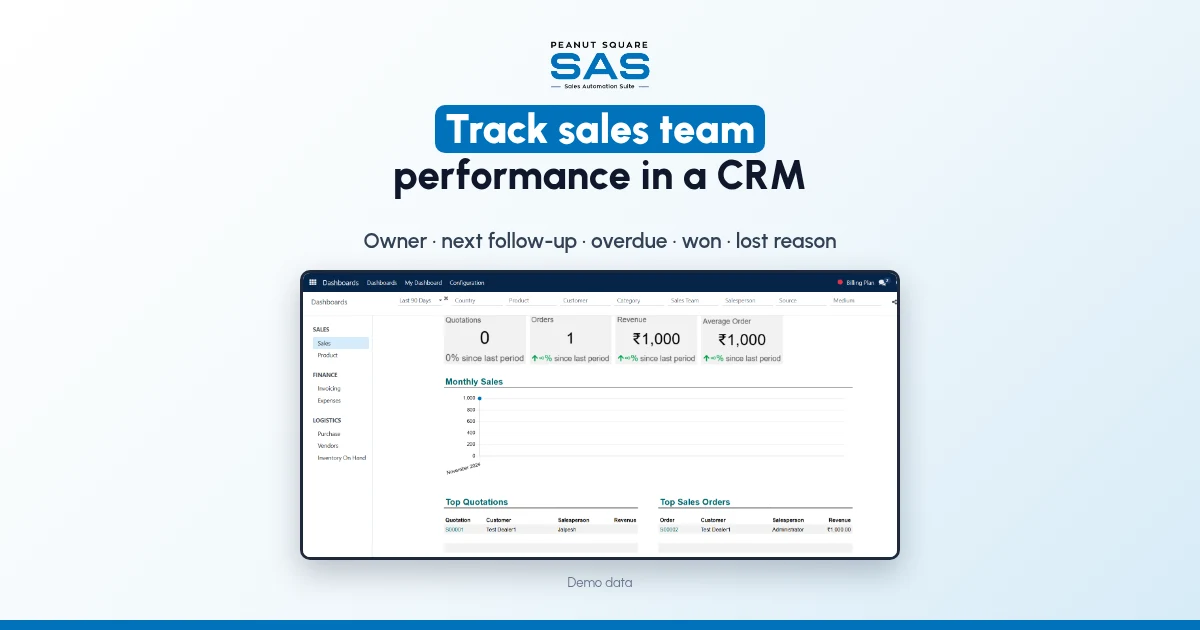
Use the CRM's dashboards and reports to compare quotations sent, orders won and activities completed, filtered by sales team and salesperson, for the same period. Look at each person's trend over a few weeks rather than one bad week.
What does a fair weekly sales review look like?
Keep it short and run it from the CRM screen, not a verbal round-up. For each salesperson, in this order:
Overdue follow-ups. Which buyers are waiting. Clear or reschedule them in the meeting.
Open deals with no next step. Give each one a dated activity or mark it lost.
Deals in Proposition. Which quotations went out this week, and which are waiting on a reply.
Won and lost. What closed, and the lost reason on each deal that did not.
New leads received. Whether the load is fair, or one person has more than they can follow up.
Then ask each person one question: "What do you need to close the deals closest to an order?" That keeps the review about coaching, not a report card.
What changes once follow-ups are visible?
We will not put a percentage on it, because the gain depends on how the team works today. These are changes you can check for yourself in the first few weeks:
Every new enquiry has an owner on the day it arrives.
Every open deal has a dated next step or a lost reason.
The sales head sees overdue follow-ups by name before the buyer complains.
The review meeting starts from the same screen the team uses.
Lost deals carry reasons you can count by salesperson.
When a salesperson leaves, their leads, activities and history stay in the CRM, not on their phone.
If your team also runs stock, production or dispatch in separate tools, you may recognise the signs your business has outgrown a CRM-only tool.
How does Sales Automation Suite handle sales team performance tracking?
Sales Automation Suite (SAS) from Peanut Square is one ERP and CRM built for how India sells. It is meant for India B2B sellers who outgrow a CRM-only stack and want one INR-priced ERP+CRM with India lead portals and WhatsApp on the pricing page, on Cloud or On-Premise.
The SAS pricing page (checked 16 Oct 2026) lists Lead Import, Funnel, Assignment, Interactions, Follow-ups and Visit Geo-Tag under CRM and Sales, and BI Dashboard among the integrations, next to IndiaMART, TradeIndia, JustDial, Meta forms and Free WhatsApp Automation.
The SAS knowledge base (all checked 16 Oct 2026) describes the pieces this guide uses:
Owners by rule. Rule-based assignment sends leads to sales teams, and to individual salespeople within a team, by conditions you set. It runs manually or on a repeating schedule (rule-based assignment).
Dated follow-ups. An activity is scheduled from the pipeline with Assigned to, Due Date and Activity Type, and a record with nothing scheduled shows a clock icon in the Kanban view (organise and schedule activities).
Each salesperson's own list. My Activity under Sales lists opportunities with their activities, the deadline, expected revenue and stage (manage and monitor activities).
Overdue by assignee. The Activity dashboard has All, Planned, Completed, Today's, Overdue and Cancelled sections (activity dashboard). The overdue list shows each activity's due date and who it is assigned to, and can be exported (overdue activities).
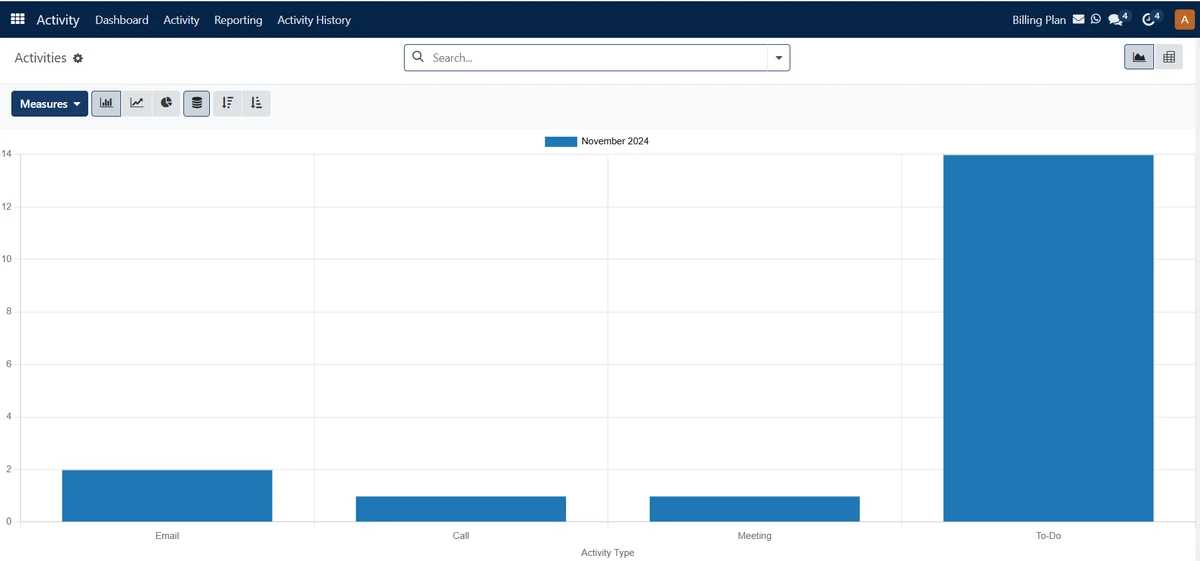
Filters and views. The All Activity and My Activity pages have Filters, Group By and Favorites, and switch between Kanban, List, Calendar, Pivot, Graph and Map views (see activities). Activity Reporting shows emails, calls and meetings as graphs and pivots (activity reporting).
Lost reasons. Lost reasons are set up under Configuration and chosen when an opportunity is marked lost (add lost reasons).
Team view. CRM Reporting covers Forecast, Pipeline, Leads and Activities analysis (reporting in CRM). Each sales team has a team leader and a monthly invoicing target, and its card shows open opportunities, quotations, orders to invoice and unassigned leads (manage sales team).
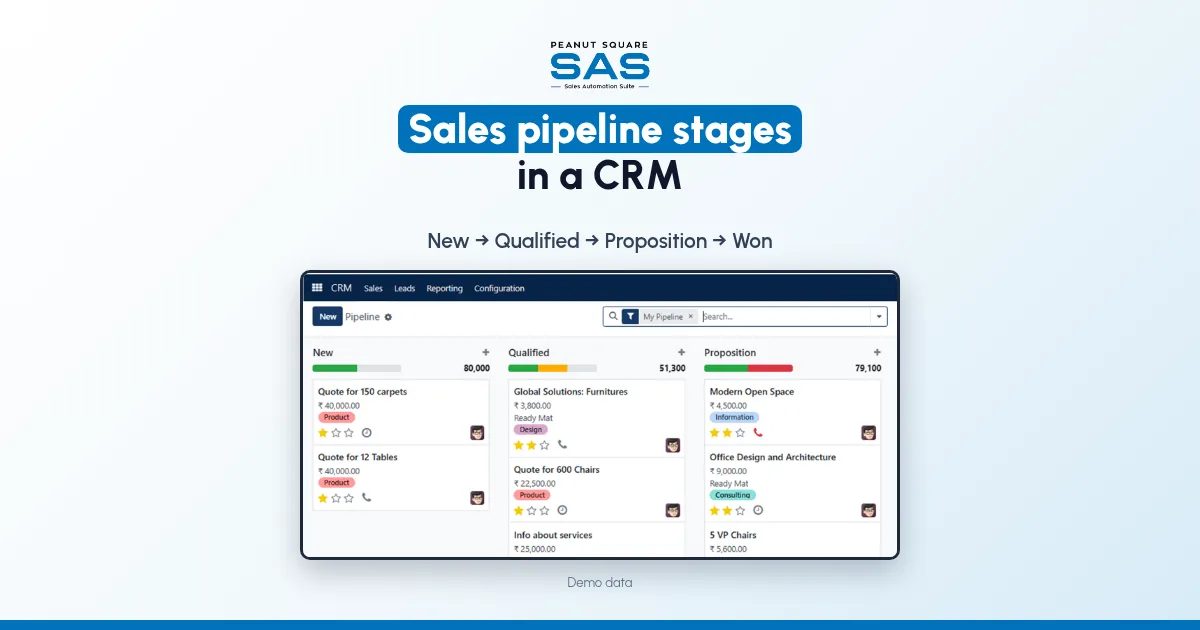
The pipeline stages are New, Qualified, Proposition and Won. The SAS home page (checked 16 Oct 2026) shows ISO 9001:2015 and ISO 27001:2022 certification.
On price: ₹300 per user per month on Premium, after a listed 40% off ₹500. GST extra, billed yearly, and the discount is valid for 12 months for the initial users ordered. Implementation is a separate one-time cost. Source: SAS pricing, checked 16 Oct 2026.
How do I see which salesperson is following up and closing?
Give every lead a named owner, log every follow-up as a dated activity assigned to that person, and mark lost deals with a reason. Then review overdue follow-ups and won and lost deals by salesperson every week.
Which number should a sales head check every day?
Overdue follow-ups by salesperson. It shows promises to buyers that have slipped while there is still time to call back.
Should I rank salespeople by the number of calls they make?
No. Call counts reward being busy. Read activities together with quotations sent, deals won and lost reasons.
How often should I review sales team performance?
Clear overdue follow-ups daily, hold a short review weekly, and look at trends for each person monthly.
How do new leads reach the right salesperson?
Use rule-based assignment by area, product or source, so each new enquiry has an owner the day it arrives. In SAS it runs manually or on a repeating schedule (rule-based assignment).