Short answer: A manufacturer can follow up leads and dealers on WhatsApp by moving those chats off personal phones and into a shared WhatsApp inbox that sits inside the CRM. Each enquiry and each dealer gets an owner, replies use approved templates, and every follow-up is a dated activity. Then a dealer conversation survives a salesperson's leave, a lost phone or a resignation.
This guide covers why WhatsApp follow-up for dealers and distributors breaks down, what a working setup looks like, how to put it in place, and how Sales Automation Suite handles it. If you are comparing WhatsApp CRM tools in general, start with our WhatsApp CRM software page. This article is about the manufacturer and dealer side.
Why does WhatsApp follow-up with dealers slip?
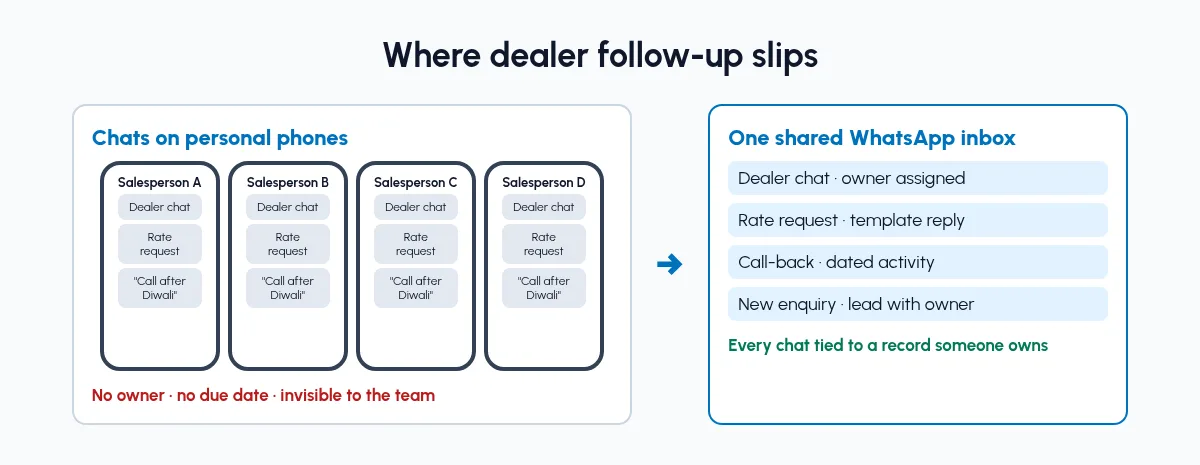
Dealer chats on personal phones versus one shared, assigned inbox.
For most Indian manufacturers, WhatsApp is already the sales channel. Dealers send orders as photos, distributors ask for rates in voice notes, and new buyers from IndiaMART or JustDial move to WhatsApp after the first call. The channel works. The record keeping does not.
Chats live on personal phones. The conversation with a dealer belongs to whoever saved the number. When that person is away, nobody else can see what was promised.
Follow-ups depend on memory. "Call back after Diwali" is a line in a chat, not a task with a date. It gets buried under the next fifty messages.
Rates and stock go out unchecked. A salesperson quotes on WhatsApp from a sheet on their phone, without seeing what is ready to ship.
New enquiries and dealer chats mix. A fresh lead and a ten-year dealer sit in the same chat list with no stage, area or owner attached.
The factory has no view. The owner cannot tell which dealers have gone quiet this month without asking each salesperson.
None of this means WhatsApp is the problem. It means WhatsApp is not connected to the dealer record.
What does a working WhatsApp follow-up setup look like?
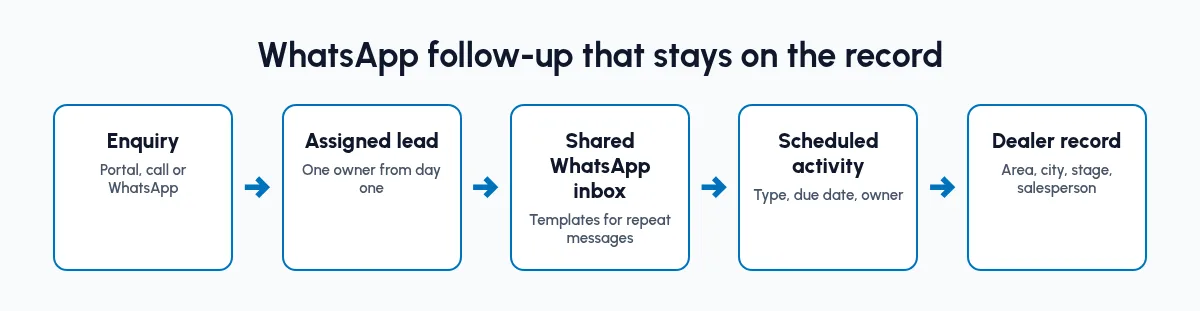
Every chat tied to a record someone owns, from enquiry to dealer record.
WhatsApp follow-up for dealers and distributors works when every chat is tied to a record someone owns. In practice:
One dealer and customer master. Each dealer has an area, a city, a stage and an assigned salesperson.
One shared WhatsApp inbox. Messages arrive in a team inbox, not on one phone, and each conversation is assigned.
Templates for the repeat messages. Rate updates, dispatch details, payment reminders and sample follow-ups use approved wording.
Follow-ups as scheduled activities. "Call back on the 20th" becomes an activity with a due date and an owner.
Leads and dealers kept apart. New enquiries move through the sales pipeline. Existing dealers are worked as accounts with visits and reorders.
How can a manufacturer follow up leads and dealers on WhatsApp?
Set it up in the order the work flows. Each step is useful on its own.
Step 1: Build the dealer master first
Before touching WhatsApp, list every dealer and distributor with area, city, current stage and the salesperson who owns them. If two salespeople both think a dealer is theirs, settle it now. A shared inbox will not fix unclear ownership.
Step 2: Bring portal enquiries into the same system
Enquiries from IndiaMART, TradeIndia, JustDial and Meta lead forms should land as CRM leads, not as forwarded screenshots. Our guide to IndiaMART CRM integration covers the portal side.
Step 3: Move WhatsApp to a shared, assigned inbox
Connect the business WhatsApp number to a team inbox inside the CRM. Assign each conversation to the salesperson who owns that dealer or lead, so a reply from the factory is never a guess about who should answer.
Step 4: Write templates for the messages you send every week
Most dealer messages repeat: new rate list, stock of a design or size, dispatch with LR number, payment due. Write these once, get them approved, and let the team use them. For automating the routine ones, see WhatsApp CRM automation.
Step 5: Turn every promise into a dated activity
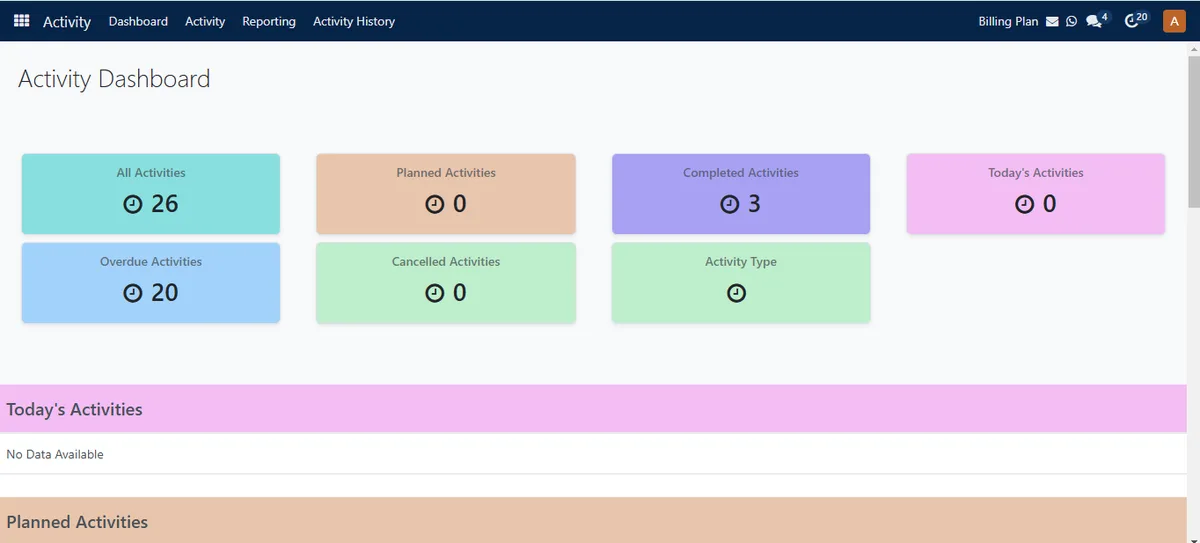
Follow-ups tracked as activities in SAS. Demo data.
When a dealer says "send the sample next week" or "call me after the 15th", create an activity on the dealer record with a type, due date and owner. The chat is the conversation. The activity is the follow-up.
Step 6: Review quiet dealers every week
Once activities and chats sit on dealer records, the sales head can see which dealers have no recent activity and which follow-ups are overdue, without asking each salesperson.
What should go on WhatsApp, and what should stay in the CRM?
Fine on WhatsApp:
Quick replies, photos, voice notes
Rate lists and dispatch details from templates
Reminders for samples and payments
First reply to a portal enquiry
Keep on the CRM record:
The dealer's area, city, stage and owner
Quotations and sales orders
Scheduled follow-up activities with due dates
Lead source, stage and lost reason
WhatsApp is where the dealer talks. The CRM is where the factory remembers.
What changes once WhatsApp follow-up is linked to the CRM?
We will not put a percentage on it, because it depends on how scattered the chats were. These are changes you can check in the first few weeks:
A dealer conversation is visible to the team, not only to one phone.
Every new enquiry has an owner the day it arrives.
Follow-ups appear as due activities instead of buried messages.
Rate and dispatch messages use the same approved wording.
The sales head can list dealers with no activity this month.
If you also need stock and orders in the same flow, read inventory and sales integration.
How does Sales Automation Suite handle WhatsApp follow-up for dealers?
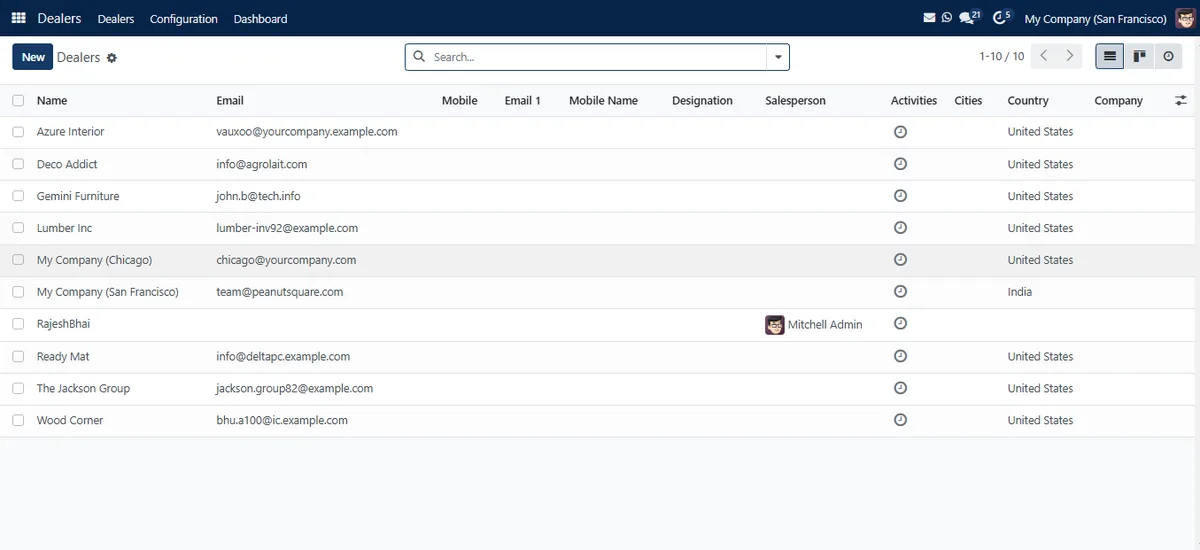
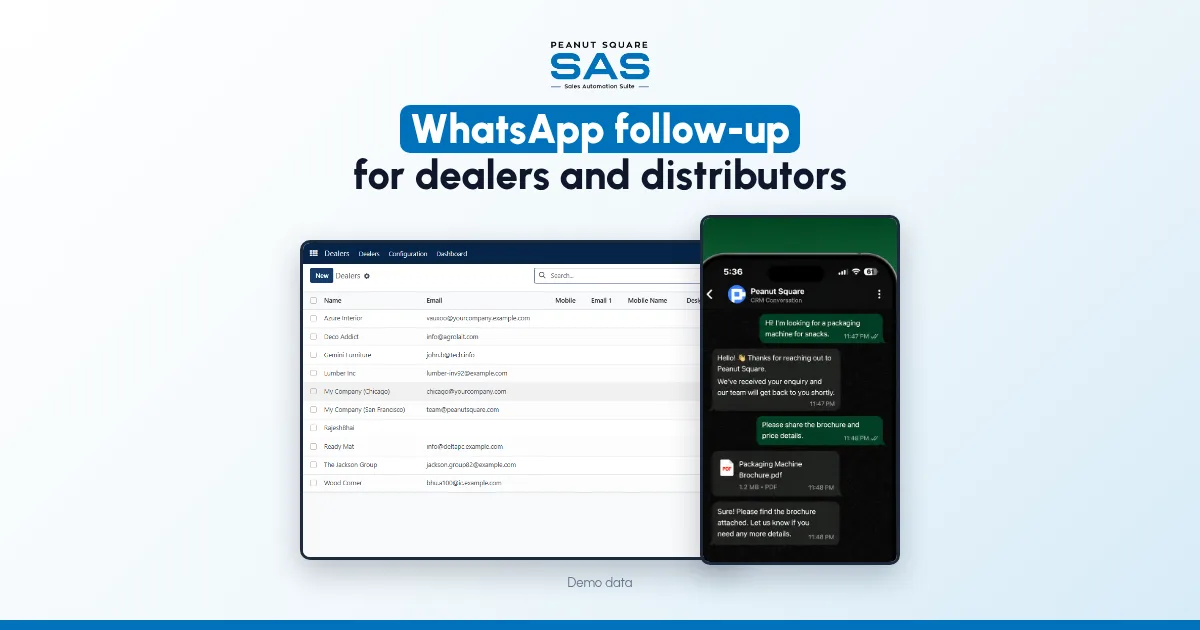
Dealer records in SAS Dealers. Demo data.
Sales Automation Suite (SAS) from Peanut Square is one ERP and CRM built for how India sells. It is meant for India B2B sellers who outgrow a CRM-only stack and want one INR-priced ERP+CRM with India lead portals and WhatsApp on the pricing page, on Cloud or On-Premise.
The SAS manufacturing page (checked 15 Oct 2026) lists modules for pipe, wire and cable, colour-plast, furniture and plywood makers, and describes SAS Dealers as "one master for dealers and customers with area, city, stage, salesperson assignment and a dashboard".
The SAS page for Morbi tile businesses (checked 15 Oct 2026) describes the flow most manufacturers will recognise: a portal enquiry lands as a lead, is assigned to a salesperson, and the salesperson replies "from the shared WhatsApp inbox", with templates "so replies to buyers in other states are not lost in one person's phone". The same page lists dealer records with area, city, stage and assigned salesperson, and dealer locations on a map.
The SAS knowledge base (checked 15 Oct 2026) adds:
An activity can be scheduled on a dealer with an activity type, due date, notes and an "Assigned to" person (assign activity to a dealer).
Leads can be routed to salespeople by rules you set (rule-based assignment).
According to the SAS pricing page (checked 15 Oct 2026), IndiaMART, TradeIndia, JustDial, Meta forms and Free WhatsApp Automation are listed as integrations on the plan. SAS is certified to ISO 9001:2015 and ISO 27001:2022.
On price: ₹300 per user per month on Premium, after a listed 40% off ₹500. GST extra, billed yearly, and the discount is valid for 12 months for the initial users ordered. Source: SAS pricing, checked 15 Oct 2026.
How can a manufacturer follow up leads and dealers on WhatsApp?
Keep a dealer master with owners, move the business WhatsApp number into a shared inbox inside the CRM, use templates for repeat messages, and record every promised call-back as a dated activity on the dealer.
Can several salespeople use one business WhatsApp number?
With a shared team inbox, yes. Each conversation is assigned to one salesperson, and others can see the history when they need to step in.
Should dealers and new leads be handled the same way?
No. New enquiries move through pipeline stages until they are won or lost. Existing dealers are accounts you follow up with visits, reorders and payment reminders.
What is the first step to fix WhatsApp follow-up?
Build a clean dealer list with area, city, stage and an owner for each dealer. Every later step depends on knowing who owns whom.
Where can I compare WhatsApp CRM software?
See our WhatsApp CRM software page, which covers the product side in full.