Short answer: Inventory and sales integration means your quotations and sales orders read the same stock figure your stores team keeps. Put products, stores and stock in one system with the CRM, build quotes from that product list, confirm orders into deliveries, and let low stock trigger replenishment. Then sales stops promising goods that are already sold.
This guide covers why quotes drift away from stock, what a working link looks like, how to set it up in order, and how Sales Automation Suite handles it.
Why do quotes and stock stop matching?
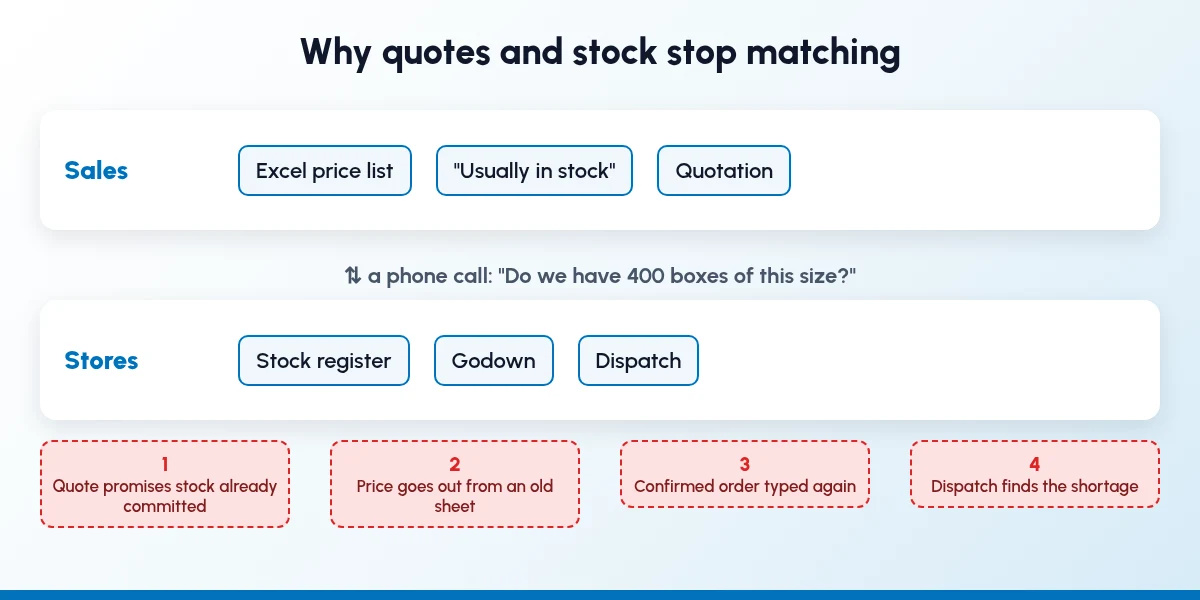
Where quotes and stock drift apart when sales and stores keep separate records.
In most growing Indian B2B businesses, sales and stores keep separate truths. The salesperson has a price list in Excel and a feel for what is usually in stock. The stores team has a register, or a stock module that sales never opens. Between the two sits a phone call: "Do we have 400 boxes of this size?"
That call is where things slip:
The quote promises stock that is already committed. Two salespeople quote the same lot to two buyers on the same day. Both buyers say yes.
Prices go out from an old sheet. The rate in the quotation is last quarter's, because nobody updated the copy on the salesperson's laptop.
The order is typed again. Once the buyer agrees, someone re-enters the quotation as an order or a delivery challan. Quantities and sizes change on the way.
Dispatch finds the shortage. The godown discovers the gap only when it tries to pack the order, and the buyer hears about it after the promised date.
None of this is a people problem. It is two systems, or a system and a spreadsheet, that do not talk. Inventory and sales integration closes that gap.
What does inventory and sales integration actually mean?
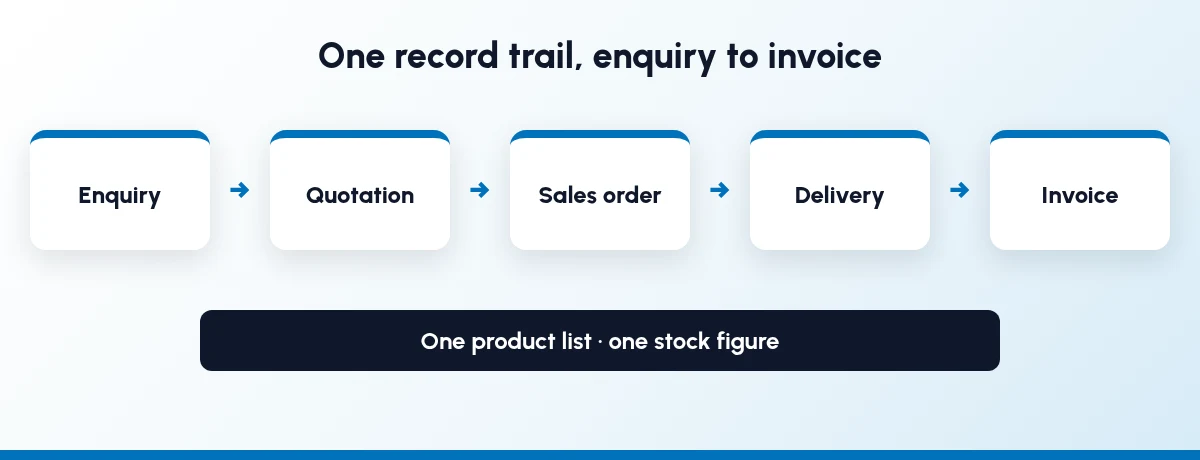
One record trail from enquiry to invoice, on one product list and one stock figure.
It means one record trail from enquiry to dispatch, built on one product list and one stock figure. In practice:
One product master. Every item has one code, one unit of measure and one price list, used by sales, purchase and stores.
Quotes built from that master. The salesperson picks products from the list instead of typing names and rates by hand.
Orders that become deliveries. When the buyer confirms, the quotation turns into a sales order, and the order tells stores what to pick and dispatch.
Stock that moves with the order. Deliveries reduce stock. Receipts from purchase add to it. Everyone sees the same number.
Replenishment that knows about demand. Minimum and maximum levels per product flag what to reorder before the shelf is empty.
Supply-chain writers call the ability to answer "how many can I promise, and by when?" available-to-promise: a response to a customer order enquiry based on what resources are actually available. You do not need a big planning system to get the basic version. You need sales and stock in the same place.
How do I link inventory with my sales pipeline?
Move in the order the work flows. Each step is useful on its own, so you can stop and settle in before the next.
Step 1: Clean up products, units and stores
Start with the product list, not the CRM. Give each item one code and one unit of measure, and decide which stores or godowns you will track. Count what is actually on the shelf and enter that as opening stock. If the opening figure is wrong, every quote built on it will be wrong too.
Step 2: Get every lead into one pipeline
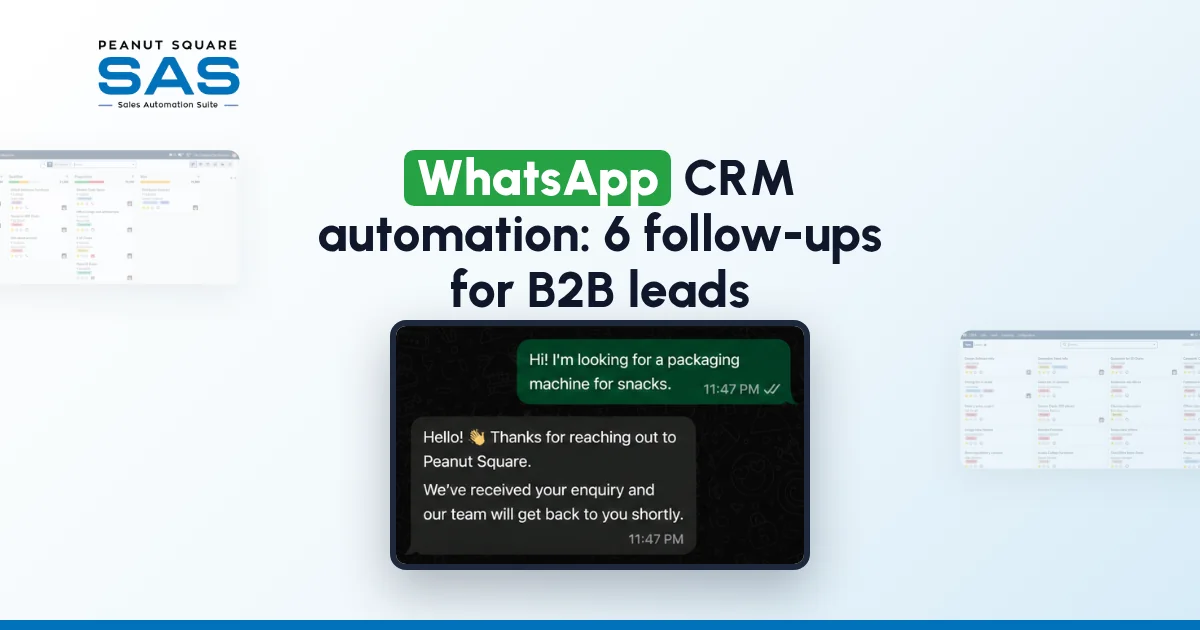
Leads from IndiaMART, TradeIndia, JustDial, Meta forms and WhatsApp should land in one list with a named owner. Our guide to IndiaMART CRM integration covers the portal side, and WhatsApp CRM automation covers follow-ups. Use rule-based assignment so leads reach the right salesperson without someone forwarding them by hand.
Step 3: Build quotations from the opportunity
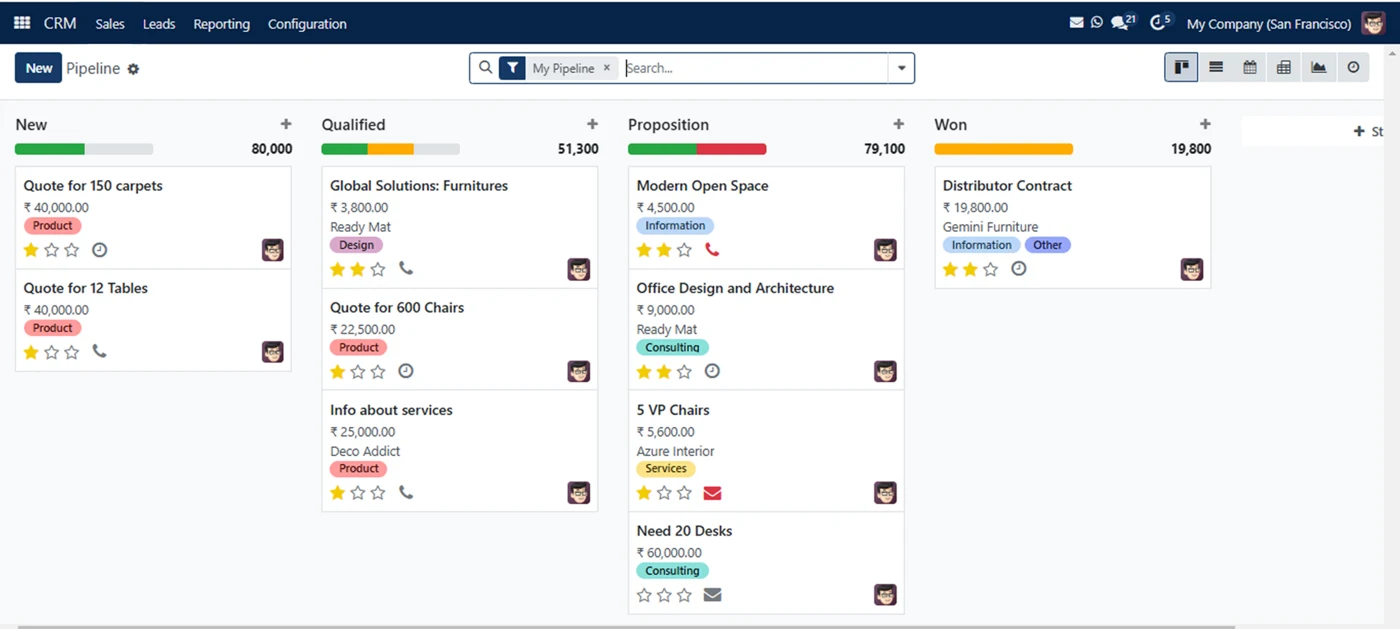
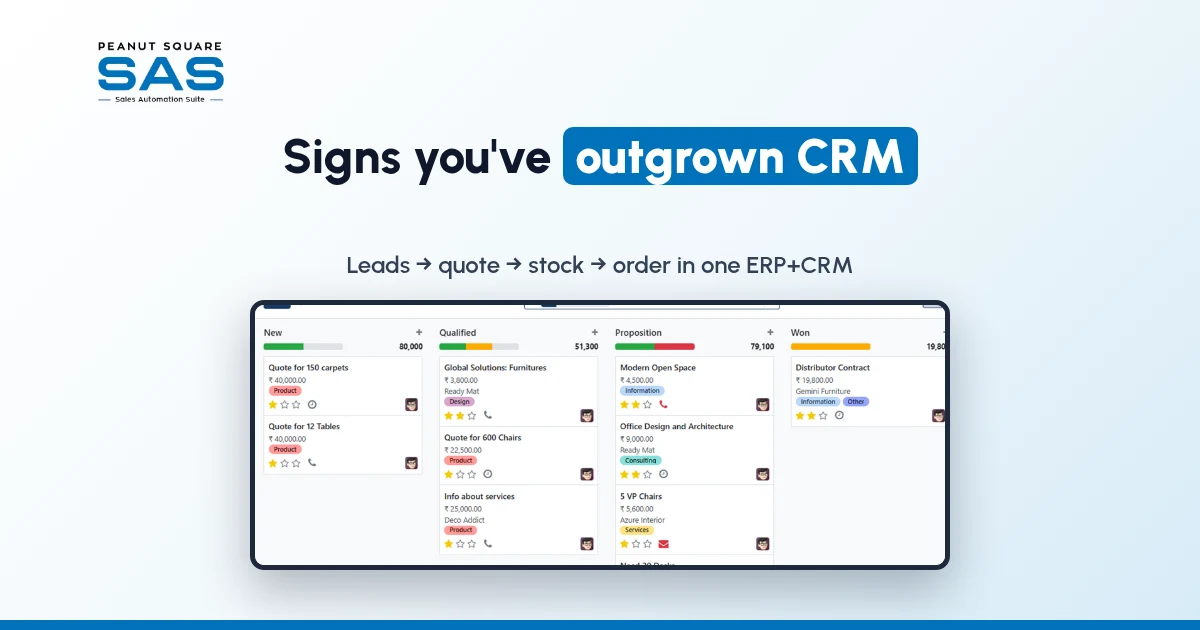
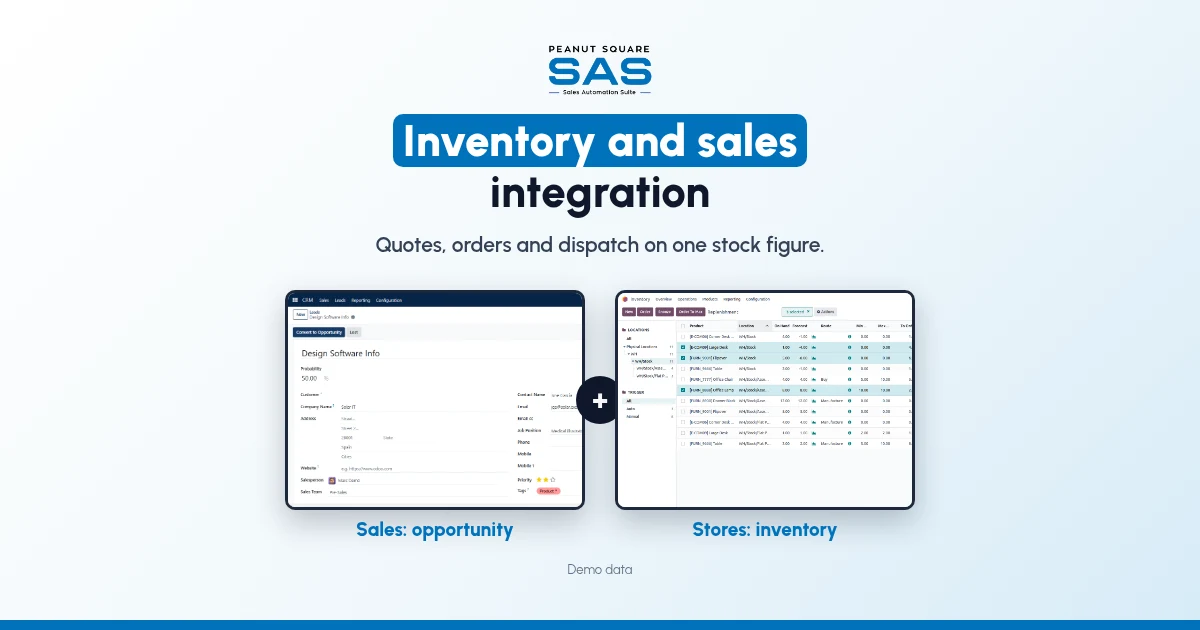
The SAS pipeline. Quotations start from the opportunity. Demo data.
Stop making quotes in a spreadsheet. Create the quotation from the opportunity, pick products from the master, and let the customer's price list and payment terms fill in. The rate and the item are then the ones stores and accounts also use.
Step 4: Check stock before you commit a date
Before the quote goes out, check what is on hand and what is already promised to other orders. If stock is short, quote a later date or a split delivery rather than the usual lead time. This is the step that turns inventory and sales integration from a software setting into a sales habit.
Step 5: Confirm into a sales order, then a delivery
When the buyer agrees, confirm the quotation into a sales order in the same system. Nobody retypes it. The order then becomes the delivery the godown picks against, and the invoice is raised from the same order.
Step 6: Let low stock trigger replenishment
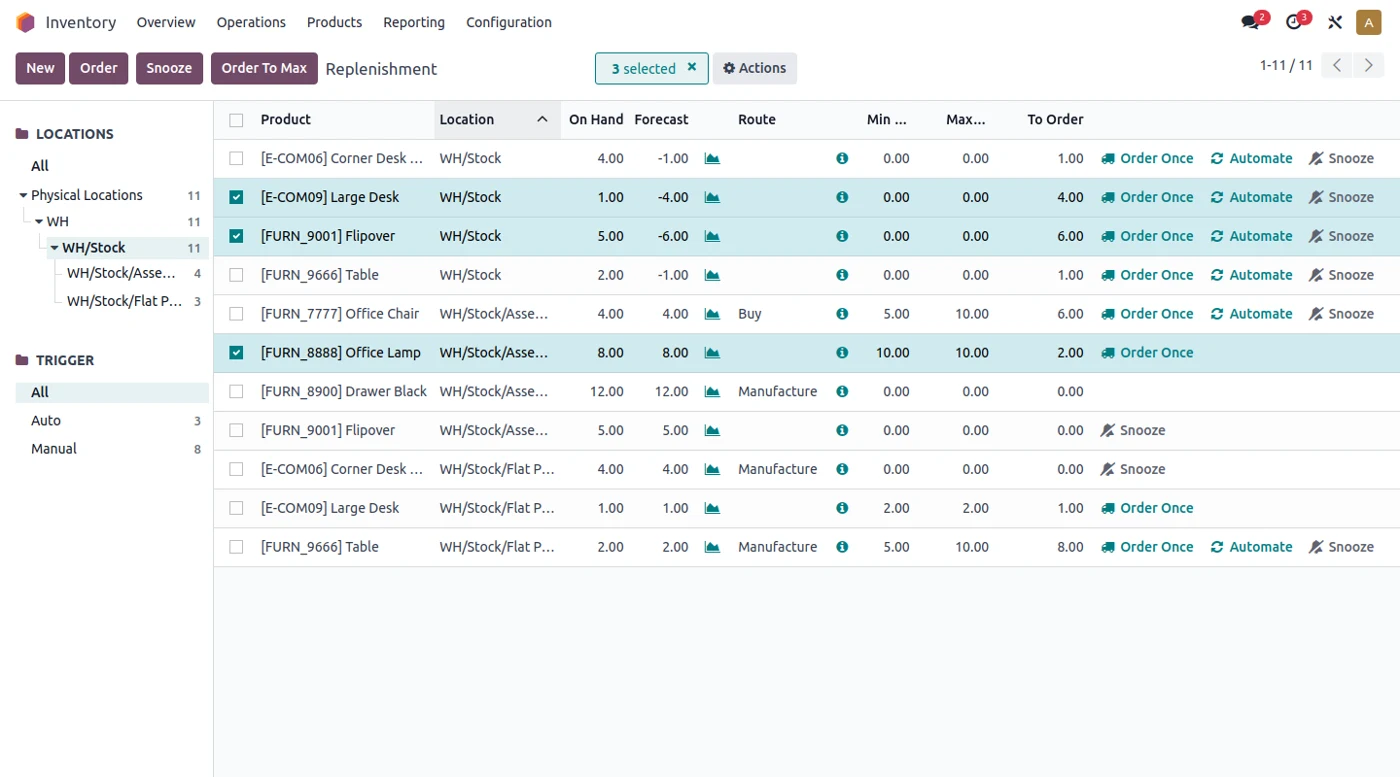
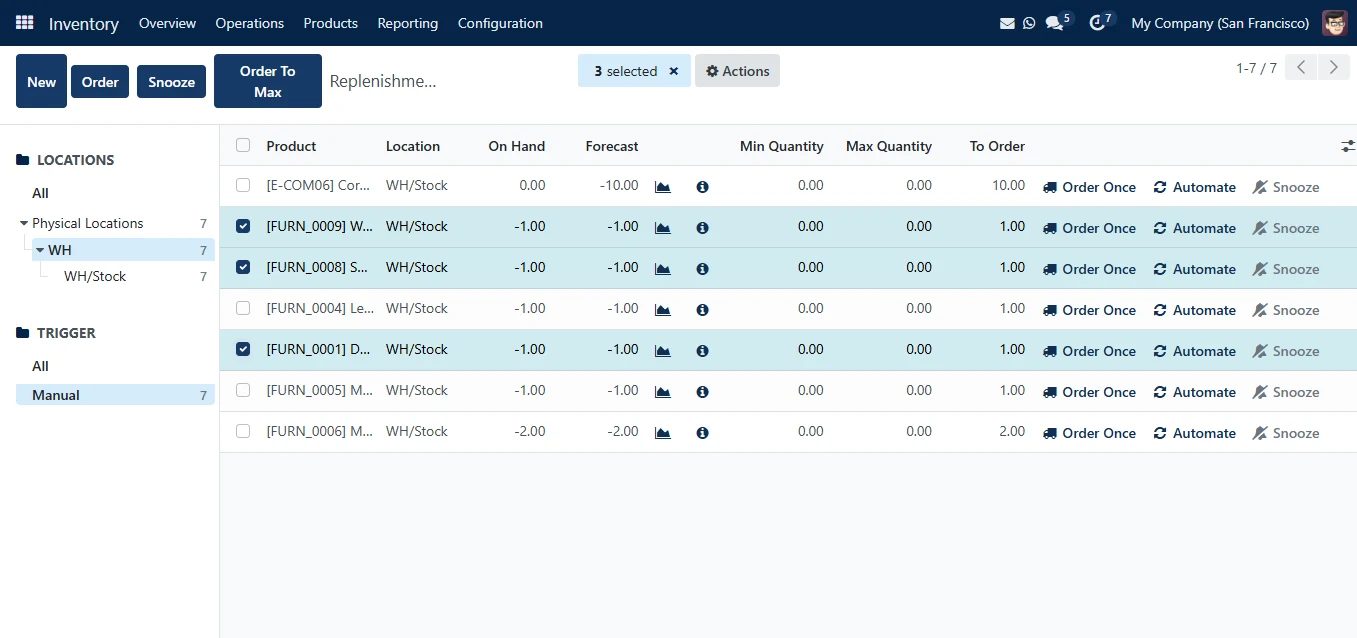
Stock by product and location in SAS Inventory. Demo data.
Set minimum and maximum levels for the items you sell most. When stock falls below the minimum, the system suggests or creates a replenishment order to purchase, so the next quote is not blocked by an empty shelf.
What should sales see about stock, and what should stay with stores?
Inventory and sales integration does not mean every salesperson edits stock. Keep the roles clear.
Sales should see:
On-hand quantity per product and store
Whether stock is already committed to other orders
The price list and payment terms for the buyer
Delivery status of their own orders
Whether the invoice is paid
Stores and purchase should own:
Receipts, transfers and stock adjustments
Physical counts and the difference from book stock
Minimum and maximum levels and reorder rules
Scrap, returns and batch or expiry tracking
Vendor price lists and purchase orders
The left column helps a salesperson promise well. The right column keeps the stock figure honest. Both sides read from the same records, which is the whole point.
What changes once inventory and sales are linked?
We will not put a percentage on it, because the gain depends on how broken the handoff was. These are the changes inventory and sales integration should bring, and you can check them yourself in the first few weeks:
Quotes carry the current rate from the price list, not a copied sheet.
A confirmed quotation becomes a sales order without being typed twice.
Stores pick from a delivery created by the order, not from a WhatsApp forward.
Two salespeople can see when the same stock is already promised.
Purchase hears about low stock from reorder levels, not from an angry buyer.
The salesperson can see dispatch and payment on the account before the next follow-up.
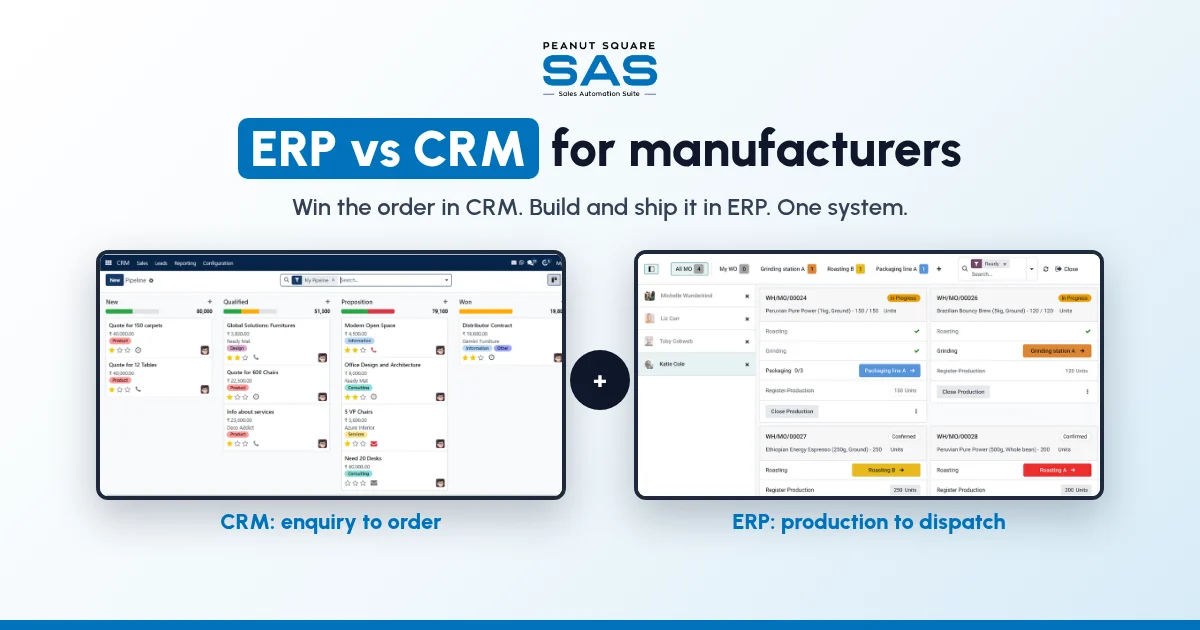
If your business also manufactures to order, the same logic extends to production and purchase planning. We cover that wider handoff in ERP vs CRM for manufacturers. See how SAS fits manufacturing businesses, and if you sell tiles, sanitaryware or ceramics out of Morbi, how it works for businesses in Morbi. If several of the slips above sound familiar, you may also recognise the signs your business has outgrown a CRM-only tool.
How does Sales Automation Suite handle inventory and sales integration?
Receipts and delivery orders in the SAS Inventory overview. Demo data.
Sales Automation Suite (SAS) from Peanut Square is one ERP and CRM built for how India sells. It is meant for India B2B sellers who outgrow a CRM-only stack and want one INR-priced ERP+CRM with India lead portals and WhatsApp on the pricing page, on Cloud or On-Premise.
The SAS home page (checked 15 Oct 2026) says SAS connects "CRM, inventory, sales, manufacturing, and POS into a single unified workspace" and describes Inventory Control as tracking "stock movements, warehouse operations, product availability, and purchase planning". The same page shows ISO 9001:2015 and ISO 27001:2022 certification.
According to the SAS pricing page (checked 15 Oct 2026), one plan includes:
CRM and sales: Lead Import, Funnel, Assignment, Interactions, Follow-ups, Quotations, Proforma Invoices, Sales Orders and Billing.
Inventory: Multiple Stores, Batches, Expiry, Min levels and Stock Reconciliation, alongside Purchase Planning, Purchase Orders and GRN.
Integrations: IndiaMART, TradeIndia, JustDial, Meta forms and Free WhatsApp Automation.
The SAS knowledge base (all checked 15 Oct 2026) describes how the pieces connect:
The pipeline stages are New, Qualified, Proposition and Won, and a quotation can be started from an opportunity in the Proposition stage (how to create a quotation in CRM).
Leads can be routed to salespeople by rules you set (rule-based assignment).
Choosing a customer on a quotation fills in the invoice address, delivery address, price list and payment terms (quotation in the Sales module).
A sales order can be generated from a qualifying quotation or opportunity, which the guide says "eliminates the need to manually enter data" (features of the Sales module).
The Inventory module works with Sales, Point of Sale, Purchase, Accounting and Manufacturing, and its overview handles receipts, internal transfers and delivery orders (inventory overview).
The replenishment tool takes minimum and maximum quantities per product and shows on-hand and forecast figures (replenishment).
On price: ₹300 per user per month on Premium, after a listed 40% off ₹500. GST extra, billed yearly, and the discount is valid for 12 months for the initial users ordered. Implementation is a separate one-time cost. Source: SAS pricing, checked 15 Oct 2026.
How do I link inventory with my sales pipeline?
Put products, stores and stock in the same system as your CRM. Build quotations from the product list, confirm them into sales orders, and let orders create the deliveries stores pick against. Then set reorder levels so low stock reaches purchase in time.
Does inventory and sales integration need a full ERP?
Not on day one. You need one product master, quotes built from it, and stock that moves when orders ship. Production and purchase planning can follow once that works.
Should salespeople be able to change stock figures?
Usually not. Good inventory and sales integration lets sales see on-hand and committed stock. Stores and purchase should own receipts, counts and adjustments, so the figure stays trustworthy.
What is the first step to fix quotes that do not match stock?
Count what is on the shelf and load it as opening stock against a clean product list. Every later step depends on that number being right.
Can India portal leads and stock live in the same system?
Yes, if one product carries both. SAS lists IndiaMART, TradeIndia, JustDial, Meta forms and Free WhatsApp Automation on the same pricing page (/pricing) as Inventory, Multiple Stores and Sales Orders (checked 15 Oct 2026).