Short answer: Yes, one system can replace separate CRM, billing, stock and HR tools when they share the same customers, products and staff. Here is how to consolidate business software into one system: list every tool and what it holds, mark each one replace, keep or connect, and pick one master record for customers and products. Then move sales first, stock and orders next, billing at a clean cut-off and HR last. Switch off each old tool only after a parallel run.
This guide is for owners of small and mid-sized businesses in India who pay for several tools and still re-type the same order three times. It covers what scattered software really costs, what one system can and cannot replace, an eight-step plan, how to compare costs, and what Sales Automation Suite documents today. If you only use a CRM and are wondering whether it is enough, start with the signs you have outgrown a CRM-only tool.
Why do separate business tools cost more than their bills?
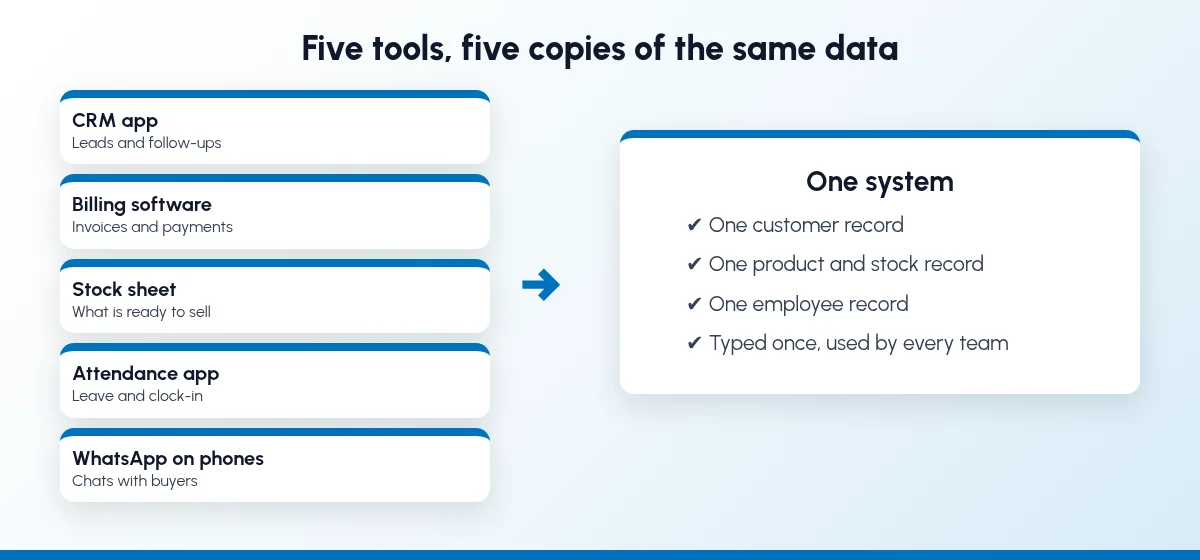
The subscription fees are the visible part. The larger cost is the work between the tools:
The same data is typed again. A customer goes into the CRM, then into billing, then into the dispatch sheet, with a different spelling each time.
Nobody has one number. Sales says the order is confirmed, stores says the stock is short, accounts says the last bill is unpaid, and each is reading a different tool.
The customer story is split. The enquiry is in the CRM, the chat is on a salesperson's phone, the complaint is in a register and the payment is in accounts.
Fees grow in small pieces. Each tool charges per user, per add-on or per connector, and the total is rarely added up in one place.
Access is hard to close. When a salesperson leaves, someone has to remember every login they had.
None of this shows up as one big problem. It shows up as slow quotes, wrong promises and month-end reports that take days to put together.
Can one system really replace CRM, billing, stock and HR tools?
For most small and mid-sized businesses, yes, for the parts that share data. A good test is to ask which record each tool depends on:
Customer record: CRM, quotations, sales orders, billing, payment follow-up and complaints. These belong together.
Product record: stock, purchase, production and the price list. These belong with sales, so a quote can check what is actually available.
Employee record: attendance, leave, expenses and the sales team's targets. These can sit in the same system, so the person who closes a deal is the same person whose leave is approved.
Tools that hold none of these records, or that do a narrow specialist job, are candidates to keep and connect rather than replace. The point is one source for each record, not one login for everything.
How to consolidate business software into one system, step by step
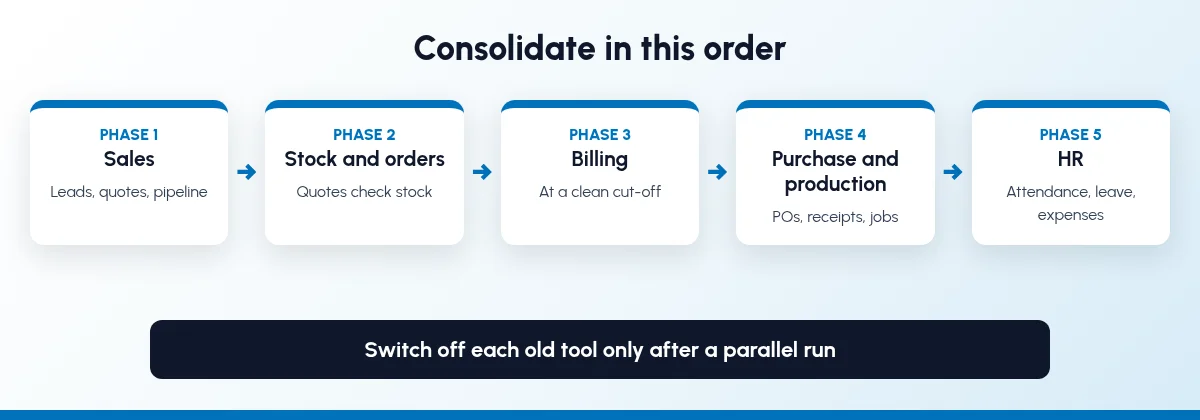
Go in this order. Each step is small, and each one is checked before the next one starts.
Step 1: List every tool and what it holds
Make one list of every app, sheet and register the business uses. For each one, write down:
What it does and which team uses it.
How many users pay for it, and the yearly cost.
Which records it holds: customers, products, stock, invoices, employees.
What it feeds: for example, the stock sheet that sales checks before quoting.
Who owns it and who can export the data.
Include the informal tools: the Excel sheet on the owner's laptop, the WhatsApp groups and the paper dispatch register.
Step 2: Mark each tool replace, keep or connect
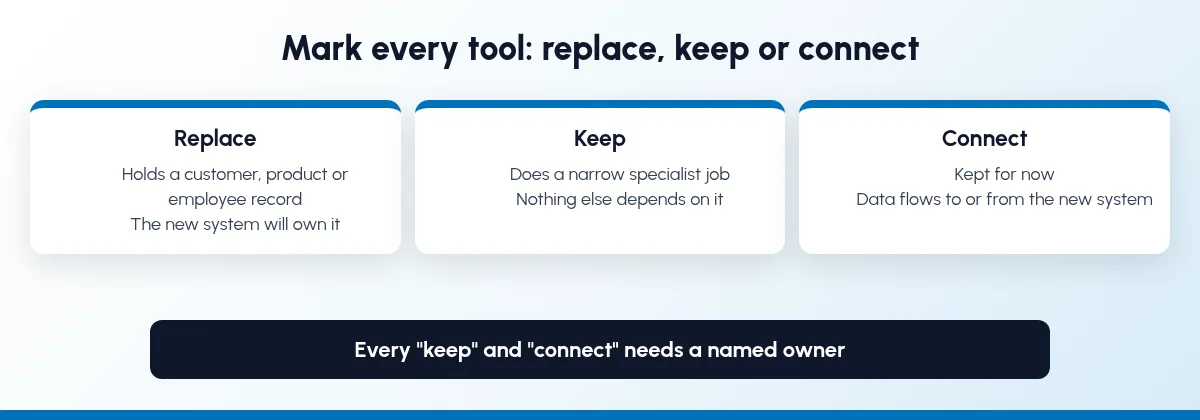
Go down the list and give each tool one label:
Replace: it holds a customer, product or employee record that the new system will own.
Keep: it does a specialist job the new system does not cover, and nothing else depends on it.
Connect: you keep it for now, but data should flow to or from the new system, for example through an export or an automation.
Anything marked "keep" or "connect" needs a named owner and a reason, so it does not quietly become a second master.
Step 3: Pick one master for customers, products and employees
Decide where each master record will live from now on. Clean it once: merge duplicate customers, use one product code per item, one unit per product, and one spelling for each city. A consolidation fails when two tools both claim to own the customer list.
Step 4: Move sales first
Leads, follow-ups, quotations and the pipeline are the lowest-risk area to move, because a mistake shows up as a wrong follow-up date, not a wrong tax invoice. If your sales still run from a sheet, follow the plan in how to switch from spreadsheets to CRM software. Bring portal and WhatsApp enquiries into the same pipeline; see IndiaMART CRM integration and WhatsApp CRM automation.
Step 5: Join stock and orders to sales
Once quotes come from the new system, connect them to stock, so a salesperson can check availability before promising a date and a confirmed quote becomes a sales order without being typed again. Our guide to inventory and sales integration covers this step in detail.
Step 6: Move billing at a clean cut-off
Billing touches GST, so it needs a cut-off date, opening balances and one billing cycle run in parallel. Do not move billing in the same week as sales. The Tally and Excel to ERP plan explains the cut-off and what to check with your accountant first.
Step 7: Add purchase, production and HR
With sales, stock and billing on one record, add the rest in the order your business feels the pain: purchase orders and goods receipts, then production jobs if you manufacture, then attendance, leave and expenses. HR comes last because it depends least on customer and product data, and staff need the least training to use it.
Step 8: Switch off old tools only after a parallel run
For each area, run the old tool and the new system side by side for a short period, compare the numbers, and only then stop using the old tool. Before you cancel a subscription, export a full archive of its data, close every user login, and note the date in your tool list.
How do you compare the cost of many tools with one system?
Compare the full yearly cost of both sides, not the headline price per user. Put these on one sheet:
Current tools: every subscription, each user, each add-on and each connector, for a full year.
Hidden work: the hours spent each month re-typing orders, matching stock and preparing reports, with a rough cost per hour.
The one system: the yearly per-user fee for everyone who will log in, with GST, plus the one-time implementation cost.
Changes you need: any custom fields, reports or modules your business needs, quoted in writing.
Support: what is included each month and what is charged extra.
Count the users carefully. Some staff only need to clock in or submit an expense, and the licence question for them changes the total. Our ERP and CRM buyer's checklist lists the other questions to ask before you sign.
What should stay outside the one system?
Keep a tool outside when it does a narrow job well and does not own a customer, product or employee record. Common examples are a specialist design tool, a bank's own portal or a statutory filing tool your accountant prefers. The test is simple:
If two tools hold the same customer or product, one of them should go.
If a tool only needs to receive data, connect it, or send it an export.
If a tool's output is needed by sales, it should either move in or be connected, so sales do not ask someone on the phone.
Whatever stays outside, write down who owns it and what flows between it and the main system.
What does a manufacturer or tile business consolidate first?
A factory usually has the most tools to join: enquiries, quotations, stock, production, dispatch and dealer records, often in different places. Start where a wrong answer costs an order:
Enquiries and dealers: portal leads and dealer records in one place, each with an owner.
Quotes and stock: quotes that check finished stock before a date is promised.
Orders and dispatch: confirmed orders that carry through to delivery and transport details.
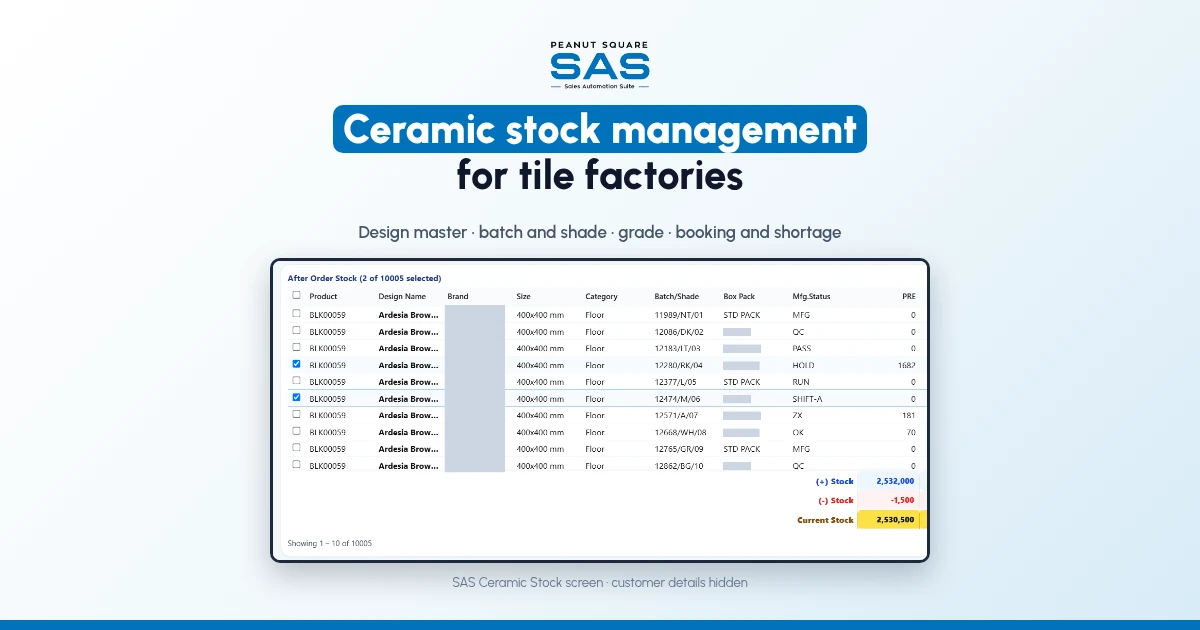
The SAS manufacturing page (checked 25 Oct 2026) lists modules for pipe, wire and cable, colour-plast, furniture and plywood makers, covering quotations, stock, production and dispatch alongside CRM. For tile makers and traders, the SAS Morbi page (checked 25 Oct 2026) says Renite Vitrified, a vitrified tile maker in Morbi, uses SAS CRM and automation alongside its other tools, which is a reminder that you do not have to replace everything on day one. The SAS page for ceramic and tile businesses has the full tile module list. If you are still deciding between ERP and CRM, read ERP vs CRM for manufacturers.
How does Sales Automation Suite handle consolidation?
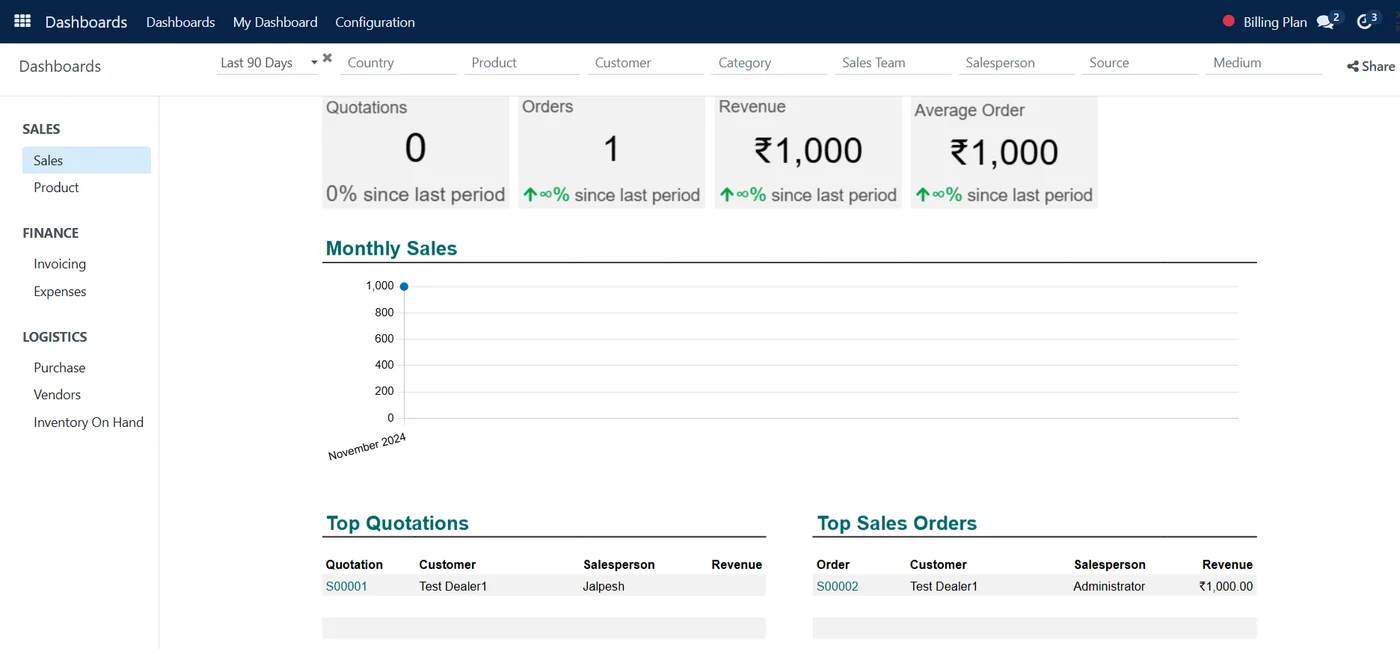
SAS is built to be the one system for customers, products and staff, with integrations for the tools you keep. Here is what the live SAS pages show today, and what they leave open.
Sales Automation Suite (SAS) from Peanut Square is one ERP and CRM built for how India sells. It is meant for India B2B sellers who outgrow a CRM-only stack and want one INR-priced ERP+CRM with India lead portals and WhatsApp on the pricing page, on Cloud or On-Premise. Peanut Square is based in Ahmedabad and holds ISO 9001:2015 and ISO 27001:2022 certification.
The SAS pricing page (checked 25 Oct 2026) says one subscription covers the interconnected apps, with no hidden add-ons or locked features, and lists what is included:
CRM and sales: lead import, funnel, assignment, follow-ups, visit geo-tag, quotations, proforma invoices, sales orders, billing, contracts, AMCs, support ticketing and customer login.
Operations: inventory with multiple stores, batches and minimum levels, bill of materials, purchase planning and orders, goods receipts, production jobs, MRP and stock reconciliation.
Accounting: balance sheet, profit and loss, trial balance, vouchers, ledgers, ledger import, sales billing and purchases.
Integrations: viaSocket, IndiaMART, TradeIndia, JustDial, Meta forms, free WhatsApp automation, a BI dashboard, a website API and Excel export.
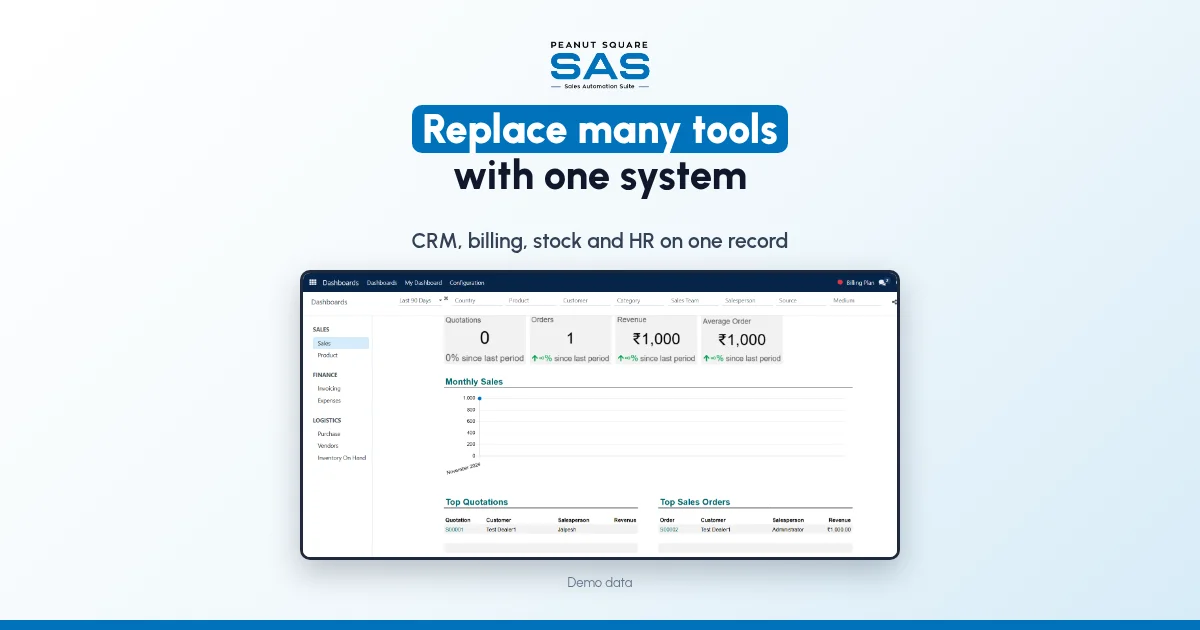
The SAS manufacturing page (checked 25 Oct 2026) lists the core apps included for every industry: CRM, Sales, Invoicing, Inventory, Project, Employees, Time off, Expenses, Discuss, Email Marketing and Dashboards. The SAS Attendances app page (checked 25 Oct 2026) describes clock-in and clock-out on web or mobile and leave requests that go through approval, and the SAS Expenses app page describes submitting expenses from a phone with receipt scanning and an approval workflow.
For the tools you keep, the SAS viaSocket integration page (checked 25 Oct 2026) describes no-code workflows that send SAS leads, invoices, inventory and HR events to other apps such as Google Sheets and Slack. The SAS home page (checked 25 Oct 2026) describes migration from legacy ERPs, CRM databases or spreadsheets, after a business process audit, with testing in a staging sandbox and role-based training before go-live.
The SAS pages we checked don't settle every consolidation question. They don't say how payroll is run, whether staff who only clock in need a full user licence, which e-invoice and e-way bill steps are built in, or what a multi-tool migration costs. Ask the SAS team to map your own tool list, replace, keep or connect, in the process audit and to put each answer in the written quote.
On price: ₹300/user/month on Premium (40% off ₹500, GST extra, billed yearly).
If your team wants to see who is following up and closing once everything is in one place, read how to track sales team performance in CRM.
To see it with your own process: Book a free demo at sas.peanutsquare.com
How do I consolidate business software into one system?
List every tool and the records it holds, mark each one replace, keep or connect, and choose one master for customers, products and employees. Move sales first, then stock and orders, then billing at a clean cut-off, then purchase, production and HR, and switch off each old tool only after a parallel run.
Can one system replace CRM, billing, stock and HR software?
For most small and mid-sized businesses, yes, for the parts that share a customer, product or employee record. Narrow specialist tools that own none of these records can stay outside and be connected.
What should I move first when replacing multiple business software?
Move sales first: leads, follow-ups, quotations and the pipeline. It is the lowest-risk area, because a mistake shows up as a wrong follow-up date rather than a wrong tax invoice. Billing moves later, at a clean cut-off date.
Is one system cheaper than several separate tools?
It depends on your full yearly cost. Add up every subscription, user, add-on and connector you pay for now, plus the time spent re-typing data, and compare it with the yearly per-user fee, GST and one-time implementation cost of the one system.
Does SAS cover CRM, billing, inventory and HR in one subscription?
The SAS pricing page says one subscription covers its interconnected apps, and lists CRM, sales, billing, inventory, purchase, production and accounting. The SAS industry pages list Employees, Time off and Expenses as core apps. Ask the SAS team to confirm payroll and the user licence for staff who only use HR apps.