
Peanut Square SAS Logo
PricingAbout UsContact
+91 94296 94521Schedule Demo
SASKnowledgeSalesTags – Managing Sales Tags
Documentation
•Hub
Configuration Overview
  • How to Add Units of Measure
  • How to Create and Manage Product Attributes
  • Tags – Managing Sales Tags
  • How to Manage Shipping Methods
  • How to Manage Quotation Templates
  • Sales Module Settings: Configure Pricing, Quotes & Invoicing
Products Overview
  • How to Manage Discounts, Loyalty & Gift Card
  • How to Use Pricelists Effectively in Sales Module
  • How to Add and Manage Product Variants & Attributes
  • How to Add a New Product – Product Setup Guide
Manage Sales
  • How to Generate Invoice in the Sales module
  • Features of the Sales Module
Order Management
  • How to Add and Manage Customer Records
  • How to Manage Sales Team
  • How to Manage and Create Sales Order
  • How to Create a Quotation in Sales module
SalesSales
Configuration Overview
1 min read

Tags – Managing Sales Tags

Adding tags to sales quotations and orders makes it easier to find and identify these entries. It also lets you customize these tags to fit your style preferences. Click the Configuration tab and choose ‘Tags’ from the dropdown list to display them.
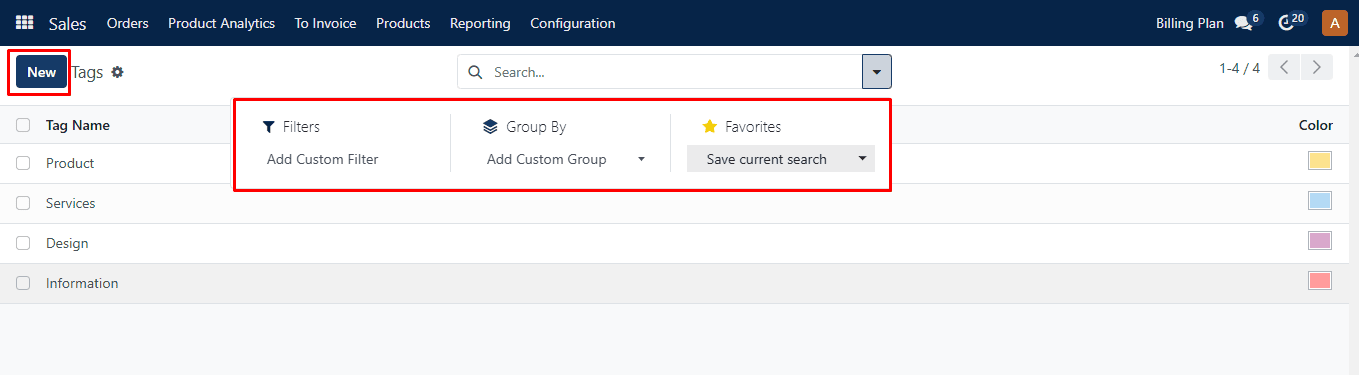
Tag Produced

This window displays every tag produced in the module along with information about it, such as the “Tag Name” and related “Color.” To find and classify these entries according to certain criteria, use the Filters and Group By options. ‘Favorites’ allows you to store any filter or make it the default.

To include a new tag in the list, use the Create button.
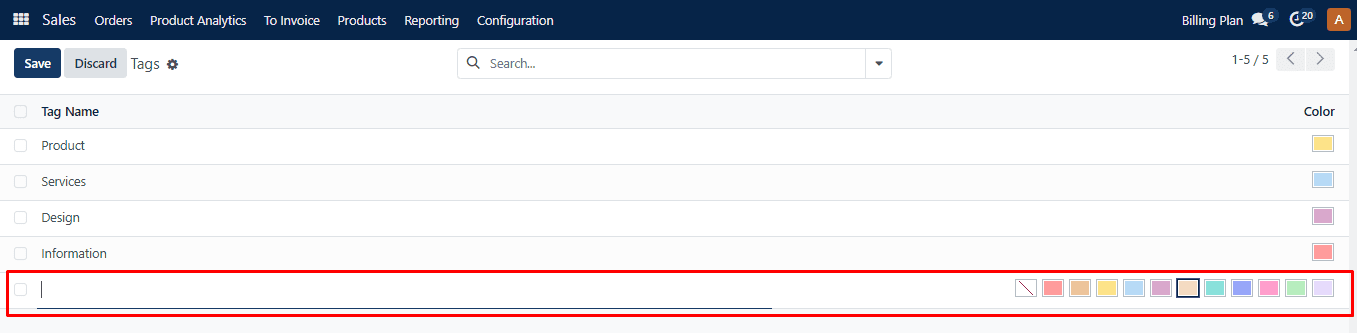
Tag Choose a Color

As shown above, a new line appears below the list. Choose a color and a name for the new tag. Once these details have been added, select “Save.

Was this guide helpful?
Your feedback helps us continuously improve our SAS playbooks.
Previous Article
How to Create and Manage Product Attributes
Next Article
How to Manage Shipping Methods

Need help configuring your SAS modules?

Speak with a Peanut Square SAS solution architect to assist with custom onboarding and team trainings.

Schedule ConsultationKnowledge Hub
Peanut Square SAS Logo

Join us at Peanut Square LLP and watch your business soaring to new heights with our state-of-the-art technology based IT solutions.

Certified ISO 9001:2015 Company
Certified ISO 27001:2022 Company

Need Help ?

  • Apps
  • Industries
  • Resources
  • About Us
  • Contact
  • Privacy Policy
  • Terms and Conditions
  • Cancellation and Refund Policy

Partners

  • viaSocket

Contact Information

C-306 Signature-2, Nr. Sarkhej-Sanand Cross Road, Sarkhej, Ahmedabad, Gujarat-382210
sas.sales@peanutsquare.com

© 2026 Peanut Square LLP. All Rights Reserved.