
 Complaint
1 min read
How to Create Complaint
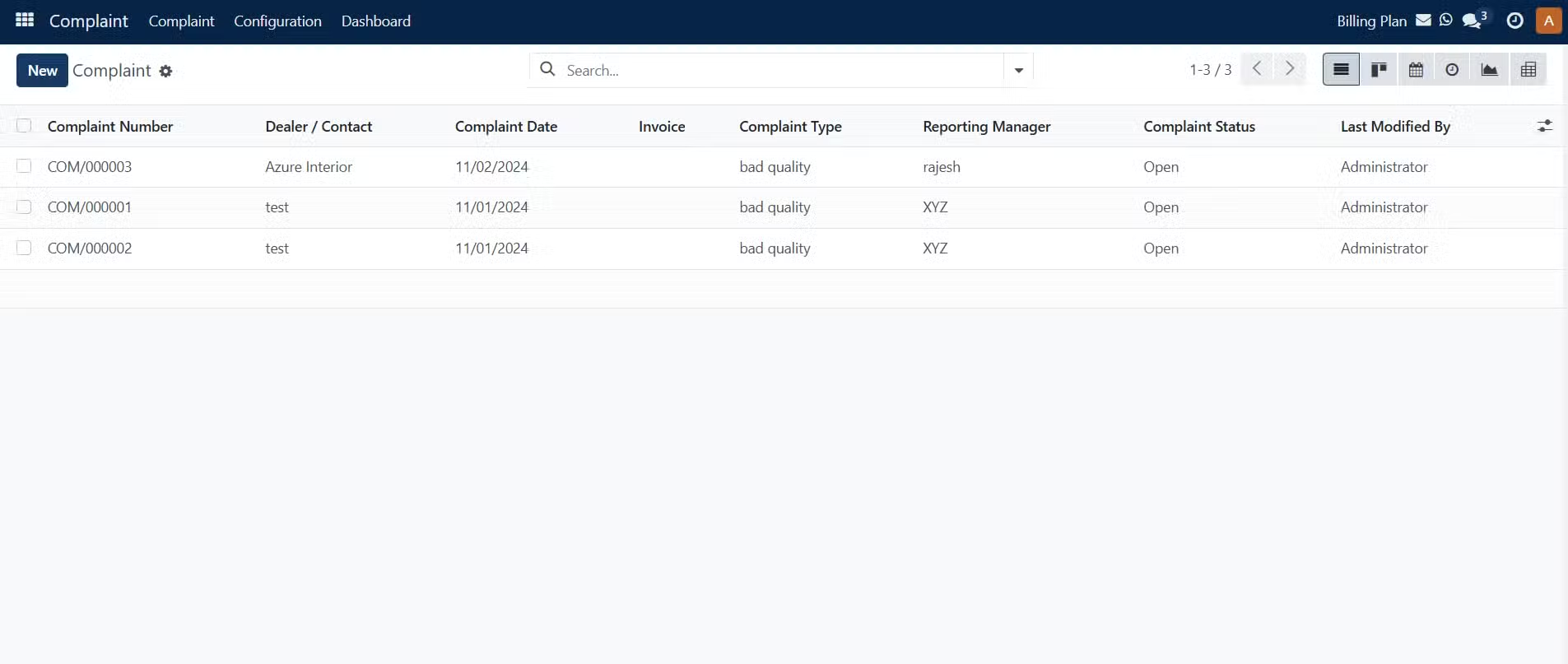
Here you can see the list of Complaints which you have added and can also create a New Complaint
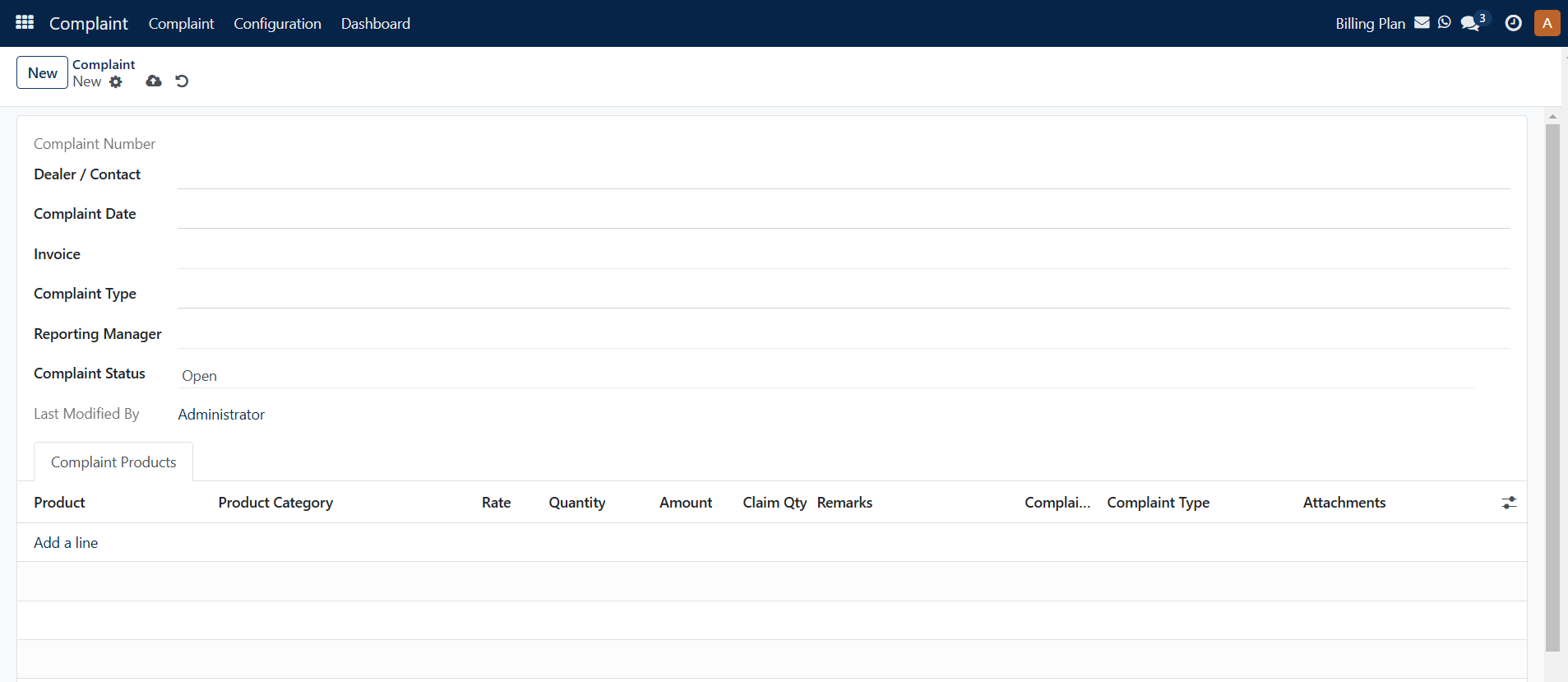
In order to create a complaint, add:
Dealer / Contact: Select the dealer
Complaint Date: enter the complaint date
Invoice: Select the invoice for which the complaint is been raised.
Complaint Type: you can select or write any complaint type.
Reporting Manager: Select the Reporting Manager
Complaint Status: Select the Complaint Status
Under Complaint Products, add he product for which the complaint is being raised.
At last, click on the Save icon.
Was this guide helpful?
Your feedback helps us continuously improve our SAS playbooks.