
 Activity
Activity Type
Email, Call, and Meeting, etc. activity types used to classify client interactions and engagement tasks. It helps in effective communication and management. Defining activity types helps organize and track activities systematically, making it easier to analyze, prioritize, and manage them within a dashboard or workflow.
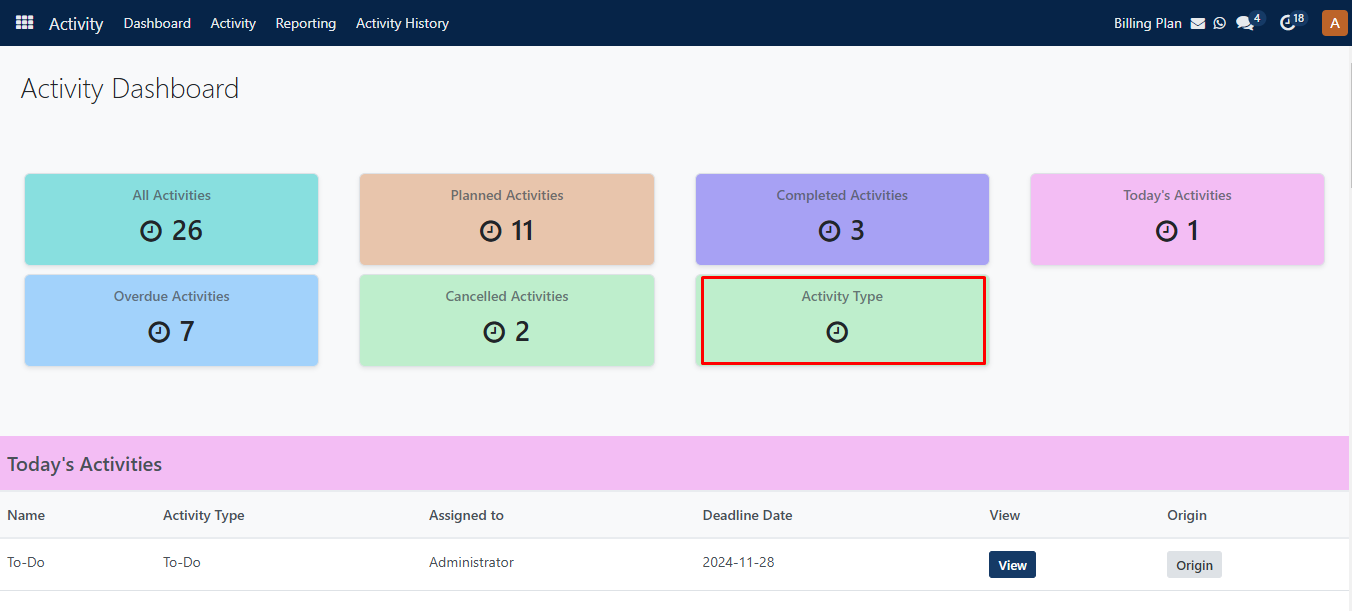
By clicking on the Activity type section, it redirects to the activity type page.
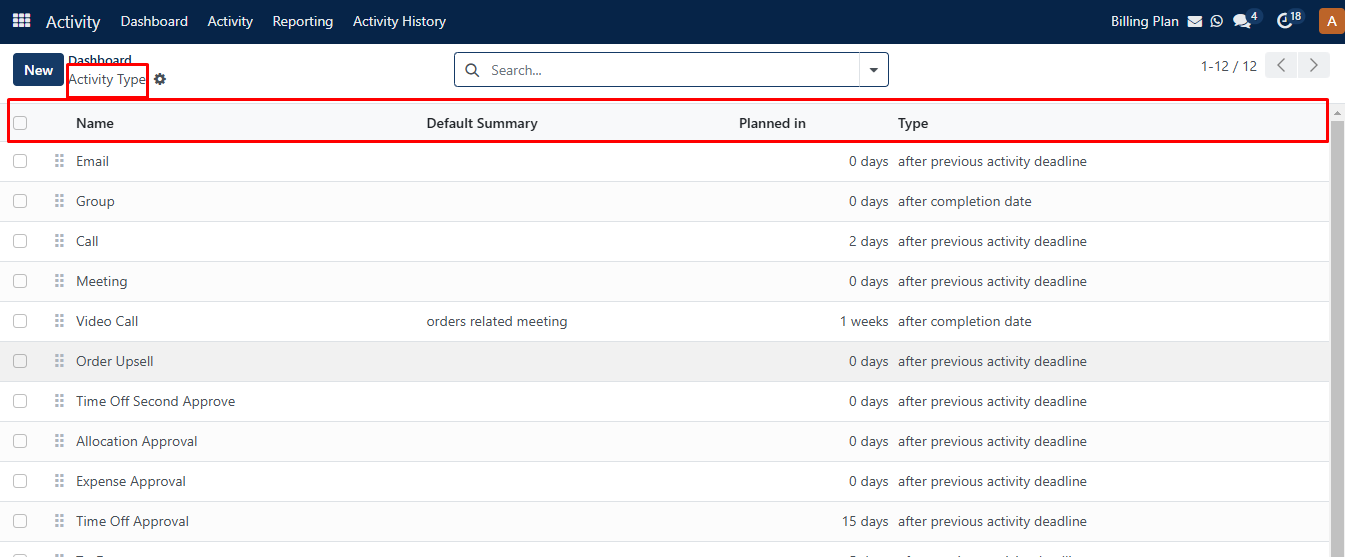
Here, you can see Name, Default Summary, Planned in, and Type columns on the activity type page.
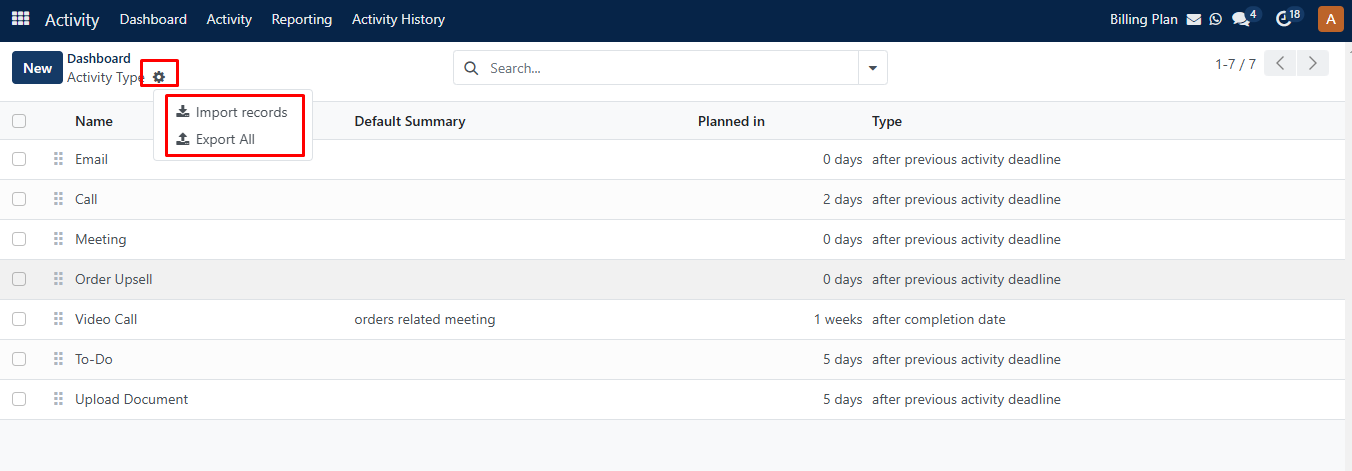
Clicking on the setting icon, you can see Import Records and Export All options where you can import/export your record file.
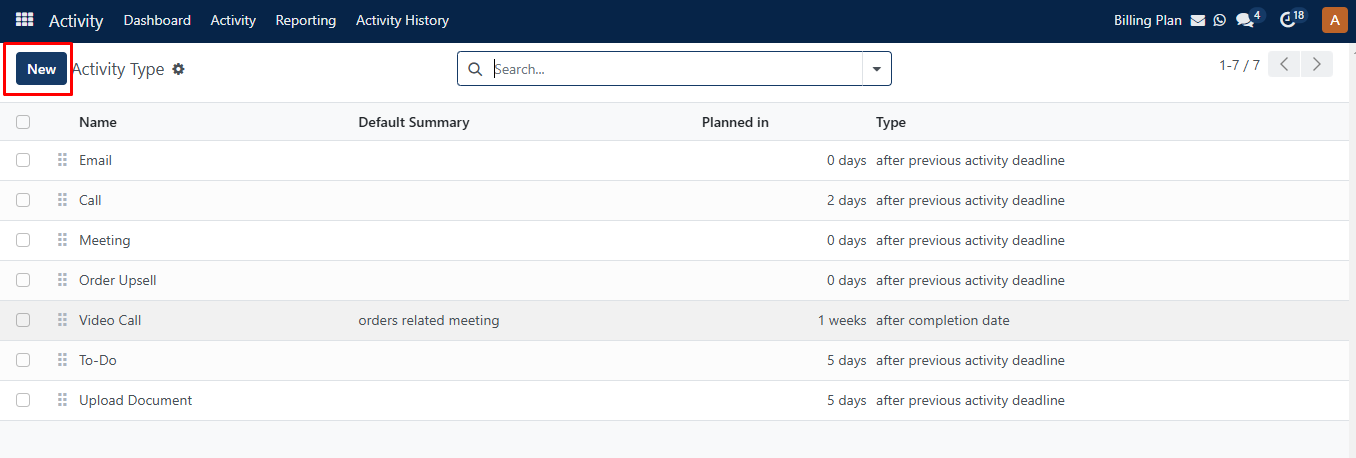
You can create a new activity type by clicking on the ‘New‘ Button.
Here, You can Add/Update the following details on this page.
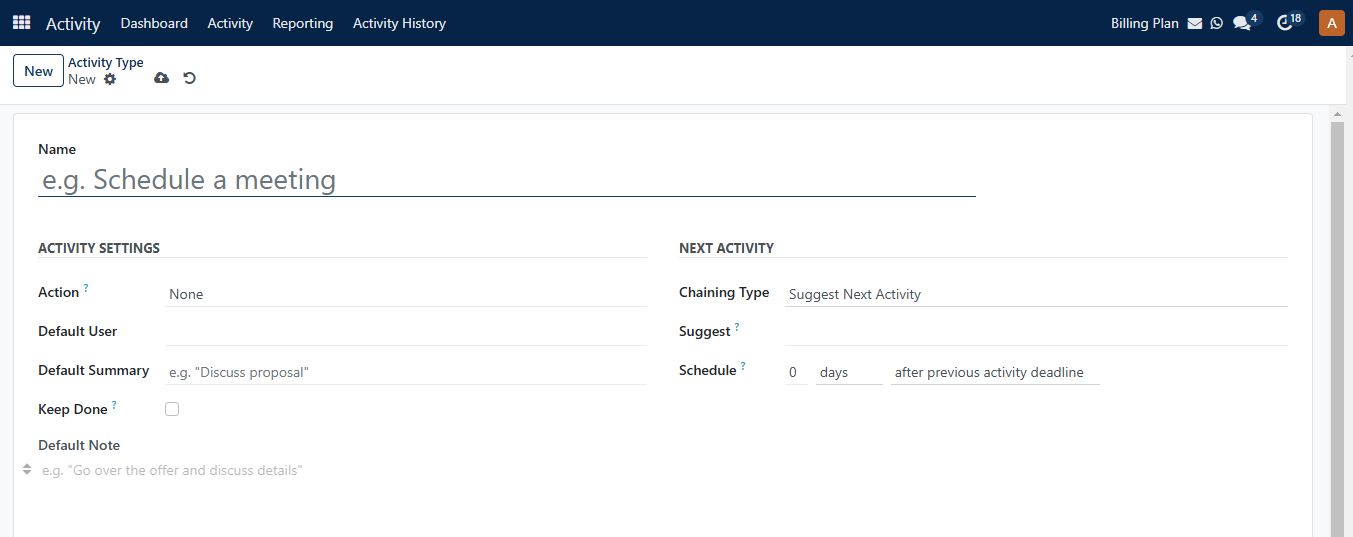
You can enter the following details on the new Activity type page.
| Fields | Descriptions |
|---|---|
| Name | Enter an Activity type name. |
| Action | Select any one action from dropdown menu. |
| Default User | Select user in default user field. |
| Default Summary | Enter a small summary note. |
| Keep done | If you click on keep done checkbox, then it is marked as done in the activity view. |
| Default Note | Here, you can add notes , for example to enable the ChatGPT option, add a " / " to default note section. |
| Chaining Type | Select Suggest Next Activity / Trigger Next Activity type. |
| Trigger/Suggest | The title name changed based on selection of chaining type. |
| Schedule | you can select number of days/week/month before executing action. It allows to plan the action deadline. |