Short answer: Here is how to track customer complaints in one system. Log every complaint, from a call, WhatsApp or the counter, as one record with a number, a type and a status. Link it to the customer, the unit and the bill, so warranty is checked at once. Give it one owner and a next step, record the visit or job card on it, tell the customer when the status changes, and close it only with a reason. A notebook or a WhatsApp group cannot show who owns a complaint or how old it is.
This guide is for RO and water purifier service companies, computer and laptop repair shops and other service desks. It covers where complaints get lost, what one complaint record should hold, a setup plan in order, what to review, and what Sales Automation Suite documents today.
Why do complaints get lost in a service business?
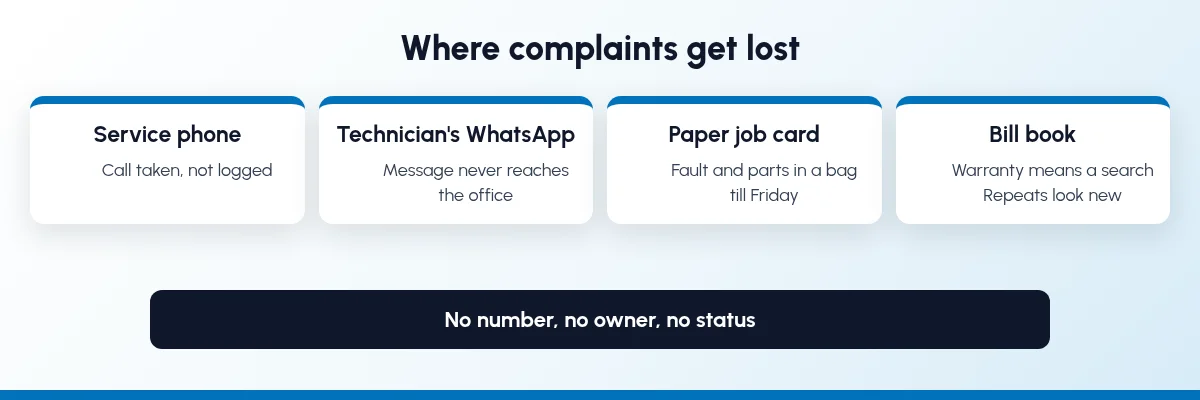
Most service businesses do not lose complaints because nobody cares. They lose them because the complaint lives in more than one place:
The call is taken, not logged. The person at the desk writes it on a pad or remembers it. If they are on leave, nobody knows it came in.
WhatsApp goes to one phone. The customer messages the technician who came last time. The office never sees it.
The job card is paper. The fault, the parts used and the charge sit on a slip in the technician's bag until the end of the week.
Nobody owns it. The complaint was "passed on", so everyone thinks someone else is on it.
There is no status. The office cannot say whether the visit happened, whether a part is awaited, or whether it was fixed.
Warranty means a search. Someone looks through bill books to find the purchase date and serial number.
Repeats look new. The same purifier or laptop comes back three times, and each time it is treated as a fresh complaint.
The customer sees only one thing: they had to call again.
What should one complaint record hold?
Whatever software you use, each complaint should be one record with these parts, filled in by whoever touches it:
A complaint number and date, so the customer and your team can quote it.
The customer, with phone, address and area.
The product or unit: model and serial number, so you know exactly which purifier, laptop or machine it is.
The bill or invoice it was sold on, which gives you the purchase date and whether it is in warranty or AMC.
A complaint type from a fixed list (for an RO unit: low water flow, leakage, taste or TDS, noise; for a laptop: no power, display, keyboard, software).
A status from a short list that everyone uses the same way.
One owner, the person answerable for the next step, plus a manager who sees it.
The visit or job card: what was found, what was done, parts used and any charge.
Messages to the customer, so anyone can see what the customer was told.
A closing reason, and whether the customer confirmed it.
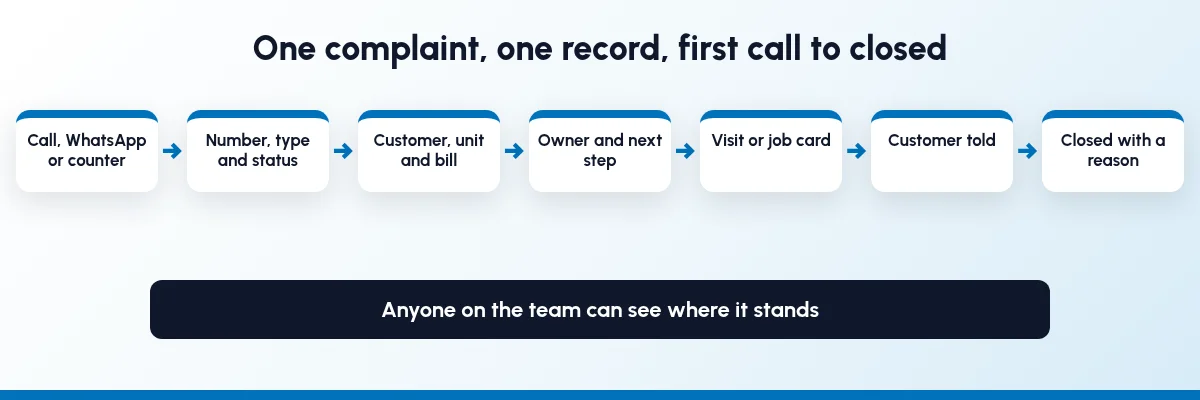
How to track customer complaints in one system, step by step
Go in this order. Each step helps on its own, so you do not have to finish all eight before you see a difference.
Step 1: Decide where complaints come in
Pick the entry points you will accept: one service phone number, one business WhatsApp number that the office can see, the counter, and a web form if you have one. Tell technicians that a complaint which reaches their own phone has to be logged by the office or forwarded to the shared number. A complaint that is not on record does not exist for the team. Our guide to WhatsApp CRM automation covers how a shared business number works.
Step 2: Give every complaint a number, a type and a status
Log the complaint the moment it comes in. Keep the type list short, say eight to twelve types, so reports mean something. Keep statuses short too, for example:
Open: Means: Logged, nobody assigned yet
Assigned: Means: Owner and visit or bench slot fixed
Waiting for parts: Means: Work stopped until a part arrives
Resolved: Means: Work done, waiting for the customer to confirm
Closed: Means: Customer confirmed, reason recorded
Name the statuses in the words your team already uses. What matters is that "resolved" means the same thing to everyone.
Step 3: Link the complaint to the customer, the unit and the bill
When the complaint is tied to the invoice and the serial number, the desk can tell the customer straight away whether the visit is free under warranty or AMC, or chargeable. It also shows every earlier complaint on the same unit. When you compare software, ask to see a complaint opened against an invoice, and the warranty or AMC end date shown on it.
Step 4: Give it one owner and a next step
Every open complaint needs a named person and a date for the next action: a visit, a call back, a bench check. A manager should see everything that is open in their area. Set your own response target, such as a visit within one working day for an RO unit in the city, and check against it. Do not promise a target to customers until a few weeks of records show you can meet it.
Step 5: Record the visit or job card on the same record
The technician, or the bench for a laptop, records what was wrong, what was done, which parts were used and what was charged. If parts come from your own stock, the stock should go down when they are used, so the store knows what to reorder. Our guide to inventory and sales integration explains why stock and paperwork need to be in the same system.
Step 6: Tell the customer when something changes
Many follow-up calls are customers asking "what is happening?" Send a short message when the complaint is logged (with the number), when a visit is fixed, when a part is awaited and when the work is done. Keep the messages on the complaint record, so whoever picks up the phone knows what the customer has been told.
Step 7: Close with a reason, and reopen repeats
Close a complaint only when the customer confirms, and record why it closed: repaired, part replaced, no fault found, customer cancelled. If the same unit comes back within a period you choose (thirty days, say), reopen or link the old complaint instead of starting a fresh one. That is how you find the units, models or jobs that keep failing.
Step 8: Review open complaints daily and patterns monthly
Every morning, look at open complaints by age and by owner. Once a month, look at complaints by type, by product model and by technician, and at how many were repeats. Our guide to tracking sales team performance uses the same habit for follow-ups.
How does complaint tracking differ for RO service and laptop repair?
The record is the same. What you link it to changes.
Where the work happens: RO and water purifier service: At the customer's home or office; Computer and laptop repair: Mostly at your counter or bench
What identifies the unit: RO and water purifier service: Model and serial number, installation date; Computer and laptop repair: Make, model, serial number, accessories handed over
Warranty check: RO and water purifier service: Warranty and AMC dates from the sale or contract; Computer and laptop repair: Manufacturer or shop warranty from the bill
The job record: RO and water purifier service: Service visit with parts used; Computer and laptop repair: Job card with fault, diagnosis, parts and charge
What customers ask: RO and water purifier service: "When is the technician coming?"; Computer and laptop repair: "Is my laptop ready?"
Repeat pattern to watch: RO and water purifier service: Same unit failing after a visit; Computer and laptop repair: Same fault coming back after a repair
Car and two-wheeler workshops work the same way, with the job card on the vehicle. Reminding customers before an AMC runs out is a separate job, but it belongs in the same system, so every complaint shows whether the customer is covered.
Which numbers should you review?
Pick a few and look at them every week. No benchmark applies to every business, so compare against your own last month:
Open complaints by age: how many are more than one, three and seven days old.
Complaints closed per week, by technician or by area.
Repeat complaints on the same unit within your chosen period.
Complaints by type and by product model, to spot a bad batch, a weak part or a common installation fault.
In warranty or AMC versus chargeable, so you know what service is costing and earning.
Who needs to see what?
A shared system does not mean everyone edits everything.
Owner: Needs to see: Open complaints by age, repeats, complaints by type and model; Should own: Complaint types, statuses, response targets
Service desk: Needs to see: Customer, unit, bill, warranty or AMC, history, messages sent; Should own: Logging complaints, assigning, telling customers
Technician or bench: Needs to see: Their own complaints, address or device, history on the unit; Should own: Visit or job card notes, parts used, resolution
Store: Needs to see: Parts needed and used on each job; Should own: Issuing parts, reorders
Accounts: Needs to see: Chargeable jobs and parts; Should own: Invoices and payments for paid service
How does Sales Automation Suite handle complaints?
SAS has a Complaint app, and its RO service and laptop repair pages list warranty, AMC, job card and service modules next to it. Here is what the live SAS pages show today, and what they leave open.
Sales Automation Suite (SAS) from Peanut Square is one ERP and CRM built for how India sells. It is meant for India B2B sellers who outgrow a CRM-only stack and want one INR-priced ERP+CRM with India lead portals and WhatsApp on the pricing page, on Cloud or On-Premise. Peanut Square is based in Ahmedabad and holds ISO 9001:2015 and ISO 27001:2022 certification.
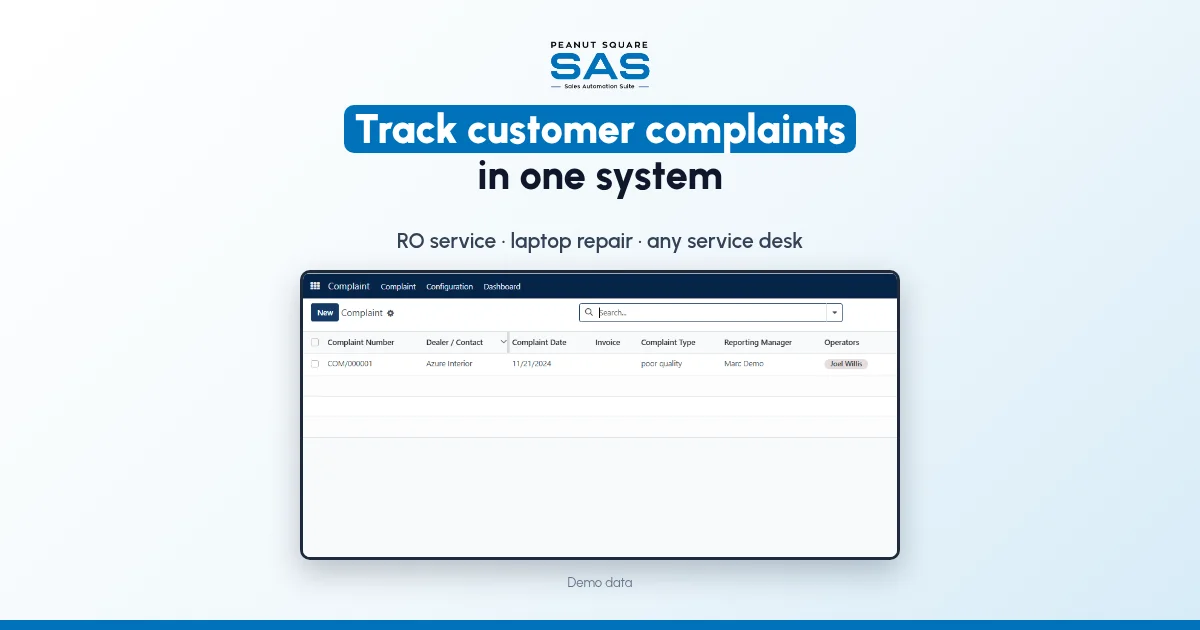
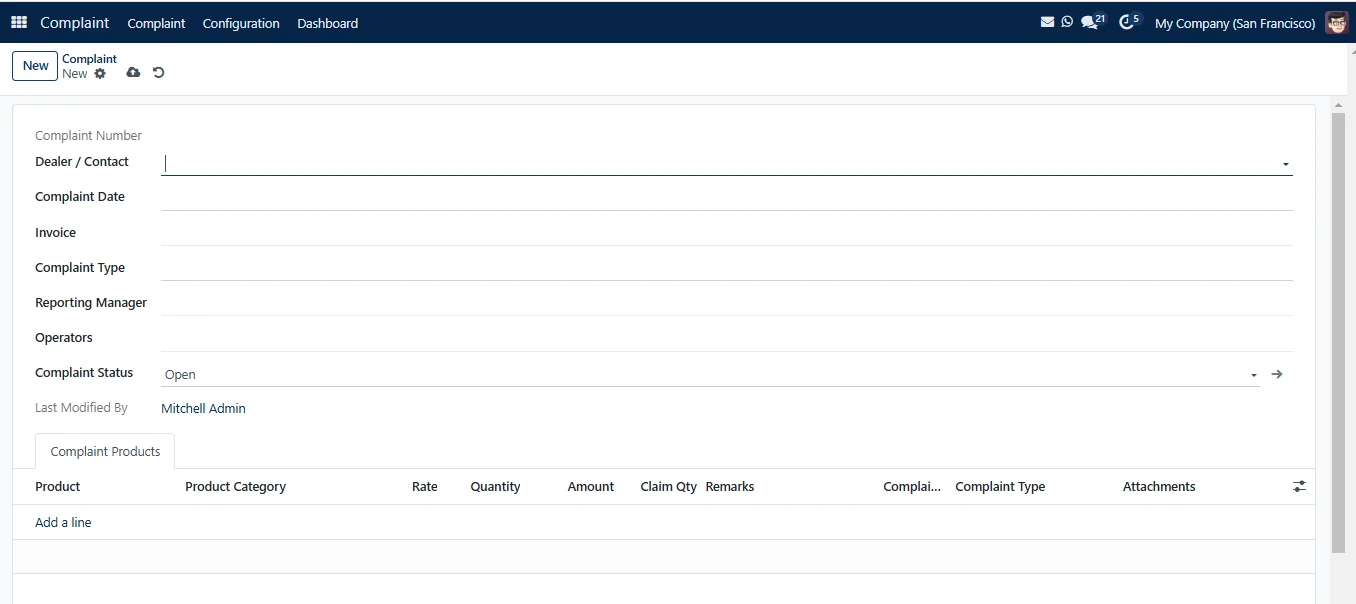
The SAS Complaint app page describes complaint management "in which you can capture, track, and resolve customer complaints or issues in a timely and effective manner", managed by complaint type, by dealer and by status, with complaint status checks, import and export of records and a complaint dashboard.
The SAS knowledge base shows how it works:
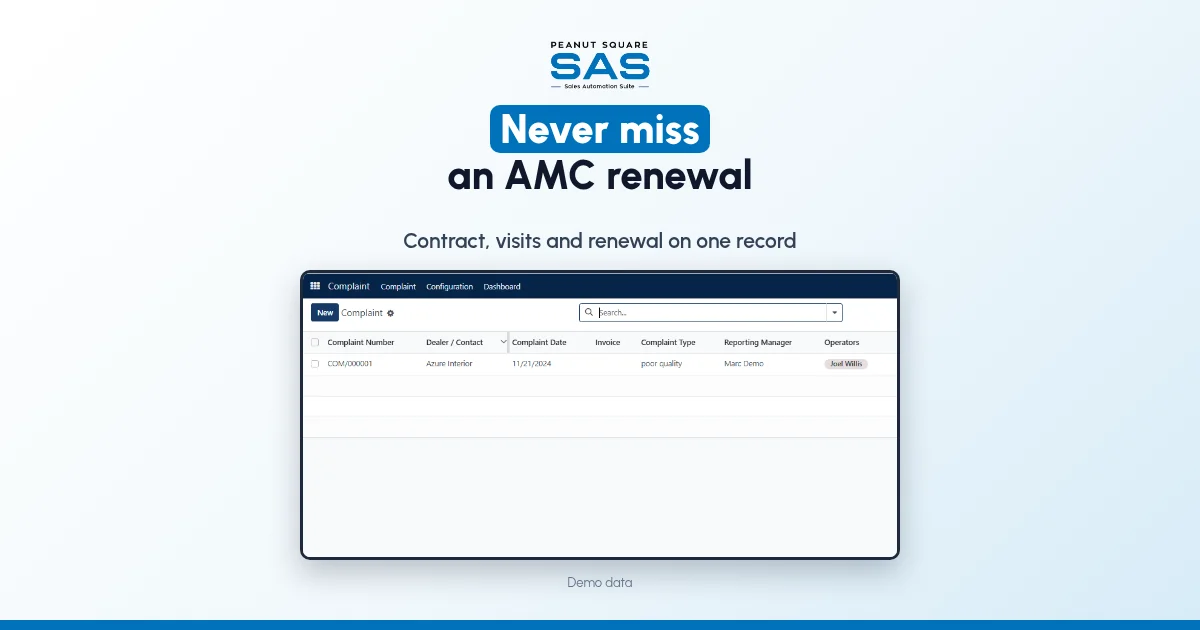
A complaint is created with a dealer or contact, complaint date, the invoice it is raised against, a complaint type, a reporting manager and a complaint status, with the products it concerns listed underneath (how to create a complaint).
Complaint types, complaint statuses and product models are set up on a configuration page, so you can use your own lists (how to configure complaints).
The complaint dashboard shows data by status and selected dates (complaint dashboard).
For RO and water purifier businesses, the SAS RO service page says SAS Warranty & Installation runs sales, warranty, AMC, installation, serial tracking, complaints and service orders, with an operations dashboard, and SAS Complaint Management "tracks each complaint by type and status until it is closed".
For repair counters, the SAS computer and laptop repair page lists SAS Complaint Services, which manages repair complaints, problem types and job cards; SAS Product Warranty, which tracks warranty expiry dates with customer details and creates warranty claims from sales orders; serial number selection on sales order lines; and the SAS WhatsApp Connector, which sends WhatsApp messages and document links from sale orders, invoices and other records.
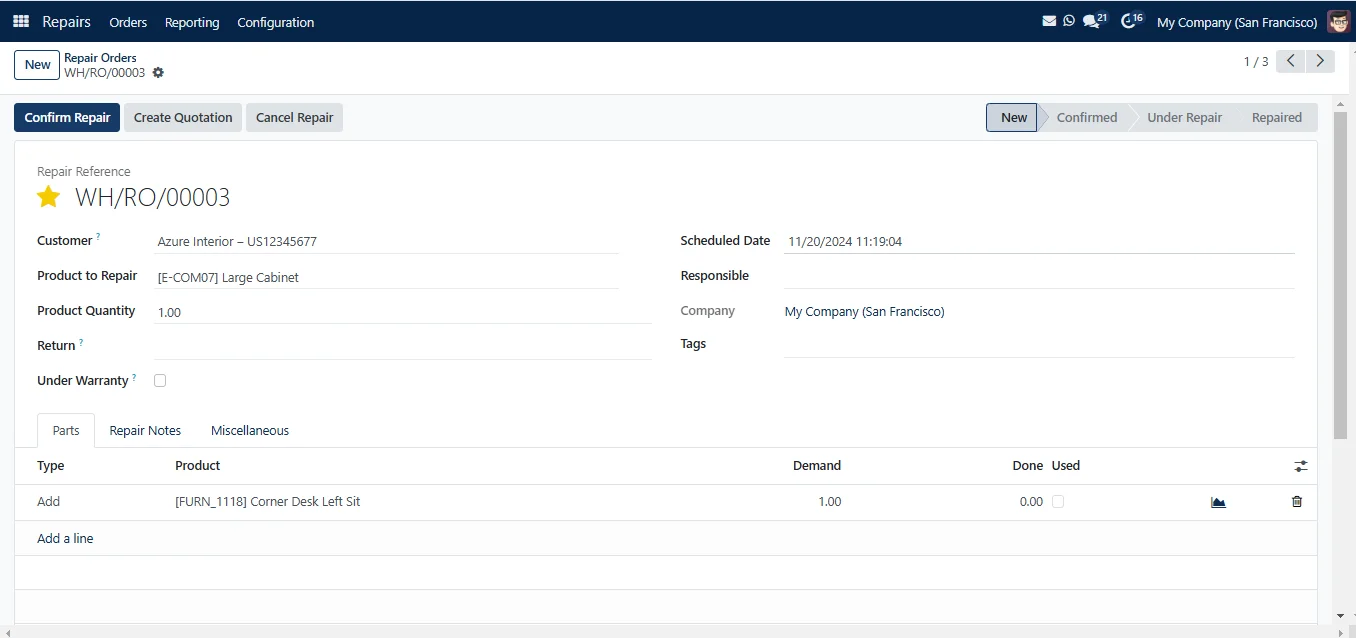
The SAS Repair app page describes tracking repair requests and assigning tasks. Its repair order screen shows the stages New, Confirmed, Under Repair and Repaired, an Under Warranty tick box and the parts used. The SAS pricing page lists Contracts, AMCs, Support Ticketing, Status Updates and Customer Login under CRM and Sales.
The SAS pages we checked don't say whether a complaint can carry a due date or flag when it is overdue, whether customers get a WhatsApp message automatically when a complaint's status changes, whether customers can raise a complaint themselves, how the pricing page's Support Ticketing relates to the Complaint app, whether repeat complaints on the same serial number are linked, or which of the service modules are in Premium. Ask the SAS team to show these with your own complaint types and a few real jobs before you decide.
On price: ₹300/user/month on Premium (40% off ₹500, GST extra, billed yearly).
If complaints are still in a register or a sheet, read why Excel sheets hurt sales management. If your sales tool cannot see stock, bills or service, read the signs you have outgrown a CRM-only tool.
To see it with your own process: Book a free demo at sas.peanutsquare.com
How do I track customer complaints in one system?
Log every complaint, from phone, WhatsApp or the counter, as one record with a number, type, status and owner. Link it to the customer, the unit and the bill, record the visit or job card on it, and close it only with a reason the customer has confirmed.
What should a complaint record include?
A complaint number and date, the customer, the product with model and serial number, the invoice, a complaint type, a status, an owner, the visit or job card notes, messages sent to the customer and a closing reason.
What complaint statuses should a service business use?
Keep it to about five: Open, Assigned, Waiting for parts, Resolved and Closed. Use your team's own words, but make sure each status means the same thing to everyone.
How do I stop WhatsApp complaints getting lost?
Use one business WhatsApp number that the office can see, not technicians' personal phones. Log every WhatsApp complaint as a record with a number, and keep the replies on that record.
Does SAS have complaint management?
Yes. The SAS Complaint app records complaints against a contact and invoice, with complaint type, status, reporting manager and products, plus a dashboard by status and date. The RO service and laptop repair pages list warranty, AMC, job card and service modules alongside it.