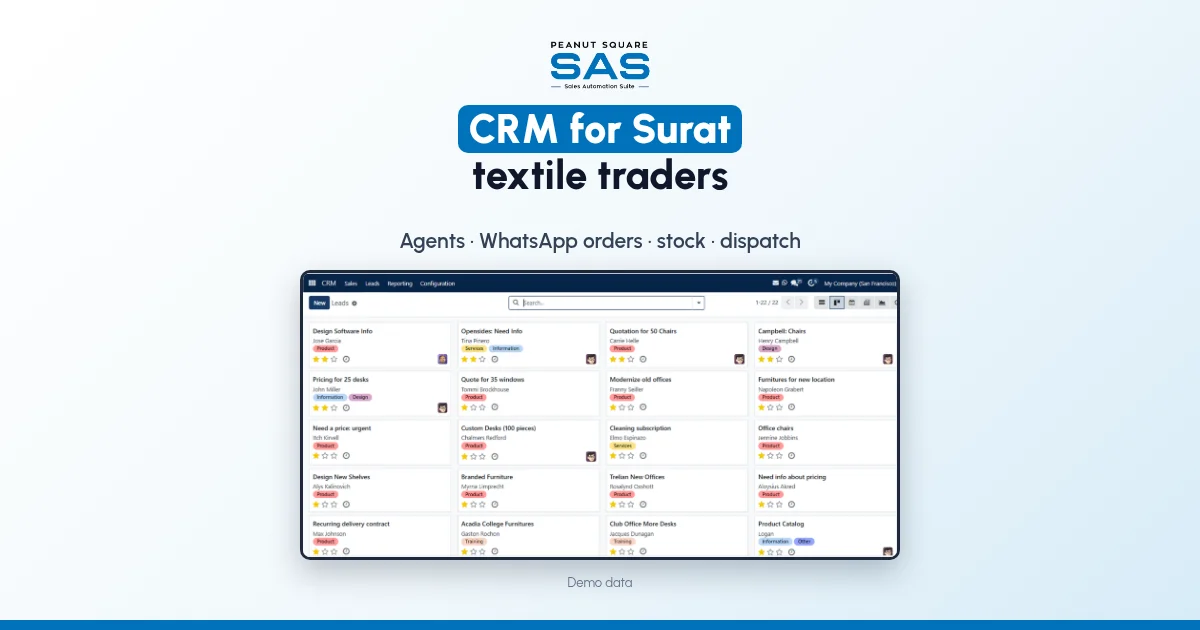
Short answer: A CRM for Surat textile traders should keep every buyer on one record with the agent who brought them, take WhatsApp and portal enquiries into a shared inbox instead of personal phones, and build quotes from one design master with quality, design and colour. It should also hold each buyer's price list and payment terms, and carry the order through to dispatch with the LR number. A contact list or a CRM-only tool covers the first part. A Surat textile business also needs stock, dues and dispatch on the same records, or the godown and accounts stay on the phone.
This guide covers where textile sales slip, what the system should hold, a setup plan in order, who needs to see what, and what Sales Automation Suite documents today.
Why do orders slip in a Surat textile business?
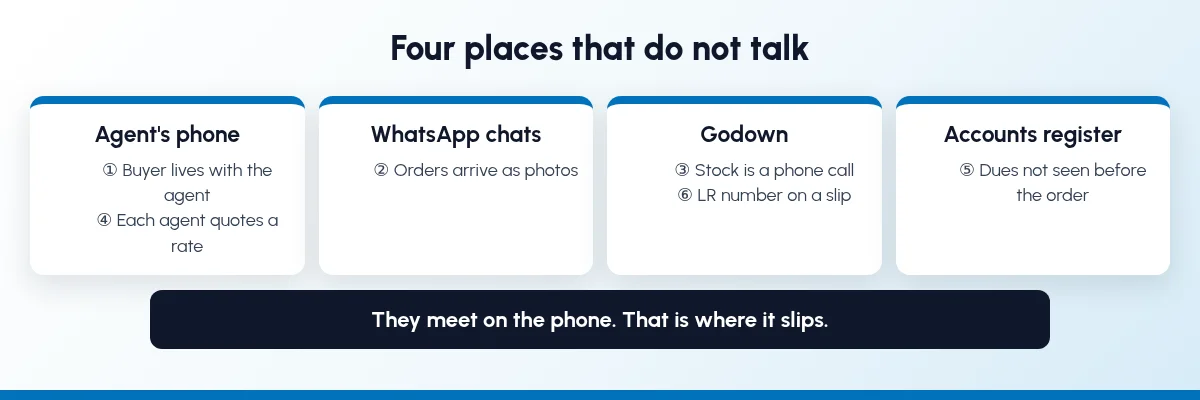
Much of the selling happens through agents, calls and WhatsApp. Stock sits with the godown or the mill, dues sit with accounts, and dispatch runs on a transport slip. That is where it slips:
The buyer lives in the agent's phone. The agent knows the buyer, the rate and the last order. If the agent moves on, so does that history.
Orders arrive as photos. A buyer sends a catalogue picture and "50 pieces, same as last time" on WhatsApp. Someone retypes it, and a colour or a rate changes on the way.
Stock is a phone call. Sales confirms a design and colour, then the godown says only half is ready.
Every agent quotes a different rate. Nobody can say which price list a buyer is on.
Dues are in a register. A new order goes out to a buyer whose last bill is still unpaid.
The LR number is on a slip. "Has my parcel left?" takes three calls to answer.
None of this is a staff problem. Buyers, stock, dues and dispatch sit in places that do not talk.
What should a CRM for Surat textile traders hold?
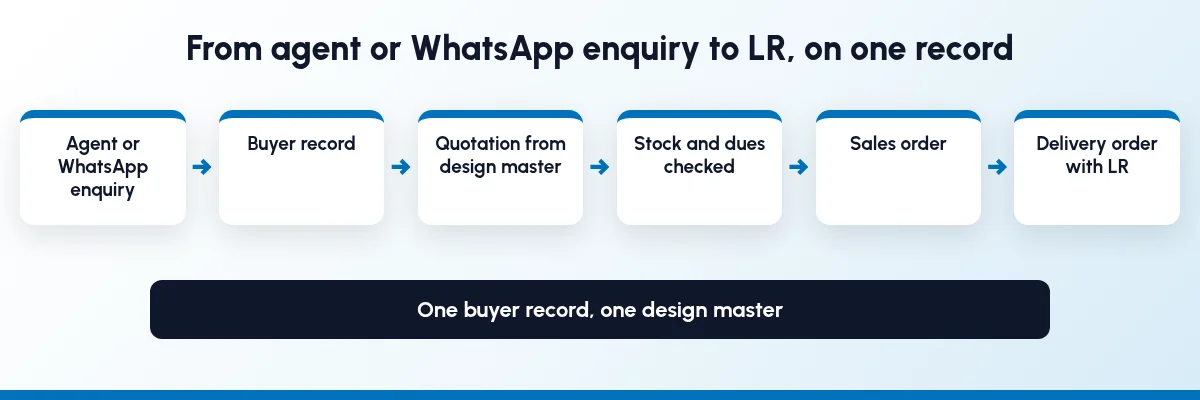
These records need to be joined up:
Buyers and agents: one record per buyer, with city, GSTIN, the agent who brought them and the salesperson who looks after them.
Enquiries from WhatsApp, calls, agents, IndiaMART, TradeIndia, JustDial and Meta forms, each with an owner.
A design master: one code per quality and design, with colour as an attribute and a photo for each, sold in the unit you bill in (metre, piece or set).
Price lists by buyer type or market, with validity dates.
Quotations and sales orders built from that master, not typed from a chat.
Stock by design and colour, and by godown if you have more than one.
Payment terms and dues for each buyer, visible before a new order is confirmed.
Dispatch: delivery orders with the transporter and LR number.
How do I set up a CRM for a Surat textile business?
Go in the order the work flows. Each step is useful on its own.
Step 1: Put every buyer and agent on record
Give each buyer one record, with addresses for billing and delivery, GSTIN, payment terms and the salesperson who owns the account. Then decide how you will record agents. An agent can be a field on the buyer and on each order, a separate contact, or a user with a login that shows only their own buyers. Pick one, because commission and reporting depend on it. When you compare software, ask to see an agent recorded on a buyer and on an order, separately from the salesperson.
Step 2: Bring WhatsApp and portal enquiries into one inbox
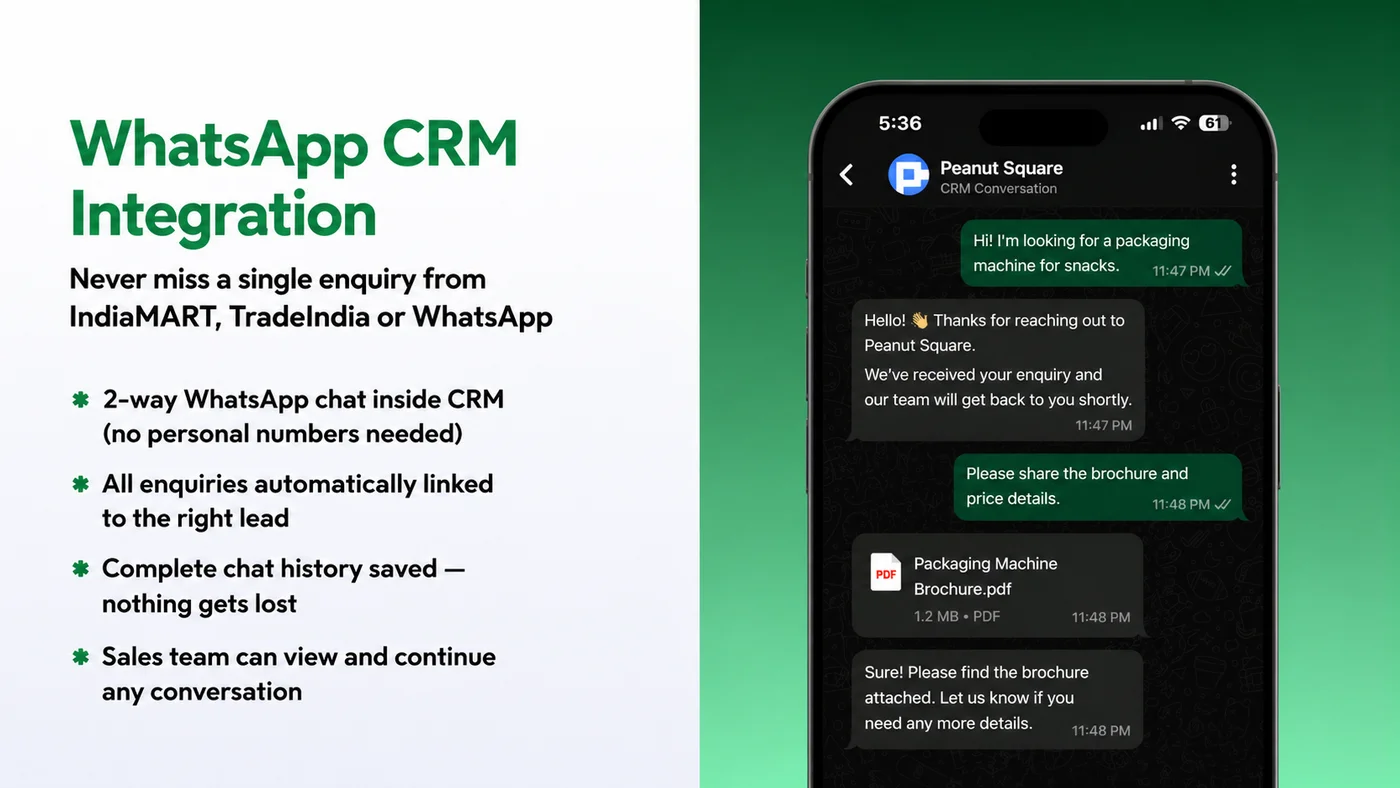
Orders and questions should reach a shared business number that the whole sales desk can see, not one person's phone. Every chat should link to a buyer or a lead, with the history saved. Portal leads should land in the same pipeline with an owner. Our guides to WhatsApp follow-up for manufacturers, IndiaMART CRM integration and sales pipeline stages cover this step.
Step 3: Build one design master
Give each quality and design one code. Keep colour, and size where it applies, as attributes rather than free text, and attach a photo to each design, so a salesperson can match the buyer's picture to a code. Pick the unit you sell in and use it everywhere. If you buy in rolls (thans) and sell in metres, or sell sarees in sets, ask the vendor to show both units on one product.
Step 4: Set price lists by buyer type
Keep wholesale, retail-chain and outstation rates on separate price lists, with minimum quantities and dates. Link each buyer to a list, so the right rate fills in whoever takes the order. Agents and salespeople then quote the same rate for the same buyer.
Step 5: Turn the WhatsApp order into a sales order
When a buyer orders on WhatsApp, the salesperson builds the quotation or order from the design master: design, colour, quantity and rate. Check stock for that design and colour before you confirm the date. Then confirm it into a sales order without retyping it. When you compare software, ask the vendor to show a WhatsApp chat turned into a quotation or sales order, and a design photo sent from the product record. Our guide to inventory and sales integration covers linking orders to stock.
Step 6: Check dues before you dispatch
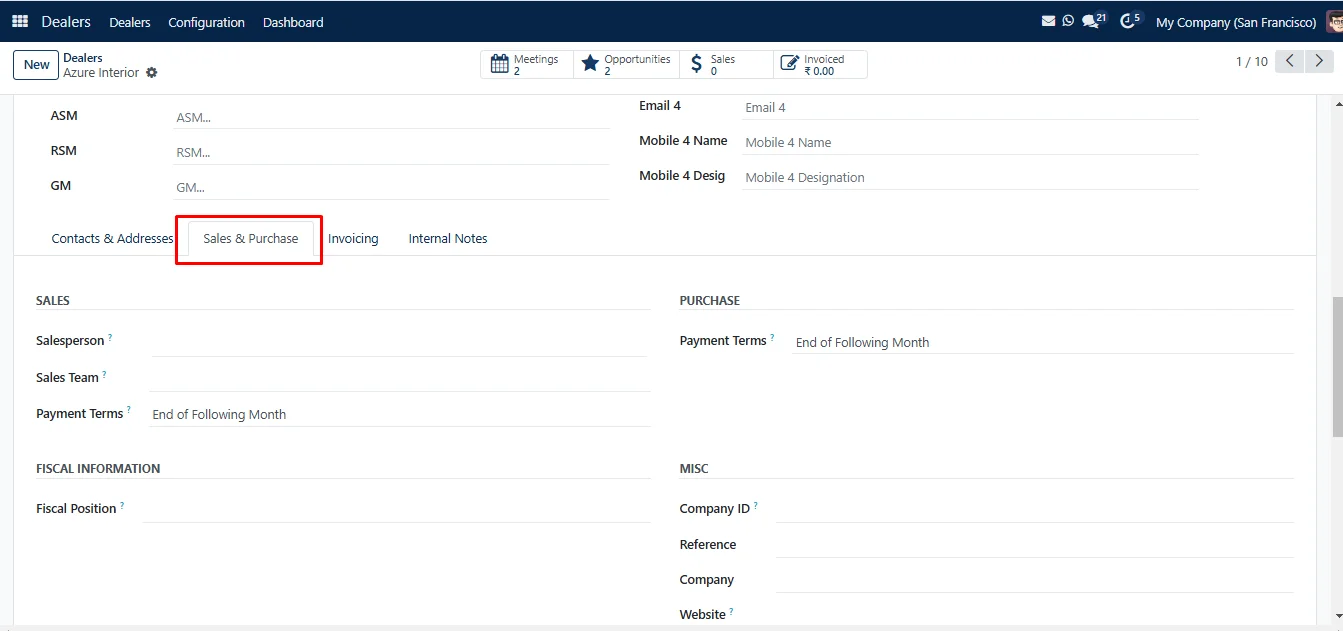
Set payment terms on each buyer. Before a new order is confirmed or dispatched, the salesperson and accounts should both see what the buyer owes and how old it is. If you hold orders for buyers past their terms, that rule belongs in the system, not in someone's memory. Ask the vendor to show whether a credit limit or overdue dues can hold an order or a dispatch, and what dues ageing and reminders it covers.
Step 7: Record the dispatch with transporter and LR
Pick against the delivery order and record the transporter and LR number on it. Send the buyer and the agent a dispatch message from the same record, so nobody has to call for the LR.
Step 8: Track what each agent brings in
With the agent on each order, you can count orders, sales and dues by agent instead of keeping a separate register. Agree how commission is worked out (on invoice value or on payment received) and ask any vendor to show it calculated from real invoices. If you also sell through dealers, our guide to dealer order and scheme tracking.
Who needs to see what?
A shared system does not mean everyone edits everything.
RoleNeeds to seeShould ownOwnerSales, dues and orders by agent, buyer and designPrice lists, credit rulesSales deskBuyer history, WhatsApp chats, stock by design and colour, the buyer's price listEnquiries, follow-ups, quotations, sales ordersAgentTheir own buyers' orders, dispatch status and duesNew enquiries and orders they bring inGodown and dispatchOrders due, which design and colour to pick, delivery addressPicking, transporter, LR numberAccountsOrders and deliveries to bill, payments, duesInvoices, payments, payment terms
Sales should be able to tell a buyer what can ship and when, but not change a rate, a credit rule or a dispatch record to close an order.
What changes once buyers, agents and orders share one record?
We will not put a percentage on it, because it depends on how your business runs today. These are changes you can check in the first month:
Every buyer has an owner and a named agent.
WhatsApp orders sit on the buyer's record, not in one phone.
Quotes carry the buyer's price list, whoever sends them.
Salespeople check design and colour stock before promising a date.
Dues are visible before an order is confirmed.
The LR number for every parcel is on the delivery order.
When a salesperson or agent leaves, their buyers and chats stay in the system.
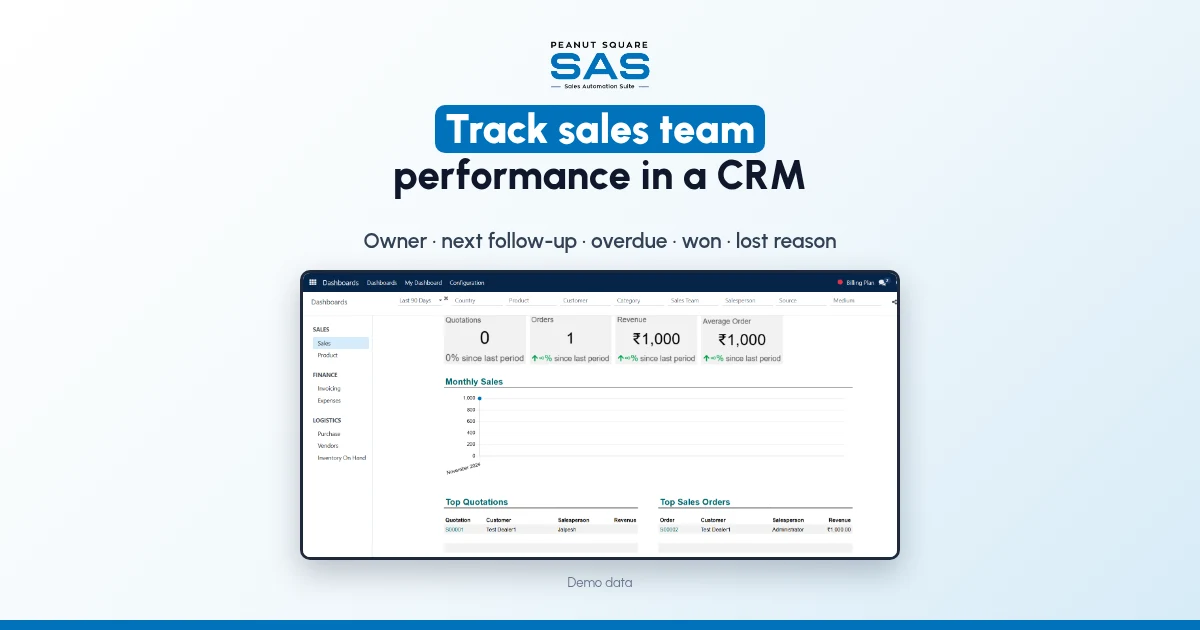
To see who is following up and closing, read how to track sales team performance in a CRM. If your sales tool cannot see stock or dues, read ERP vs CRM for manufacturers and the signs you have outgrown a CRM-only tool.
How does Sales Automation Suite handle it?
Sales Automation Suite (SAS) from Peanut Square is one ERP and CRM built for how India sells. It is meant for India B2B sellers who outgrow a CRM-only stack and want one INR-priced ERP+CRM with India lead portals and WhatsApp on the pricing page, on Cloud or On-Premise. Peanut Square is based in Ahmedabad.
SAS does not have a textile or Surat page today, so this section sticks to what the general SAS pages and knowledge base show.
The SAS CRM app page (checked 19 Oct 2026) describes a "2-way WhatsApp chat inside CRM (no personal numbers needed)", says enquiries are linked to the right lead, the chat history is saved, and the sales team "can view and continue any conversation". It also describes a free WhatsApp bot that replies to new IndiaMART and TradeIndia enquiries.
The SAS pricing page (checked 19 Oct 2026) lists Lead Import, Assignment, Follow-ups, Quotations, Sales Orders and Billing under CRM and Sales; Inventory, Multiple Stores and Stock Availability under Operations; and IndiaMART, TradeIndia, JustDial, Meta forms, Free WhatsApp Automation and Excel export under Integrations.
The SAS knowledge base (all checked 19 Oct 2026) covers the tools underneath:
A customer record holds billing and delivery addresses, a salesperson and sales team, and a price list and payment terms used on that buyer's orders and invoices. A warning can be set to show on every sales order for a contact (customer records).
Leads can be assigned to sales teams and to each salesperson by rules (rule-based assignment).
Product attributes, including a colour type with an image per value, create variants, and an attribute value can carry an extra price (product variants). Price rules can carry a minimum quantity and validity dates (price lists).
The SAS manufacturing page (checked 19 Oct 2026) lists SAS Delivery LR Transport, which records the LR number and transport name on delivery orders, and SAS Dealers, one master for dealers and customers with area, city, stage and salesperson. The SAS home page says the platform can be configured for custom dealer commission models, and shows ISO 9001:2015 and ISO 27001:2022 certification.
The SAS pages we checked don't cover recording an agent separately from the salesperson, agent commission, agent logins, selling one design in metres and pieces together, job work with dyeing or printing units, turning a WhatsApp chat into a quotation or sales order, sending design photos from the product record, what "Recovery" on the pricing page covers, holding an order on a credit limit, textile customers or a textile module, or which of these modules are in Premium. Ask the SAS team to show these with your own designs and buyers before you decide.
On price: ₹300/user/month on Premium (40% off ₹500, GST extra, billed yearly). Implementation is a separate one-time cost. Source: SAS pricing, checked 19 Oct 2026.
What CRM suits a Surat textile trader?
One that keeps each buyer with their agent and salesperson, takes WhatsApp orders into a shared inbox, quotes from a design master with colour, and shows stock, dues and dispatch on the same record. Ask for a demo with your own designs and buyers.
How should a textile trader record agents in a CRM?
Record the agent on the buyer and on every order, separately from the salesperson. Then you can count sales, dues and commission by agent. Decide early whether agents get their own login with access to their buyers only.
Can WhatsApp orders go straight into a CRM?
Look for a shared WhatsApp inbox linked to the buyer, so the chat is not lost in one phone. Ask the vendor to show the salesperson building the order from the design master instead of retyping it.
Is a CRM enough for a textile manufacturer?
Usually not. A CRM tracks buyers and quotes, but a manufacturer also needs stock by design and colour, dues and dispatch on the same records. If you send fabric for dyeing or printing on job work, check that too.
Does SAS have a textile module?
The SAS pages checked on 19 Oct 2026 do not list one. SAS lists WhatsApp chat inside the CRM, product variants, price lists, inventory and LR on delivery orders, so ask the SAS team to show a textile setup with your own designs.