Quick answer: How to open a tiles and sanitaryware showroom: set up four things before the first sale. They are an item list by design, size and finish; a stock count in boxes and pieces; quotations that turn into bills; and a follow-up routine for walk-ins. Sales Automation Suite (SAS) keeps all four in one system.
Most showroom problems start in the first month, when stock sits in one notebook, quotes in a second and customer calls in the owner's phone. Nothing is wrong with any one of them. The trouble is that nobody can see the whole picture. This guide sets the four basics up in the right order, so the showroom runs on one record from day one.
What should you decide before you open a tiles and sanitaryware showroom?
Settle these points on paper first. Each one changes how you set up stock, quotes and follow-up:
Range. Which brands, sizes and sanitaryware lines you will carry, and which you will order only against a customer's site.
Stock policy. What you hold in the godown, what you order from the factory on demand, and who decides.
Roles. Who quotes, who bills, who checks the godown and who follows up.
Payment terms. How you take advance, what you offer to contractors and builders, and who approves credit.
Lead sources. Walk-ins, architects, contractors, Google searches and online enquiries, and how each will be recorded.
How do you set up the item list and stock count?
A showroom sells by the square foot, stores by the box and breaks by the piece. The item list has to hold all three. Do it in this order:
Give every design one code. Use the same name on the box, the bill and the quotation.
Record the box facts. Pieces per box, area per box, size and finish.
Count stock once, by hand, before opening. Enter it as opening stock, by design and by store.
Record the batch when boxes arrive. A repeat order should come from the same batch as the first.
Re-count a few fast-moving designs every week. Fix mismatches the same day.
In SAS this uses Inventory, Batches, Multiple Stores, Min levels and Stock Reconciliation. The Design Stock View below shows one design with its stock by grade and, underneath, the orders waiting for it. A salesperson sees what is free before promising it.
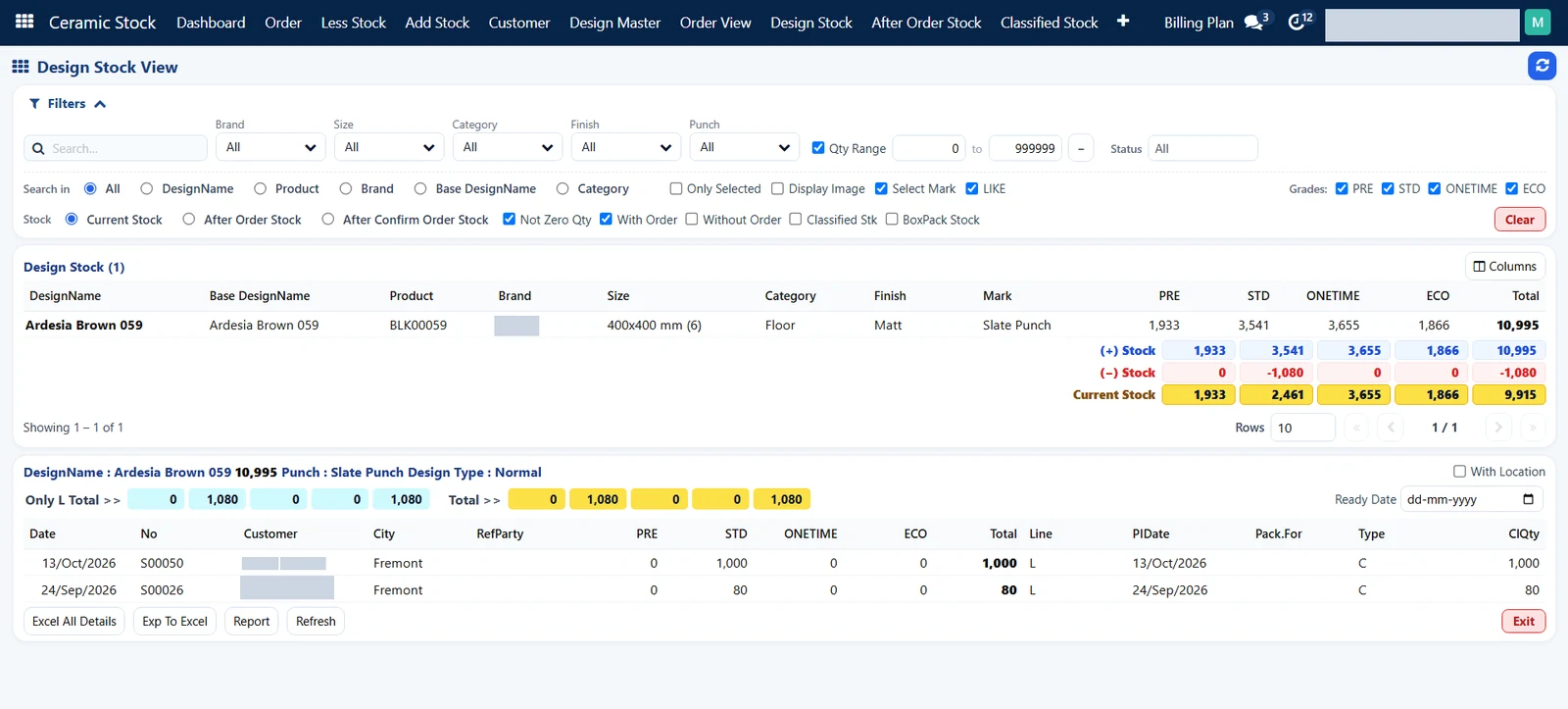
One design, its stock and its open orders in SAS. Brand and customer names are hidden.
Our guides on design-wise stock for tile dealers and reorder planning for dealers take this further once the showroom is running.
How do you quote and bill a tile customer?
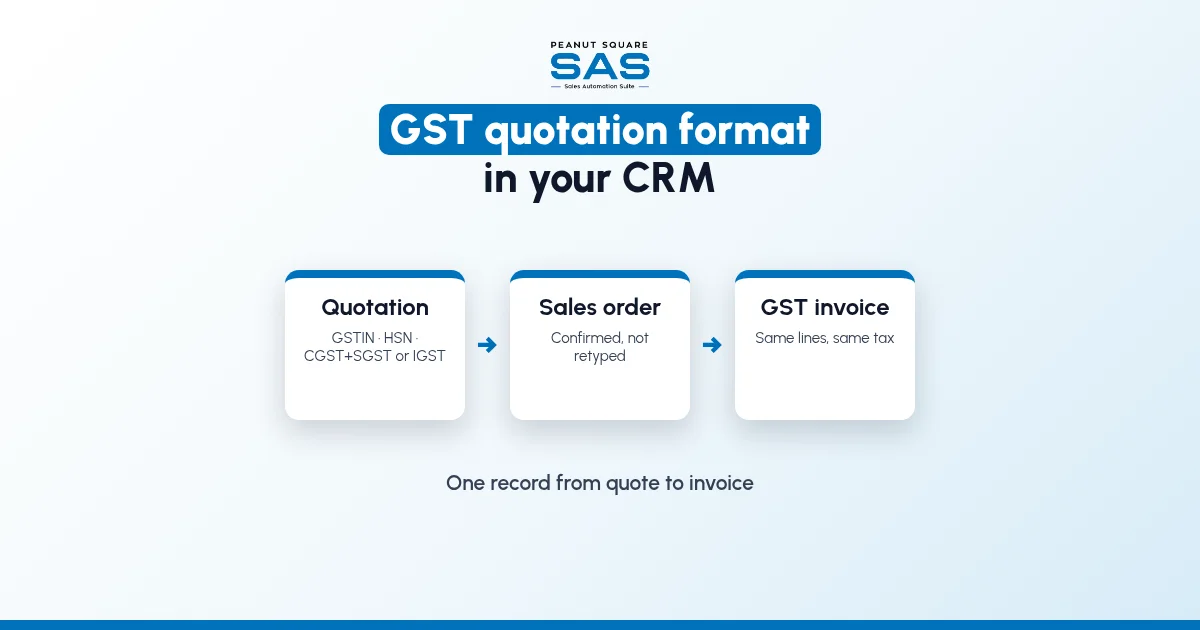
A showroom customer usually wants a quote first, then pays an advance, then takes delivery in lots. Keep that path in one system so the quote becomes the order and the order becomes the bill without retyping:
Quotations room by room, with the design, quantity and rate on each line.
Proforma Invoices to confirm an advance before the order is booked.
Sales Orders that reserve the stock against the customer.
Billing with GST on the bill, and POS Print for the counter.
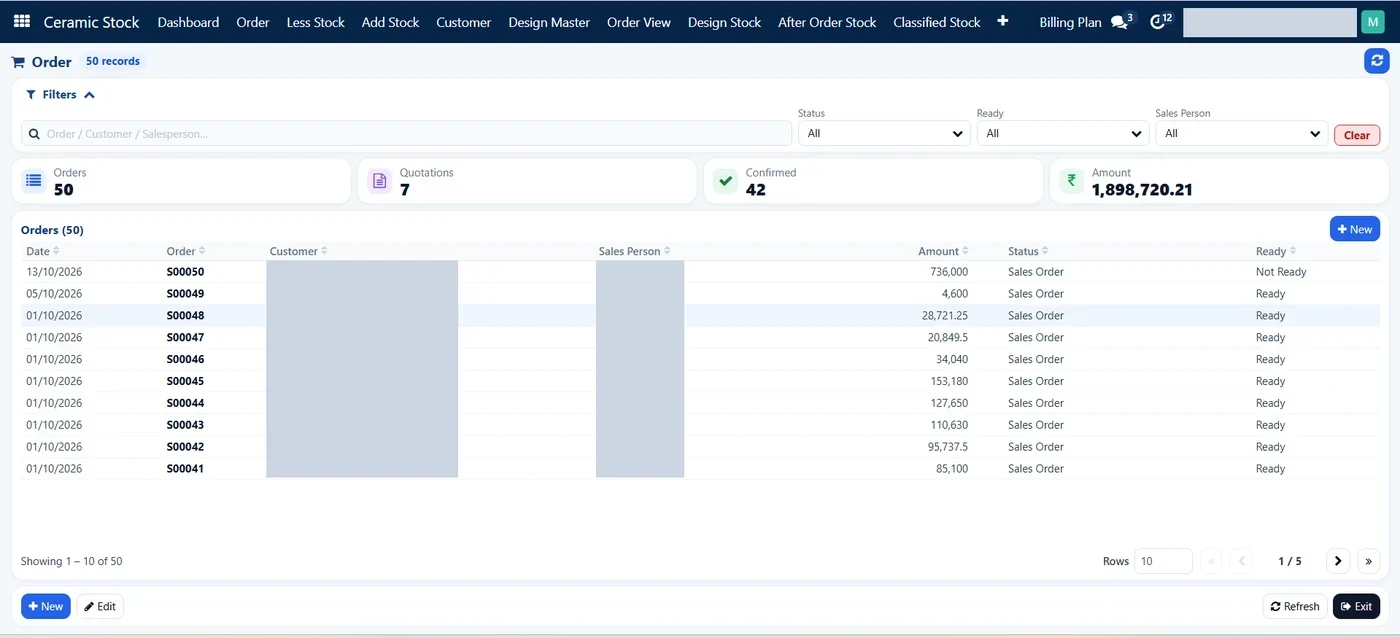
Orders, quotations and confirmed orders in one SAS list. Customer and salesperson names are hidden.
For what a GST quotation should contain, read GST quotation format and how to send it from your CRM. You can also draft a quote today with the free quotation generator.
How do you follow up walk-in customers and online enquiries?
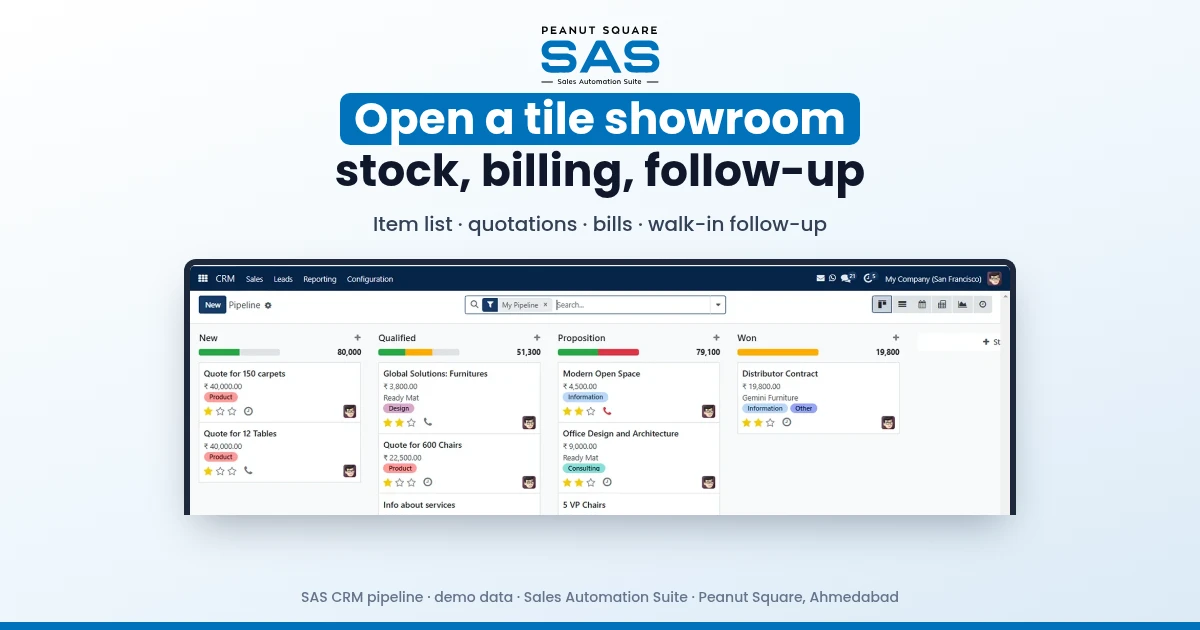
Most walk-ins do not buy on the first visit. The showroom that calls back on a fixed day wins more of them than the one that waits. Put every enquiry into a Funnel on the day it arrives, give it an owner through Assignment, and set the next call as a Follow-up.
If you already keep leads in Excel, Lead Import brings them in. Online enquiries can arrive through IndiaMART, JustDial, Meta forms or the Website API, and Free WhatsApp Automation replies to new enquiries. A simple rule works well: call on day 1, day 3 and day 7, and close the lead with a reason if there is still no order.
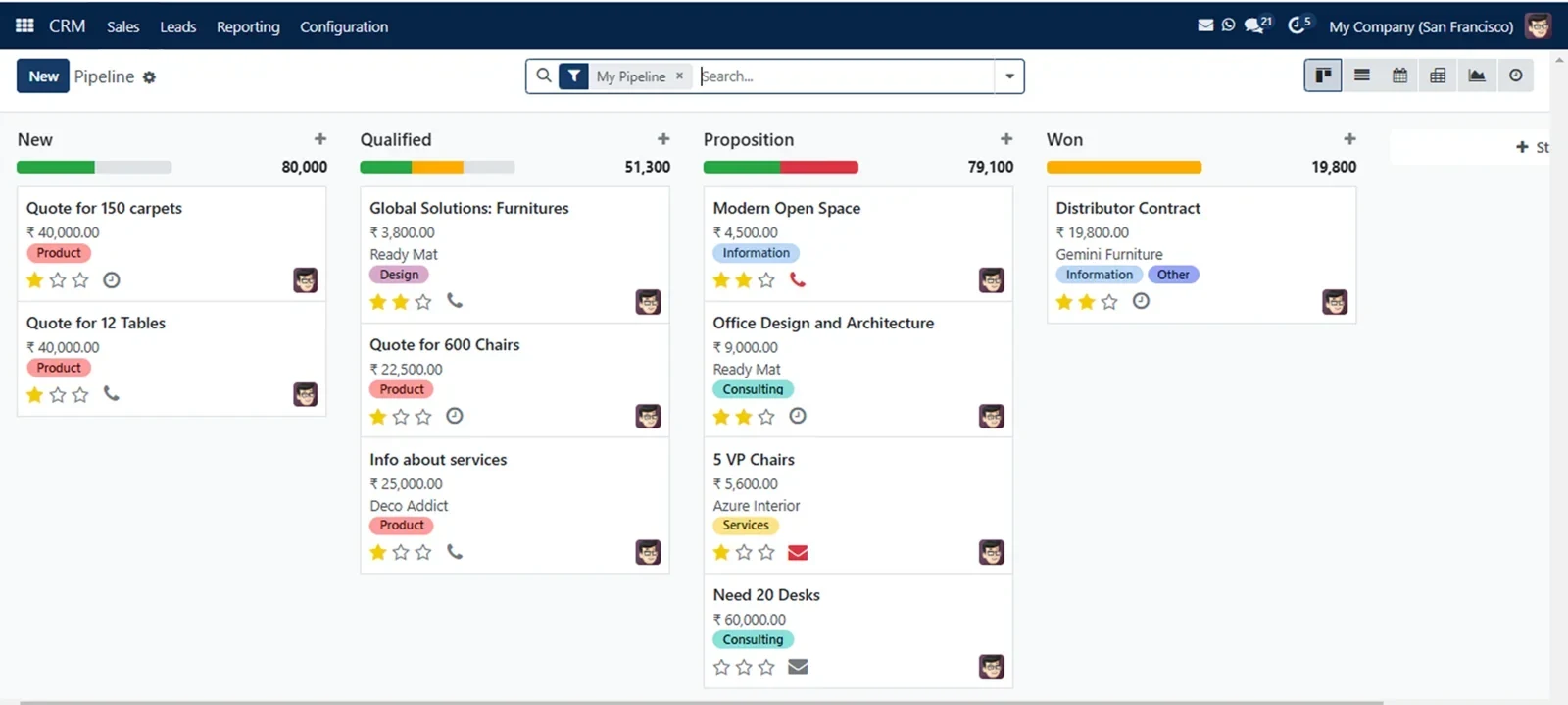
A showroom funnel in the SAS CRM pipeline: each card is an enquiry with its owner and value. Demo data.
The free follow-up templates give wording for each call, and how to set up sales pipeline stages in a CRM explains the stages. The SAS CRM page describes the lead sources.
What should the first month's routine look like?
Every day: enter each sale the same day, update open quotes, and call every follow-up that is due.
Every week: re-count the top designs, review quotes older than a week, and list customers who asked for a design you did not have.
Every month: review dues from contractors and builders, and check which lead source brought orders.
A routine this small is easy to keep. When it feels easy, add the next layer, such as supplier orders through Purchase Orders and GRN.
What does SAS cost?
₹300/user/month on Premium (40% off ₹500, GST extra, billed yearly). Enterprise has custom pricing, tailored to your business requirements. Both plans include the full feature set, email support is always free, and 20 minutes of phone support is included each month. See the pricing page for the list.
Sales Automation Suite is built by Peanut Square LLP in Ahmedabad, first for tile and ceramic businesses in Morbi and Gujarat.
FAQ
How do I open a tiles and sanitaryware showroom?
Decide your range, stock policy, roles, payment terms and lead sources. Then set up an item list, count opening stock, use one system for quotations and bills, and follow up every walk-in on a fixed schedule.
What software does a tile showroom need?
It needs stock in boxes and pieces with batch, quotations that become sales orders and GST bills, and a CRM to follow up walk-ins and online enquiries. SAS covers all three in one system.
Can SAS handle quotations and billing for a showroom?
Yes. Quotations, Proforma Invoices, Sales Orders, Billing and POS Print are listed on the SAS pricing page, with Inventory and Batches for stock.
How much does SAS cost per user?
₹300/user/month on Premium (40% off ₹500, GST extra, billed yearly). Enterprise has custom pricing.
Is there a free trial of SAS?
No. You can book a free demo at sas.peanutsquare.com and see your showroom's stock, quotes and follow-up set up.
See it with your own showroom: Book a free demo at sas.peanutsquare.com.
Sources: SAS pricing page (plans, features, support), read 28 November 2026; SAS CRM page (lead sources, WhatsApp automation), read 28 November 2026; SAS ceramic tiles page, read 28 November 2026. Screens show demo data or have names hidden.