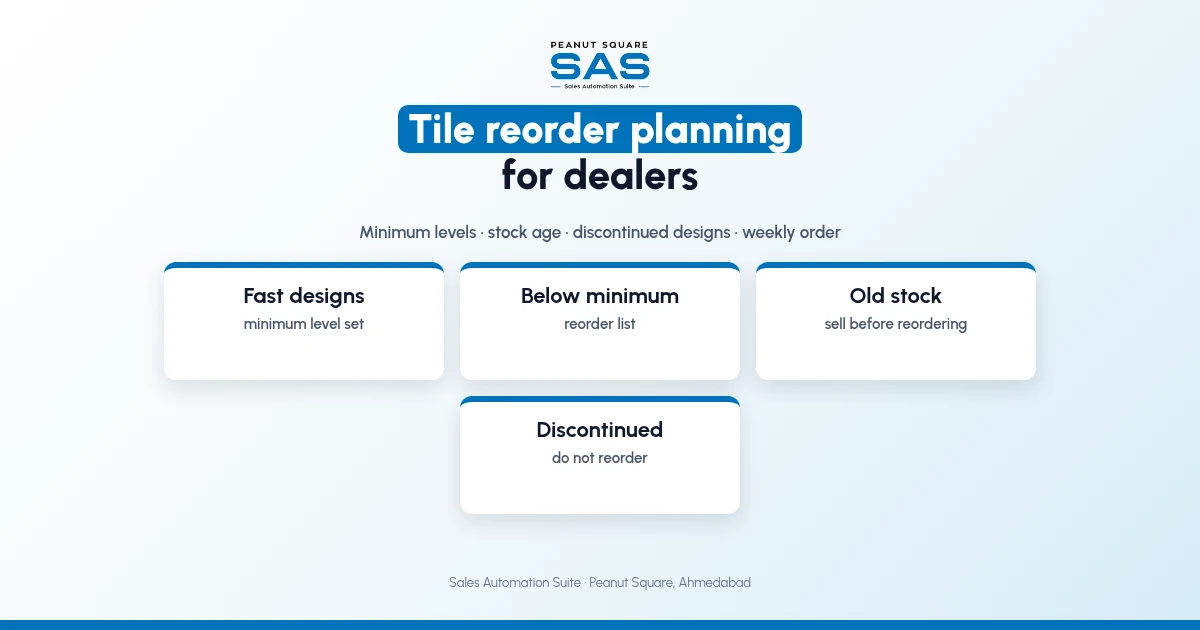
Short answer: Tile reorder planning for a dealer works with four groups of designs. Fast designs get a minimum level and are reordered when stock falls below it. Steady designs are reordered in smaller lots. Slow designs, unsold for months, are sold before anything new is ordered. Discontinued designs are never reordered. Check the list weekly, and confirm with the factory which designs are active before you order.
Dealers in Vadodara and across Gujarat order from several factories, and a wrong reorder ties up money in boxes that do not move. This guide covers grouping, minimum levels and a weekly routine. For stock basics, see the tile dealer stock management guide.
Why does tile reorder planning go wrong?
Reorders are often made from memory and from the last loud request.
Fast designs run out because nobody watched the level.
Slow designs are reordered because someone asked once.
A discontinued design is ordered and the factory cannot supply it.
Old stock sits in the godown while new stock arrives.
How should a dealer group designs for reordering?
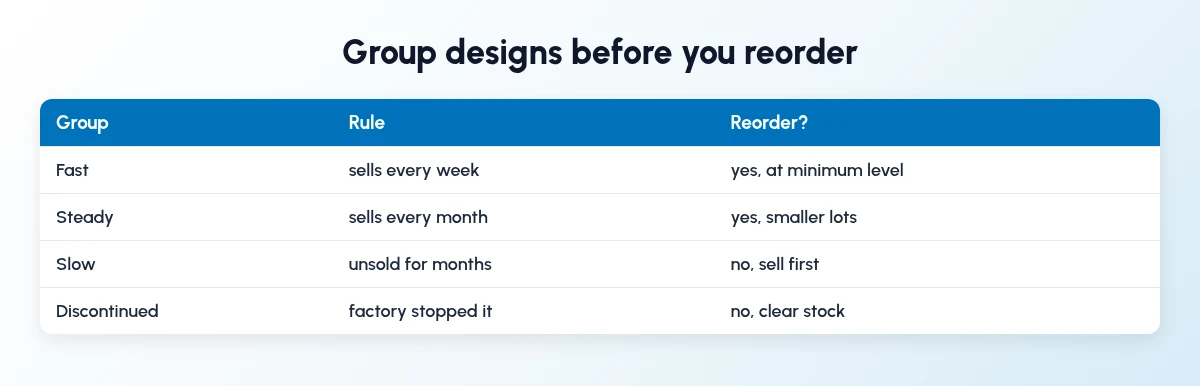
Group every design into one of four.
Fast: sells every week. Set a minimum level.
Steady: sells every month. Reorder in smaller lots.
Slow: unsold for months. Sell before reordering.
Discontinued: the factory has stopped it. Clear it.
How do I set a minimum level for a tile design?
Start with how many boxes you sell in the time the factory takes to deliver, and add a cushion for a project order. Review it every quarter.
Boxes sold per week: your sales for the design.
Factory delivery time: your last few orders.
Cushion: your typical project order.
Minimum level: weekly sales × delivery weeks + cushion.
What should a weekly reorder routine look like?
Once a week:
List designs below minimum level.
Remove slow and discontinued designs.
Check free stock and status at the factory.
Place one order per factory, by batch where needed.
How does Sales Automation Suite help tile reorder planning?
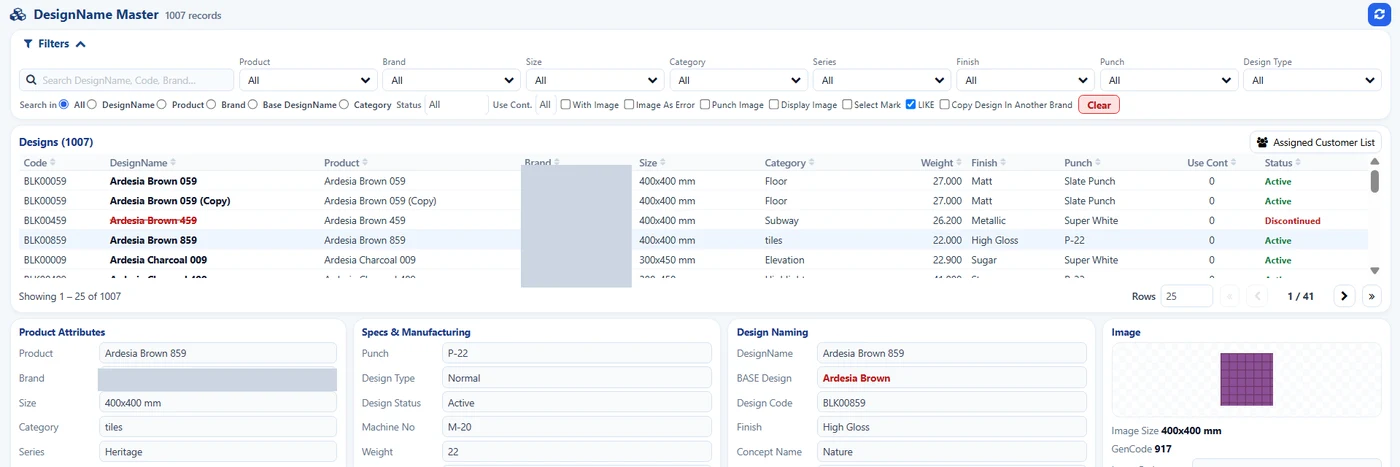
SAS Design Master: design status and minimum quantity. Brand hidden.
Sales Automation Suite (SAS) from Peanut Square is one ERP and CRM built for how India sells. It is meant for Indian B2B sellers who outgrow a CRM-only stack: India lead portals and WhatsApp are on the pricing page, the price is in rupees, and it runs on Cloud or On-Premise.
In the SAS Ceramic Stock screens shared by Nishant Patel on 19 Oct 2026 (customer details hidden), the Design Master holds each design's minimum quantity and an active or discontinued status, and the Ceramic Stock Dashboard shows stock by days range from 0 to 5 days up to 251 to 365 days. The SAS pricing page lists Min levels, Batches and Stock Reconciliation. The SAS knowledge base article on replenishment covers restocking from vendors through the Replenishment option.
Our guides on tile stock visibility for dealers and tile distributor software for Mumbai cover factory stock and multiple godowns. For the factory side, see ceramic stock management for tile factories.
On price: ₹300/user/month on Premium (40% off ₹500, GST extra, billed yearly).
SAS is built by Peanut Square in Ahmedabad, Gujarat. The SAS tile industry page lists ISO 9001:2015 and ISO 27001:2022.
To see it with your own process: Book a free demo at sas.peanutsquare.com
How should a tile dealer decide what to reorder from the factory?
Group designs into fast, steady, slow and discontinued. Reorder fast designs at a minimum level, steady ones in smaller lots, and sell slow ones first. Never reorder discontinued designs.
What is a minimum level for tiles?
The number of boxes at which you reorder a design. Base it on weekly sales, factory delivery time and a cushion for a project order.
How often should a tile dealer reorder?
Weekly is a simple rhythm to start with, with one order per factory.
Should a dealer reorder slow-moving designs?
Not until existing stock sells. Old stock ties up money and godown space.
Does SAS track minimum levels?
The SAS pricing page lists Min levels, and the Design Master in the SAS Ceramic Stock screens has a minimum quantity field.