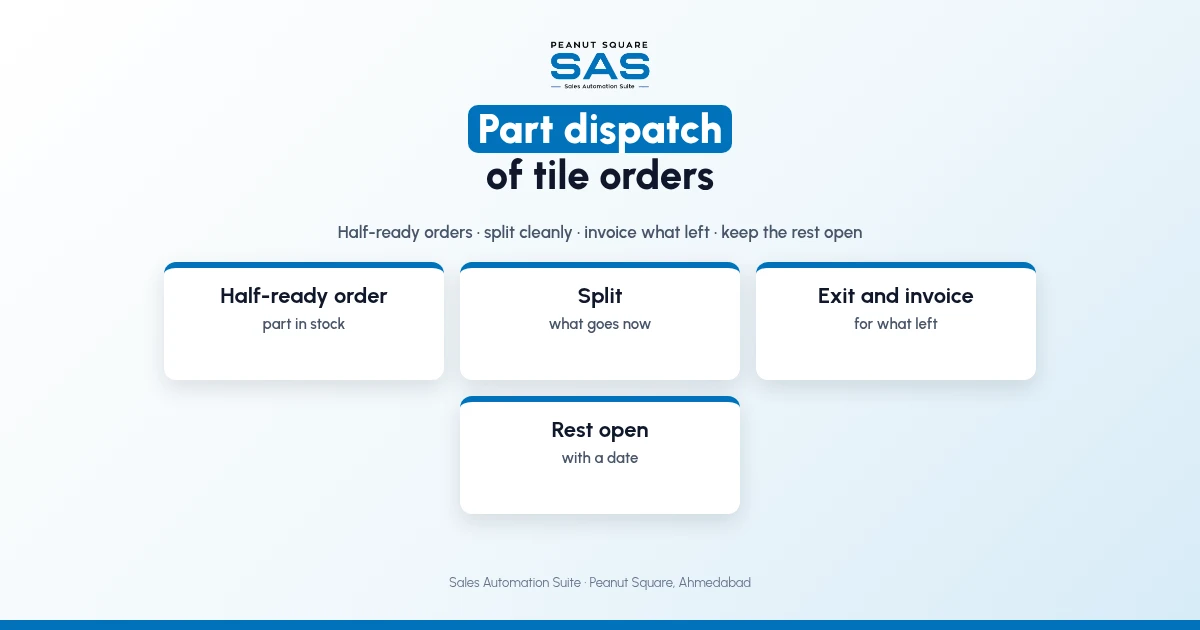
Short answer: Part dispatch of a tile order works when the factory offers it to the dealer first, splits the order into what goes now and what follows, records the stock exit with truck and LR for the part that left, invoices only that part, and keeps the rest of the order open with a planning date. Each truck is its own record against the same order, so neither side loses track of what is still due.
Dealers in Surat, across Gujarat and in Maharashtra often take large orders in parts, either because only part is ready or because the quantity needs more than one truck. This guide covers when to split, how and what SAS shows. For the status side, see tile order status tracking.
When should a tile order be dispatched in parts?
Two common reasons:
Half-ready: part of the order is in stock; the dealer wants it now.
Too big for one truck: the full order is ready but needs several loads.
Some dealers prefer to wait for the full order from one batch. Ask before splitting.
How should a part dispatch be handled?
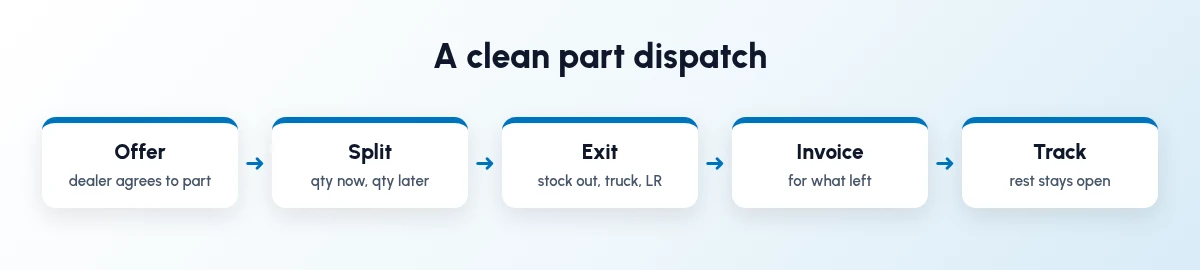
Five steps, every time.
Offer it to the dealer and get a yes.
Split the order: quantity now, quantity later.
Record the exit with truck, LR and invoice.
Invoice what left, not the full order.
Keep the rest open with a planning date.
What goes wrong with part dispatch?
Full order invoiced, part shipped: invoice per truck.
Rest of order forgotten: keep it open with a date.
Second part from another batch: book the full quantity from one batch.
Dealer not told what is pending: send what left and what is due.
What should the dealer be told after each truck?
Send the invoice, LR number, transporter and boxes for this truck, and the quantity and date for the rest. One message, the same day.
How does Sales Automation Suite handle part dispatch?
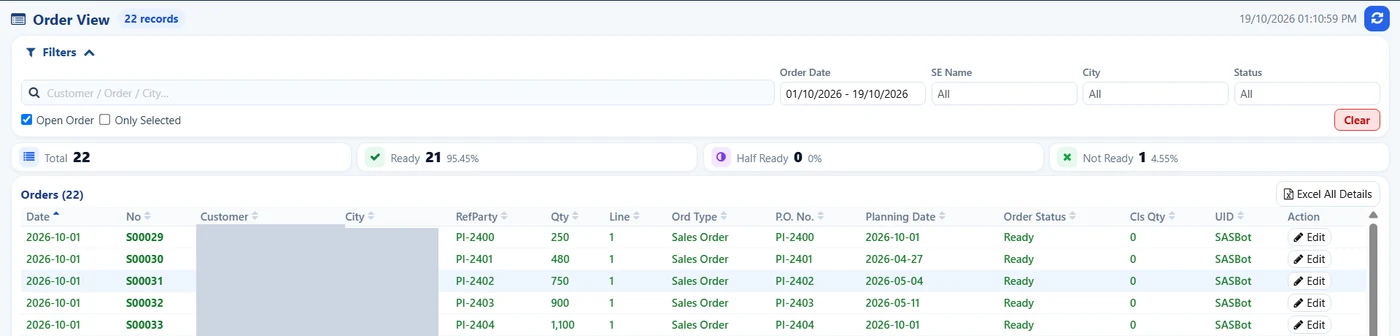
SAS Order View: open orders by status with order actions. Customer names and cities hidden.
Sales Automation Suite (SAS) from Peanut Square is one ERP and CRM built for how India sells. It is meant for Indian B2B sellers who outgrow a CRM-only stack: India lead portals and WhatsApp are on the pricing page, the price is in rupees, and it runs on Cloud or On-Premise.
In the SAS Ceramic Stock screens shared by Nishant Patel on 19 Oct 2026 (customer details hidden), the Order View counts ready, half-ready and not-ready orders and offers actions labelled Classified Order, Merge Order, Make Half Order and Convert Order To LessStock. Less Stock entries record each exit with city, P.O., invoice number and truck number, and Less Stock can be converted to an order or merged.
The SAS tile industry page lists SAS Delivery LR Transport for the LR number and transport name on delivery orders. Our guide on tile dispatch tracking with LR numbers covers each truck's record, and ERP and CRM for Morbi tile factories covers the wider flow.
On price: ₹300/user/month on Premium (40% off ₹500, GST extra, billed yearly).
SAS is built by Peanut Square in Ahmedabad, Gujarat. The SAS tile industry page lists ISO 9001:2015 and ISO 27001:2022.
To see it with your own process: Book a free demo at sas.peanutsquare.com
How should a tile factory handle part dispatch of an order?
Offer it to the dealer, split the order into now and later, record the exit and invoice only for what left, and keep the rest open with a planning date.
Should each part dispatch have its own invoice?
Yes, as a default. Invoice what left on that truck so the dealer's dues match the goods received.
Can a part dispatch cause shade problems?
It can, if the second part comes from another batch. Book the full quantity from one batch when the order is confirmed.
What does half-ready mean for a part dispatch?
Half-ready is an order status: part of the order is in stock. It is the usual reason to offer a part dispatch.
Does SAS show half-ready orders?
Yes. The SAS Order View counts half-ready orders alongside ready and not-ready ones, in the screens shared on 19 Oct 2026.