Short answer: A tile distributor ERP in Mumbai with multiple godowns should keep stock for each design by batch, grade and godown, show the total and the split in one view, record every transfer between godowns with what was sent and received, and fill each order from the godown nearest the buyer that holds one batch for the full quantity. Stock on the road between godowns should not count as free until it is received.
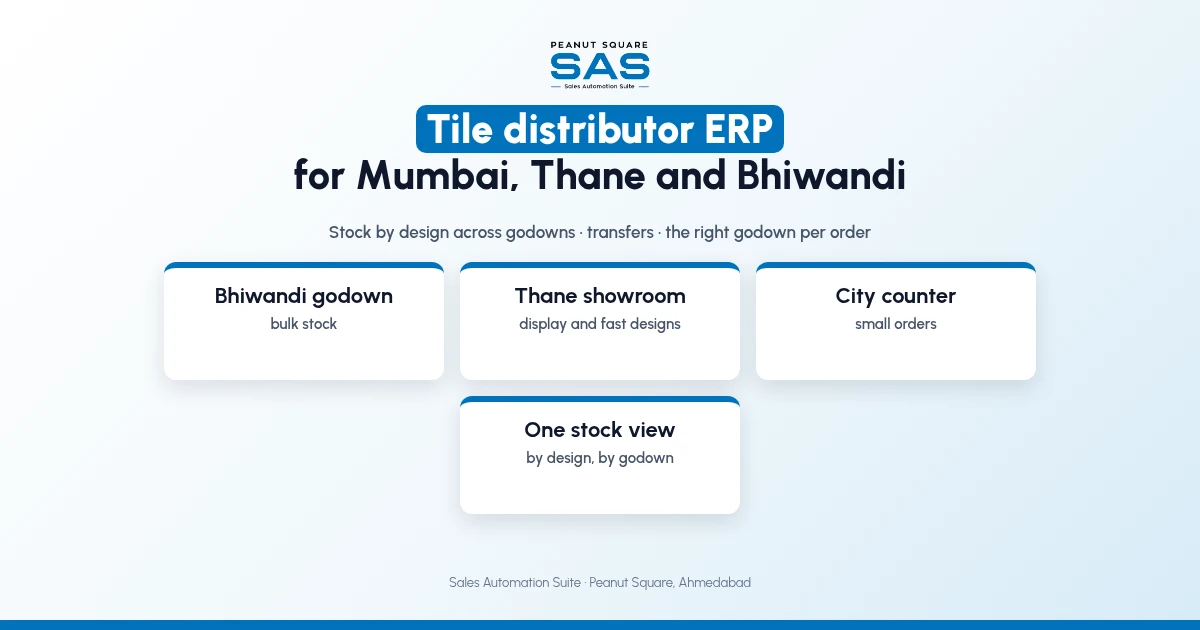
Distributors in Mumbai, Thane and Bhiwandi often hold bulk stock in a Bhiwandi godown and display stock in a city showroom. This guide covers how to split stock, how transfers work and how SAS handles it. For single-godown dealers, see the tile dealer stock management guide.
Why do distributors need a tile distributor ERP in Mumbai?
Each godown keeps its own register, and the showroom does not know what Bhiwandi holds. A buyer is told "not in stock" while 500 boxes sit 30 km away.
Transfers are sent on a slip and received days later.
The same batch is split across godowns.
Orders are filled from the wrong godown, adding a second trip.
How should stock be kept across godowns?
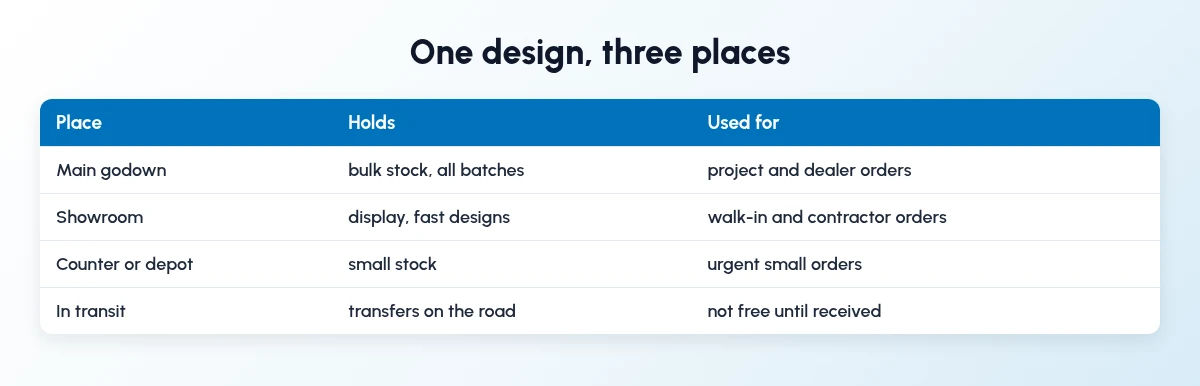
Keep one stock record per design, with each godown as a location.
Main godown: bulk stock, all batches.
Showroom: display and fast designs.
Counter or depot: small stock for urgent orders.
In transit: transfers on the road.
How should transfers between godowns work?
Record both ends of every transfer.
Send: design, batch, grade, boxes, from and to, truck.
On the road: in transit, not free.
Receive: boxes received, breakage if any.
Close: stock moves to the new godown.
Which godown should fill an order?
The nearest one that holds the full quantity in one batch. If none does, move stock to one godown first, rather than sending two trucks to the buyer.
How does Sales Automation Suite handle stock across godowns?
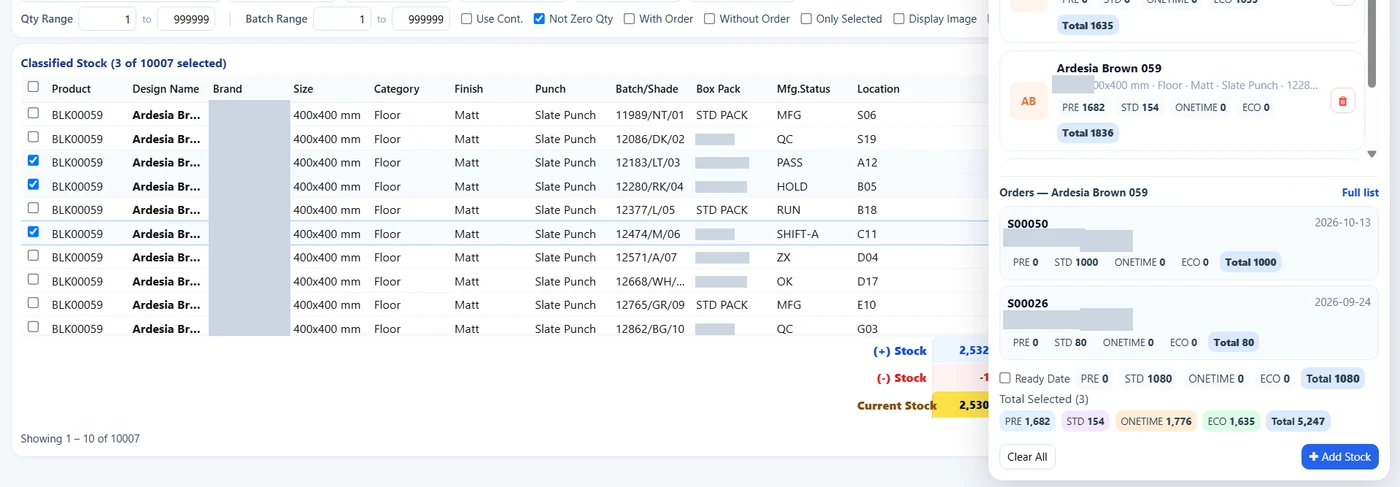
SAS Classified Stock: batch lines with location. Brand and customer details hidden.
Sales Automation Suite (SAS) from Peanut Square is one ERP and CRM built for how India sells. It is meant for Indian B2B sellers who outgrow a CRM-only stack: India lead portals and WhatsApp are on the pricing page, the price is in rupees, and it runs on Cloud or On-Premise.
The SAS pricing page lists Multiple Stores, Batches, Min levels and Stock Reconciliation. The SAS knowledge base article on transfers covers moving products between warehouses and branches. In the SAS Ceramic Stock screens shared by Nishant Patel on 19 Oct 2026 (customer details hidden), Classified Stock shows each batch line with a location, and Add Stock entries record the source as plant, godown or self.
The SAS tile industry page says traders and dealers use the same modules as manufacturers, and lists Product Carton Management. Our guides on inventory and sales integration and tile dealer payment follow-up cover the rest of the distributor loop.
On price: ₹300/user/month on Premium (40% off ₹500, GST extra, billed yearly).
SAS is built by Peanut Square in Ahmedabad, Gujarat. The SAS tile industry page lists ISO 9001:2015 and ISO 27001:2022.
To see it with your own process: Book a free demo at sas.peanutsquare.com
What should a tile distributor ERP do for multiple godowns?
Keep stock per design by batch, grade and godown, show the split in one view, record transfers at both ends, and fill orders from the nearest godown with one batch for the full quantity.
Should stock in transit count as available?
No. Count it as free only when the receiving godown confirms it.
How do I stop shade mix-ups across godowns?
Keep batch numbers on every transfer and fill each order from one batch, even if it means moving stock to one godown first.
How often should godown stock be reconciled?
Regularly, at least monthly for fast designs. The SAS pricing page lists Stock Reconciliation.
Does SAS support multiple godowns?
The SAS pricing page lists Multiple Stores, and the SAS knowledge base covers transfers between warehouses.