Short answer: A ceramic tiles ERP in Morbi should put the enquiry, the quotation, the batch-wise stock and the truck dispatch on one record. That means portal, exporter and dealer enquiries in a CRM; one product master by design, size, finish and grade; stock kept by batch or shade lot as it comes off the line; sales orders filled from one batch; and delivery orders that carry the truck, LR number and transporter. A CRM-only tool stops at the quotation. A plant system without a CRM never sees where orders start. A ceramic tiles ERP in Morbi should do both on one product list.
This guide covers where factory sales slip, what the system should hold, a setup plan in order, who needs to see what, and what Sales Automation Suite documents today.
Why do sales and the plant drift apart in a tile factory?
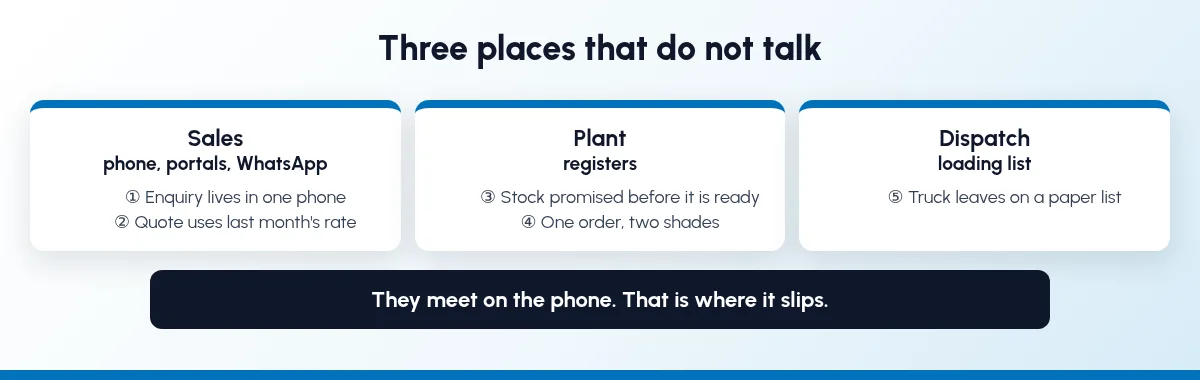
Selling happens on calls, portals and WhatsApp. The plant runs on registers, dispatch on a loading list, and the three meet on the phone. That is where it slips:
The enquiry lives in one phone. An IndiaMART lead, an exporter on WhatsApp and a dealer's call reach three people. When one of them leaves, the chats leave too.
The quote uses last month's rate. The size, grade or price on the quote is not the one accounts will bill.
Stock is promised before it is ready. The design is still in the kiln or waiting to be sorted, but the date is already committed.
One order, two shades. The order is filled from two batches of the same design, and the dealer calls once the tiles are laid.
The truck leaves on a paper list. The LR number sits in a notebook, so "where is my truck?" takes three calls to answer.
None of this is a staff problem. Enquiries, stock and dispatch sit in places that do not talk.
What should a ceramic tiles ERP in Morbi hold?
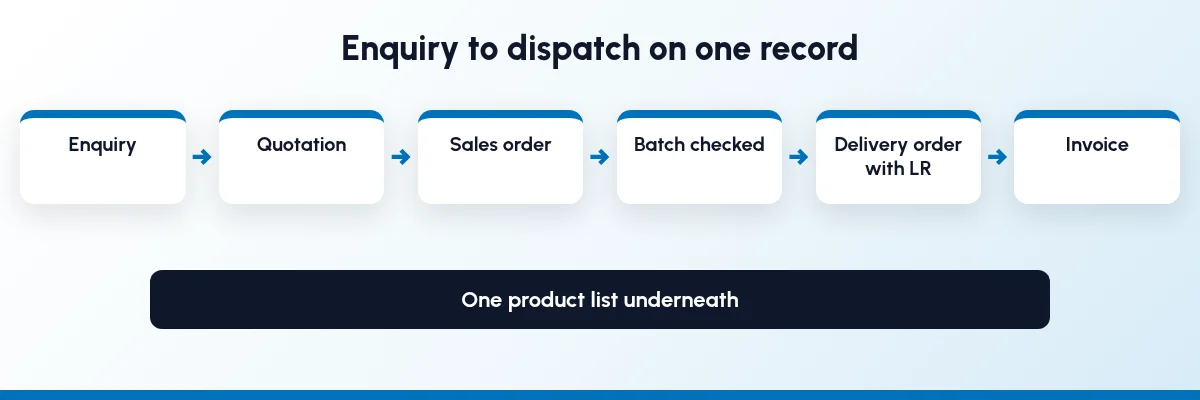
A trader asks "which design is in my godown?". A factory also asks "what is coming off the line, which batch is it, and which truck takes it?". These records need to be joined up:
Enquiries from IndiaMART, TradeIndia, JustDial, Meta forms, WhatsApp, exporters and dealers, each with an owner.
Product master: one code per design and size, with finish, grade, pieces per box and box weight.
Price lists by grade and buyer type (dealer, project, exporter), with dates.
Quotations and sales orders built from that master.
Production and batch stock: planned, in production, and packed, by batch or shade lot.
Dispatch: delivery orders with vehicle, LR number and transporter.
Dealers, samples and complaints on one record per dealer.
How do I set up ERP and CRM for a Morbi tile factory?
Go in the order the work flows. Each step is useful on its own.
Step 1: Build one product master
Give each design and size one code, with finish and grade as attributes rather than free text. Record pieces per box, coverage per box and box weight, because quoting, stock and truck loading all depend on them. Pick one selling unit, per box or per square foot, and use it everywhere. When you compare software, ask whether it can quote and keep stock in boxes and square feet together, and whether grade can be set up as an attribute.
Step 2: Bring every enquiry into one pipeline
Portal leads, WhatsApp chats, exporter emails and dealer calls should all land as leads with a named owner, assigned by rules such as state or buyer type. Our guides to IndiaMART CRM integration, WhatsApp follow-up for manufacturers and sales pipeline stages cover this step.
Step 3: Set price lists by grade and buyer type
Keep dealer, project and export rates on separate price lists, with minimum quantities and validity dates. Link each customer to a list, so the right rate fills in on the quote.
Step 4: Quote from the master
Build the quotation from the opportunity. Pick design, size and grade from the product list, enter boxes, and set how long the quote is valid. Say on the quote that shade is confirmed when a batch is held for the order.
Step 5: Keep stock by batch or shade lot
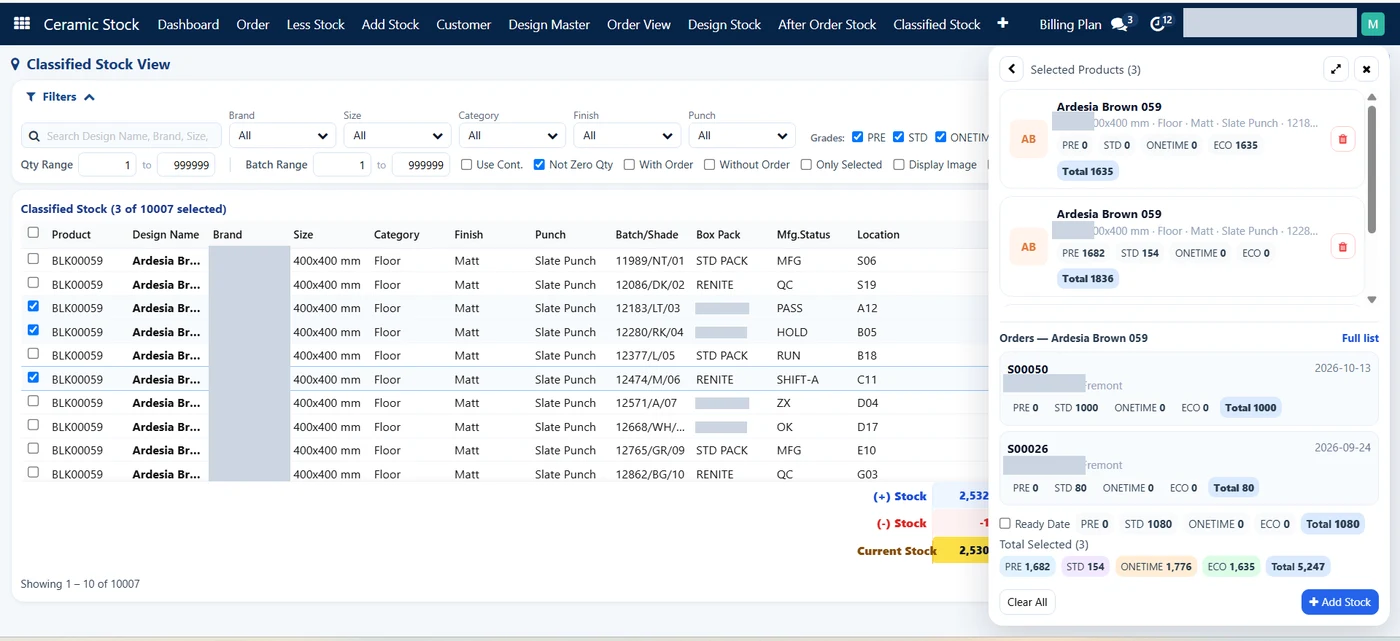
When a lot is packed, give it a batch number and keep it as its own stock line under the design. Mark what is ready, what is still in production or sorting, and what is only planned. When you compare software, check whether it tracks shade or batch for each design, and ask for a demo with your own designs. Our guide to inventory and sales integration covers linking quotes to stock. For the dealer side, see our guide to tile dealer design and stock management.
Step 6: Confirm the order and hold one batch
Confirm the quotation into a sales order without retyping it. Before you commit the date, check that one batch can cover the order and check the buyer's outstanding. If one batch cannot cover it, tell the buyer now, not at dispatch. Ask any vendor to show whether a sales order can hold one specific batch for a buyer.
Step 7: Plan the truck and record the dispatch
Group orders by route and truck, pick against the delivery order, and record the vehicle, LR number and transporter on it. Send the buyer a dispatch message from the same record. If you plan loads by weight or boxes per vehicle, or ship export containers, ask whether the software plans truck loads or only records the dispatch.
Step 8: Keep dealers, samples and complaints together
Give each dealer one record with area, stage, salesperson and managers. Log samples and complaints against it, and tie each complaint to its invoice and batch. Dealer schemes can sit on price lists and be counted from invoices; they deserve their own setup. Our guide to dealer order and scheme tracking shows one way to set them up.
What do sales, the plant and dispatch each need to see?
A shared system does not mean everyone edits everything.
TeamNeeds to seeShould ownSales and export deskLeads, ready stock by design and batch, the buyer's price list, dispatch statusLeads, follow-ups, quotationsPlantConfirmed orders by design, size and grade, and what is shortProduction jobs, packed batches, rejectionsDispatchOrders due, which batch to pick, delivery addressPicking, truck, LR number, transporterSales headEach dealer's orders, samples, complaints and visitsDealer records, areas, assignmentAccountsOrders and deliveries to billInvoices, payments, outstanding, price lists
Sales should be able to tell a buyer what can ship and when, but not change a batch, a rate or a dispatch record to close an order.
What changes once enquiry, batch and truck share one record?
We will not put a percentage on it, because it depends on how your factory runs today. These are changes you can check in the first month:
Every enquiry has an owner, wherever it came from.
Quotes carry the current rate for the buyer's grade and price list.
A confirmed quote becomes a sales order without being typed twice.
Salespeople see what is packed and ready before they promise a date.
The LR number for every truck is on the delivery order.
A complaint can be traced to its invoice and batch.
When a salesperson leaves, their leads, dealers and chats stay in the system.
If your sales tool cannot see stock or production, read ERP vs CRM for manufacturers and the signs you have outgrown a CRM-only tool.
How does Sales Automation Suite handle it?
Sales Automation Suite (SAS) from Peanut Square is one ERP and CRM built for how India sells. It is meant for India B2B sellers who outgrow a CRM-only stack and want one INR-priced ERP+CRM with India lead portals and WhatsApp on the pricing page, on Cloud or On-Premise.
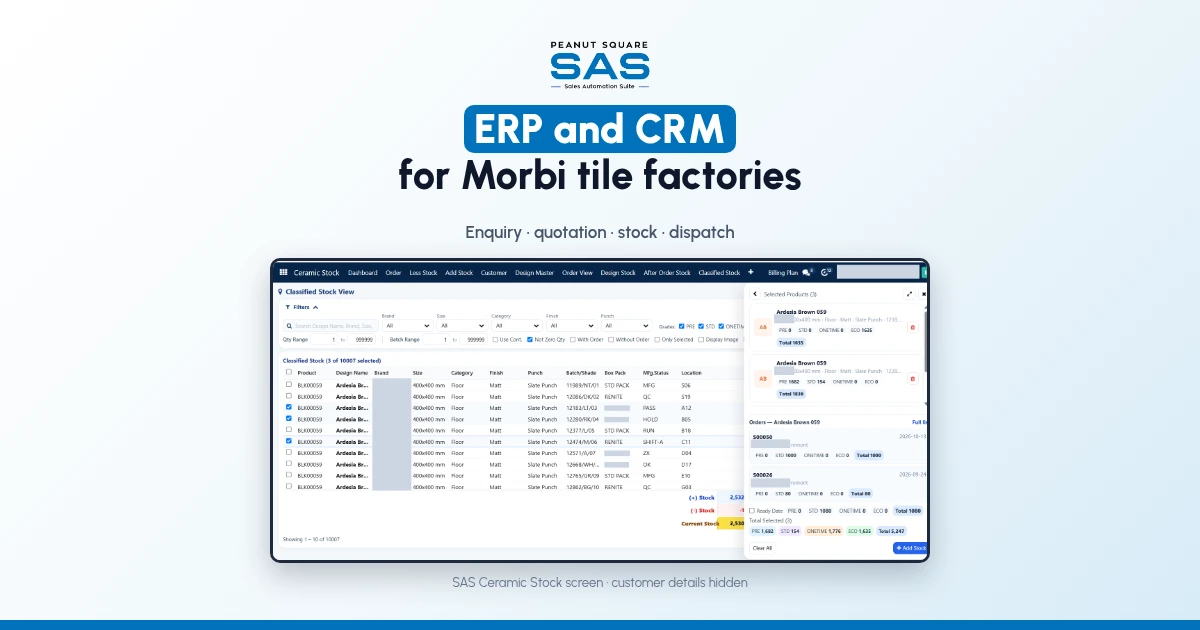
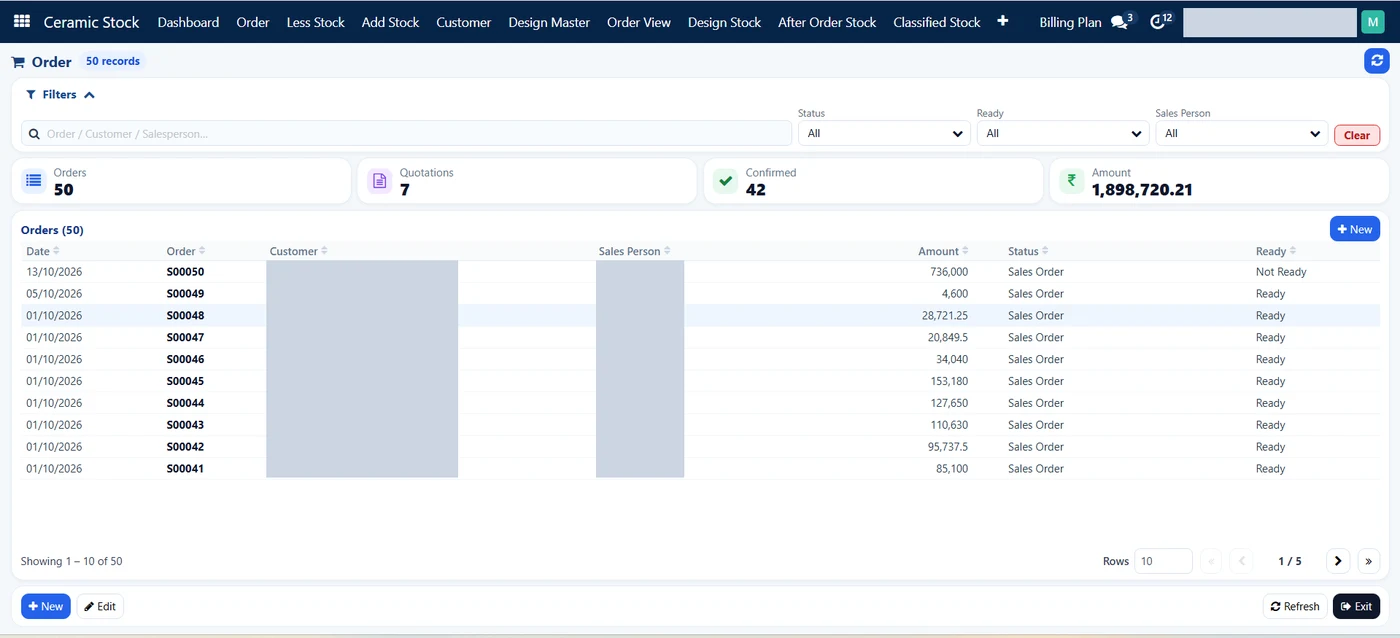
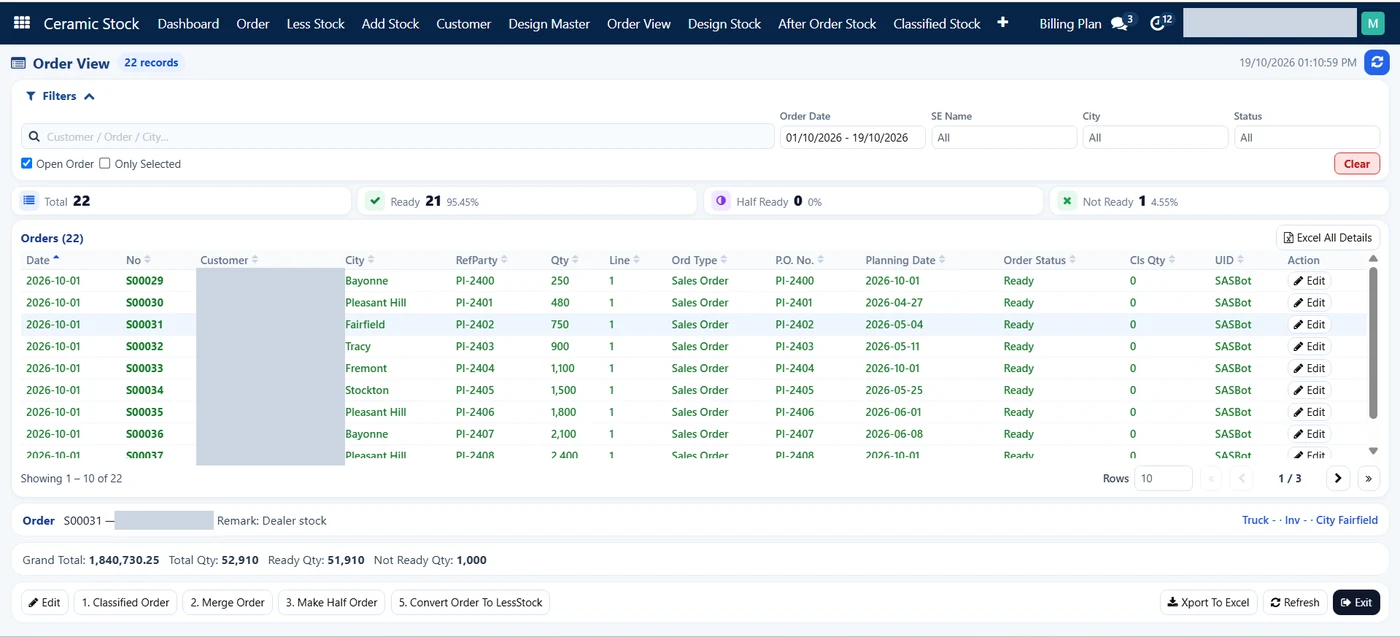
The SAS page for Morbi tile businesses (checked 18 Oct 2026) sets out the flow: an IndiaMART, TradeIndia, JustDial or Meta lead form enquiry lands as a lead and is assigned to a salesperson, who replies from a shared WhatsApp inbox; "before quoting a date, the salesperson checks design stock: ready, half-ready or not-ready, with aging". In the SAS Ceramic Stock screens checked on 19 Oct 2026, that ready, half-ready and not-ready split is tracked on orders (the Order View and Dashboard), while stock for each design shows by batch or shade, location and days in stock. How your factory defines each status should be set up with your team, and is worth checking in a demo. The page also says the delivery order records the LR number and transport name. The page names Renite Vitrified (renitevitrified.com), a vitrified tile maker in Morbi, as a customer using SAS CRM and automation alongside its other tools.
The SAS page for tile manufacturers and traders (checked 18 Oct 2026) lists SAS Ceramic Stock Management (design master, stock per design, and a salesperson dashboard; in the screens checked on 19 Oct 2026, the dashboard shows the ready, half-ready and not-ready split on open orders, and stock by days range with booking and shortage), Product Carton Management (cartons and pieces), SAS Delivery LR Transport (LR number and transport name on delivery orders), SAS Dealers with SAS Geo Location, the IndiaMART, TradeIndia, JustDial and Meta lead modules, and the SAS WhatsApp Index inbox. Which plan includes SAS Ceramic Stock Management, Product Carton Management and SAS Delivery LR Transport isn't confirmed, so ask when you book a demo.
The SAS pricing page (checked 18 Oct 2026) lists Quotations, Proforma Invoices, Sales Orders and Billing under CRM and Sales, and Multiple Stores, Batches, BOM, Material Issue, Production Jobs, MRP, WIP Stage Movement, Stock Availability and Rejection Analysis under Operations.
The SAS knowledge base (all checked 18 Oct 2026) covers the tools underneath:
Lot numbers "refer to a batch of products with shared characteristics", and operation types, including manufacturing, can create new lots or use existing ones (lot and serial numbers).
Attributes such as size, colour and material group products into variants (product variants), and price rules can carry a minimum quantity and validity dates (price lists).
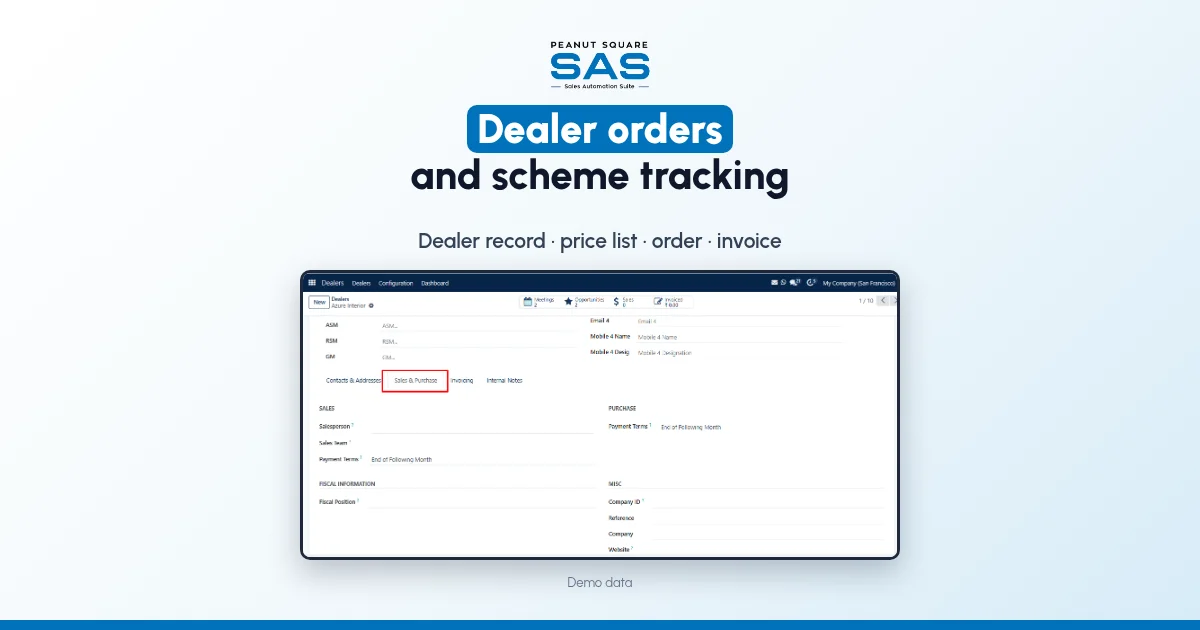
A dealer record in Ceramic SAS holds group, area, stage (such as Factory Visited), type of customer, salesperson, and the ASM, RSM and GM (new dealer in Ceramic SAS). Sample requests (sample request) and complaints are logged against the dealer, and a complaint names the invoice (create a complaint).
The SAS home page describes WhatsApp quotations and dispatch alerts from the sales pipeline, and shows ISO 9001:2015 and ISO 27001:2022 certification.
The SAS knowledge base pages we checked don't cover shade or batch tracking in SAS Ceramic Stock Management, holding a batch on a sales order, box and square-foot units together, truck-load planning, export packing lists, or which ceramic modules are in Premium. Ask the SAS team to show these with your own designs before you decide.
On price: ₹300/user/month on Premium (40% off ₹500, GST extra, billed yearly). Implementation is a separate one-time cost. Source: SAS pricing, checked 18 Oct 2026.
Which software fits a Morbi ceramic factory?
Look for one where enquiries, quotations, stock and dispatch share one product list. Check that it takes portal and WhatsApp enquiries, can keep stock by batch or shade lot, and records the LR number on each dispatch. Ask for a demo with your own designs.
Is a CRM enough for a tile manufacturer?
Usually not. A CRM tracks enquiries and quotes, but a factory also needs production, batch stock and dispatch on the same records, or salespeople keep calling the plant to ask what is ready.
How should a tile factory track shade and batch?
Give every packed lot a batch number and keep it as a separate stock line under the design. Fill each order from one batch where you can, and tell the buyer before dispatch if you cannot.
Can portal enquiries and stock live in the same system?
Look for one product where a portal or WhatsApp enquiry becomes a lead, and the salesperson can see ready stock for the design before quoting. Ask the vendor to show it with your own designs. The SAS pricing page lists IndiaMART, TradeIndia, JustDial, Meta forms and Free WhatsApp Automation alongside Batches and Production Jobs (checked 18 Oct 2026); a demo is the way to see how they work together.
Is SAS used by tile makers in Morbi?
Yes. The SAS Morbi page names Renite Vitrified, a vitrified tile maker in Morbi, as a customer using SAS CRM and automation (checked 18 Oct 2026).