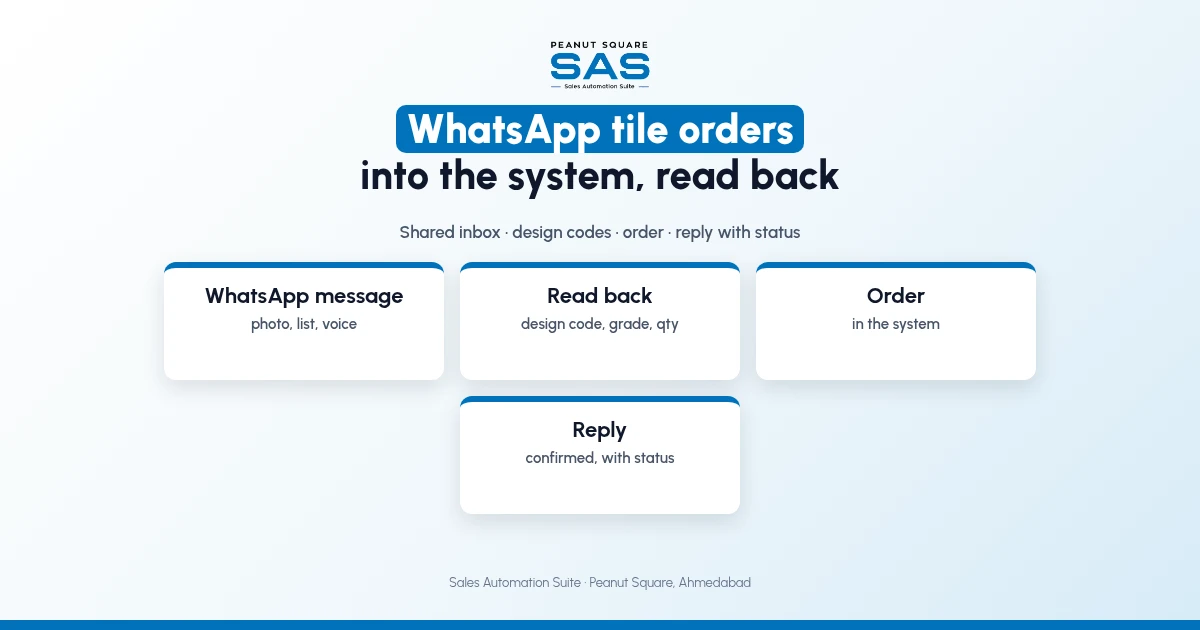
Short answer: WhatsApp tile orders should land in one shared inbox, not one salesperson's phone. Assign each message to one person, match every line to a design code, size and grade, read the order back to the dealer with quantity and rate, and only then create the order in the system. Reply with the order number and status. Then the WhatsApp chat is where the order starts, and the system is where it lives.
Dealers in Ahmedabad and across Gujarat often send orders on WhatsApp: a photo of a box, a handwritten list or a voice note. This guide covers the flow, why design codes matter and how SAS handles WhatsApp. For general WhatsApp CRM setup, see WhatsApp CRM for manufacturers.
Why do WhatsApp tile orders go wrong?
WhatsApp is quick for the dealer and slow for whoever must turn it into an order.
The message is on one salesperson's phone, who is on leave.
"Brown 60x60 matt" matches three designs.
Grade and quantity are guessed from a photo.
The dealer never gets a confirmation, so they order again.
How should a WhatsApp tile order be entered?
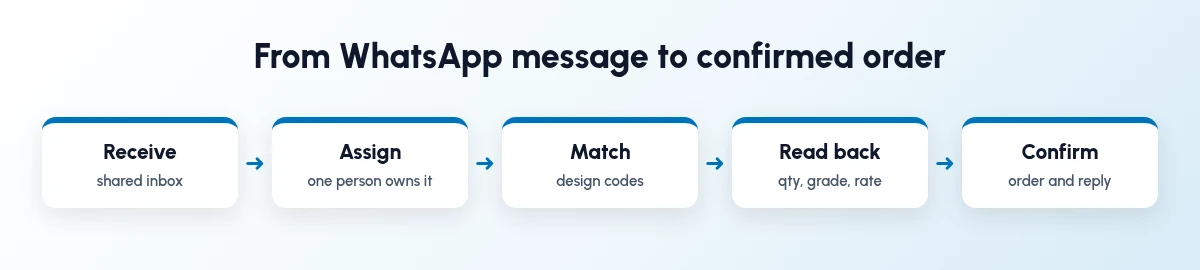
Five steps for every message.
Receive in a shared inbox.
Assign it to one person.
Match each line to a design code.
Read back quantity, grade and rate to the dealer.
Confirm the order and reply with the number and status.
Why do design codes matter for WhatsApp orders?
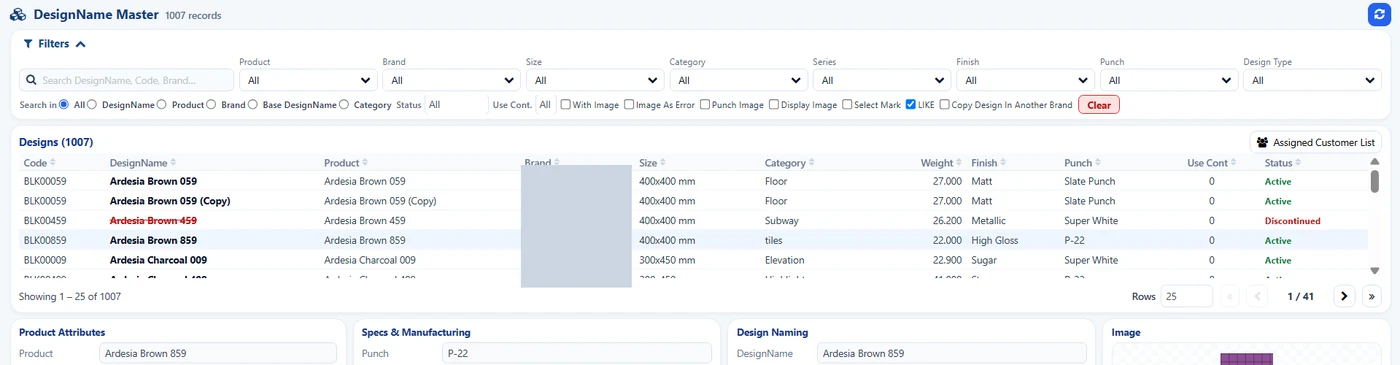
SAS Design Master: one code per design. Brand hidden.
A design name can be spelt several ways; a code cannot. Share your design list with codes and images with dealers, and ask them to order by code. When they send a photo, match it to the code and read it back.
Photo of a box: read back design code, size, grade, batch if needed.
"Brown matt 20 box": read back which brown, which size, which grade.
Voice note: read back the full list in text.
What should the reply to a dealer say?
Keep it short: order number, lines with code and quantity, status (ready, half-ready or not ready) and a date for anything not ready.
How does Sales Automation Suite handle WhatsApp tile orders?
Sales Automation Suite (SAS) from Peanut Square is one ERP and CRM built for how India sells. It is meant for Indian B2B sellers who outgrow a CRM-only stack: India lead portals and WhatsApp are on the pricing page, the price is in rupees, and it runs on Cloud or On-Premise.
The SAS tile industry page lists SAS WhatsApp Index, with a shared inbox, templates and assignment. The SAS pricing page lists free WhatsApp automation, Quotations and Sales Orders. In the SAS Ceramic Stock screens shared by Nishant Patel on 19 Oct 2026 (customer details hidden), the Design Master gives each design a code, with image, size, finish and status, and the Order View shows each order's status.
The SAS Morbi page describes WhatsApp follow-up after an enquiry for Morbi factories. Our guides on WhatsApp CRM automation and tile order status tracking cover templates and status replies.
On price: ₹300/user/month on Premium (40% off ₹500, GST extra, billed yearly).
SAS is built by Peanut Square in Ahmedabad, Gujarat. The SAS tile industry page lists ISO 9001:2015 and ISO 27001:2022.
To see it with your own process: Book a free demo at sas.peanutsquare.com
How should WhatsApp tile orders be entered and confirmed?
Receive them in a shared inbox, assign each to one person, match lines to design codes, read back quantity, grade and rate, then create the order and reply with the number and status.
Should dealers order by design code on WhatsApp?
Yes, where possible. Share a design list with codes and images so dealers can order by code.
What if a dealer sends only a photo?
Match the photo to the design code, then read the order back in text with size, grade and quantity before confirming.
Can more than one person answer the WhatsApp number?
With a shared inbox, yes. The SAS tile page lists SAS WhatsApp Index with an inbox and assignment.
Does SAS send WhatsApp templates?
The SAS tile page lists templates in SAS WhatsApp Index, and the pricing page lists free WhatsApp automation.