Quick answer: An ERP for the ceramic industry should start with the item master and stock by batch, then add orders, purchase, production and accounts in that order. Sales Automation Suite (SAS) covers all five in one system, so a tile factory can switch modules on one at a time instead of replacing everything at once.
Morbi district has an estimated 1,200 ceramic units, and the Gujarat government said in January 2026 that it contributes 80 to 90 per cent of India's ceramic exports. A factory in that cluster sells many designs, in many sizes, grades and batches. Memory and spreadsheets stop working long before the factory stops growing. The harder question is what to put on screen first.
What does an ERP for the ceramic industry need to cover?
Tile and ceramic factories have a few needs that decide whether an ERP fits. Check each one against any system you look at:
An item master. One clean record per design, with size, finish, category and series.
Stock by batch and location. Counted in boxes and pieces, not as one number per design.
Orders booked against stock. A salesperson should see what is free before promising it.
Purchase and receipt. Raw material and packing bought against a plan and received against an order.
Production jobs. Stages, consumption and rejection recorded as the work moves.
Accounts that follow from billing. Ledgers and statements that the sales entry already fed.
Reports an owner can read. Open orders, stock and dues on one screen.
Which module should a tile factory start with?
Start with the module that every other module reads from. For a tile factory that is the item master and stock. Here is an order that keeps each step small, with the SAS features that belong to it:
Item master and opening stock. Set up designs, then load stock using Inventory, Batches and Multiple Stores. Use Stock Reconciliation after the first physical count.
Orders and billing. Move quotations through Quotations, Proforma Invoices, Sales Orders and Billing, with Stock Availability checked before an order is confirmed.
Purchase and receipt. Plan raw material and packing with Purchase Planning and Purchase Orders, receive it through GRN, and use Material Issue to send it to production. Set Min levels for items that must never run out.
Production. Bring in BOM, Production Jobs, MRP, WIP Stage Movement, Consumption, Backflush and Rejection Analysis once stock and orders are steady.
Accounts and review. Connect Vouchers, Ledger Record, Trial Balance, Balance Sheet and P&L, and give the owner a BI Dashboard.
Both SAS plans include the full feature set, so you can switch modules on in this order without buying add-ons.
Why start with the item master and stock?
Because every later module reuses the same codes. If one design has three spellings in the item list, the order screen, the purchase plan and the production job will each carry a different version of it. Cleaning the list before anything else costs a few days and saves months of correction.
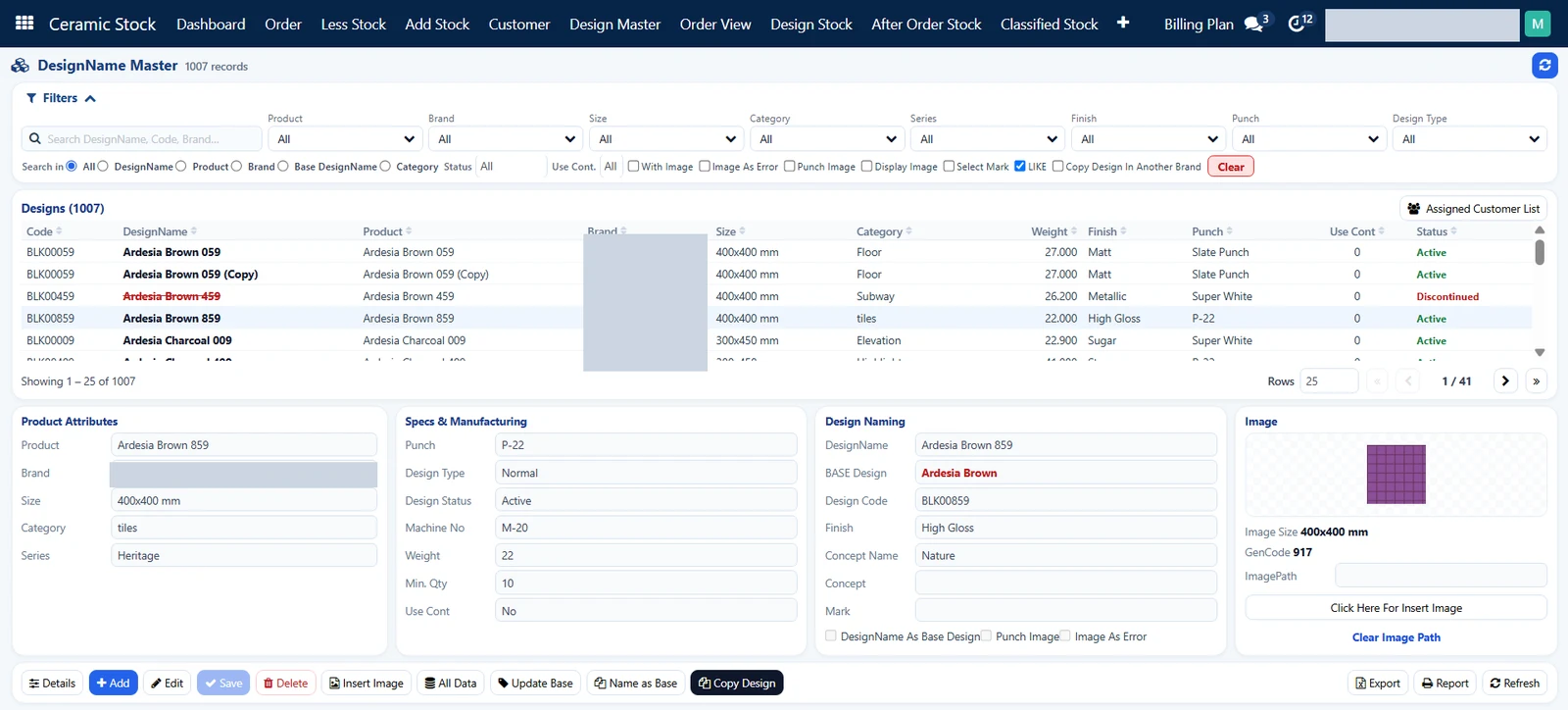
The Design Master in SAS lists each design with size, category, finish and status. Brand names are hidden.
The Design Master above also marks a design as Discontinued, so old items stay in history without being offered on new orders. Our guide to ceramic stock management for tile factories shows how to count stock once the list is clean, and the SAS Inventory page lists the stock features.
How do orders and stock work together in a tile factory?
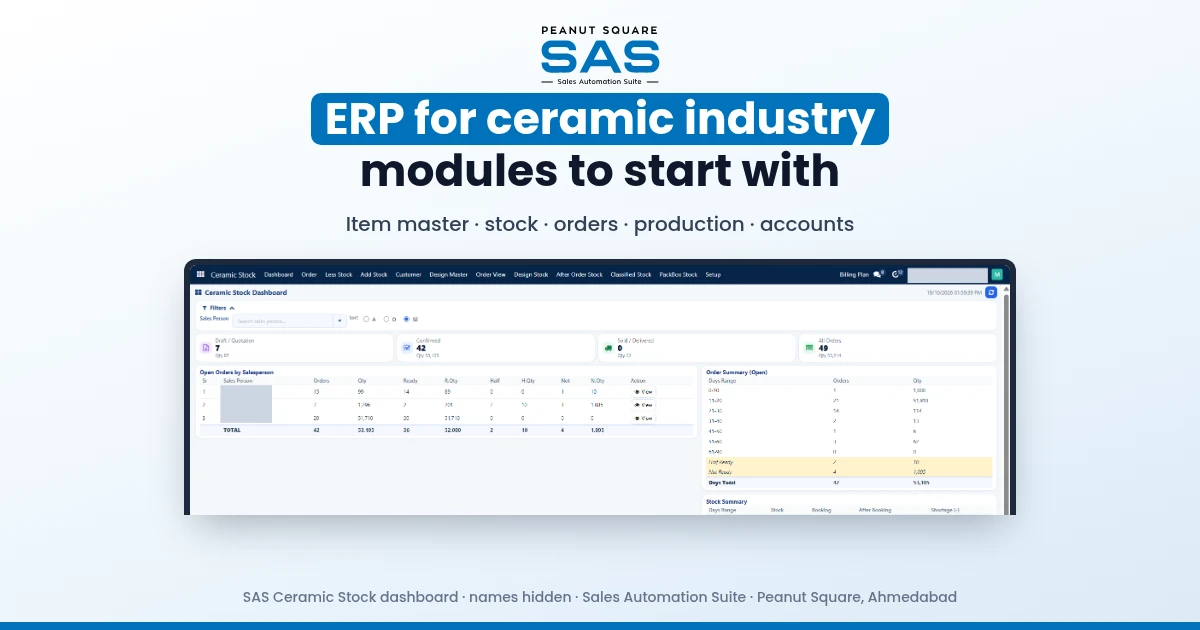
Orders are where stock turns into money, so the next step is to book orders against it. The SAS Ceramic Stock dashboard shows open orders by salesperson, an order summary by age, and a stock summary with Stock, Booking, After Booking and Shortage columns.
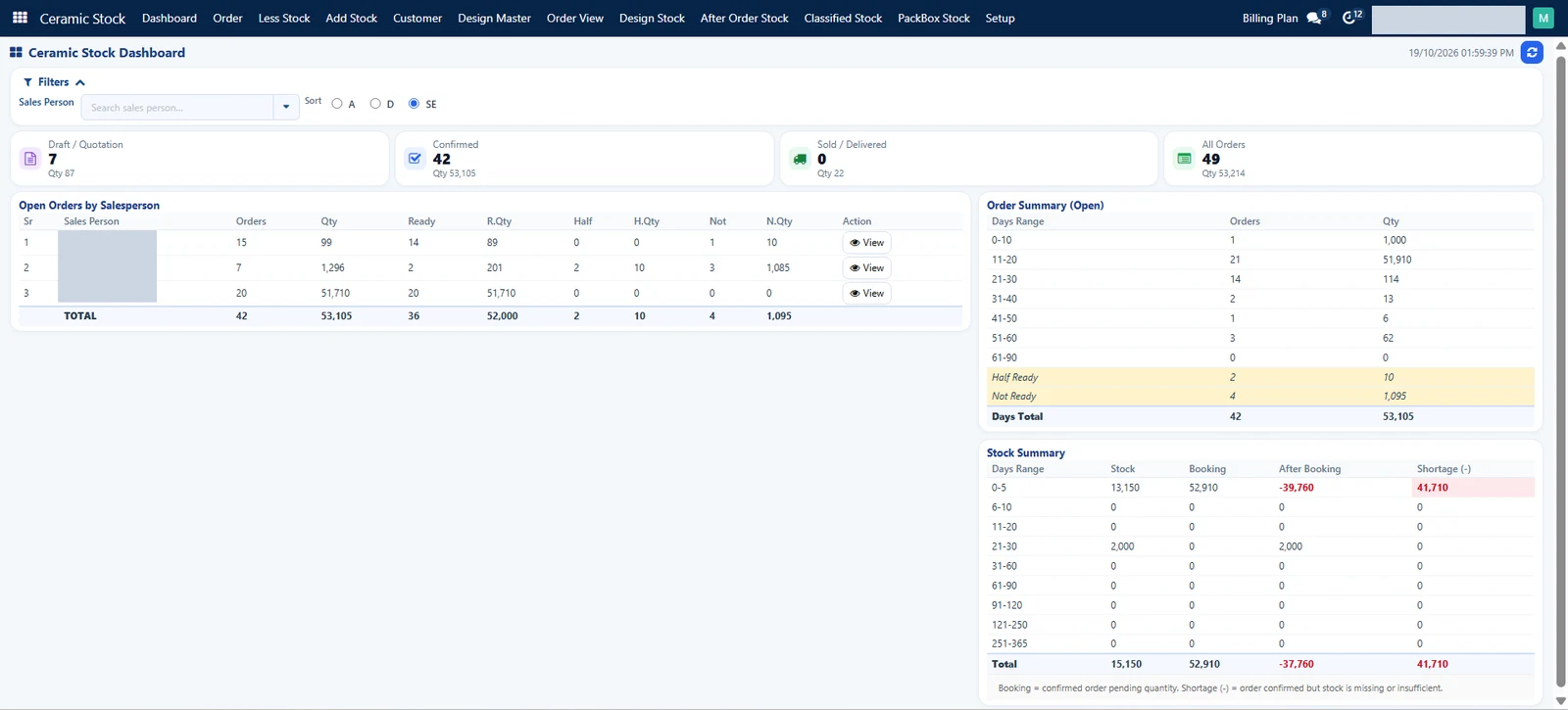
Open orders, order age and stock against booking on one SAS screen. Salesperson names are hidden.
The note under the stock summary explains the columns: booking is confirmed order quantity still pending, and shortage means an order is confirmed but stock is missing or not enough. Seeing the shortage early lets a factory plan production or offer a part dispatch. For the status words used with dealers, read tile order management: ready, half-ready and not ready.
When do production modules matter for a ceramic factory?
When stock and orders are steady and the next problem is "what do we make this week". Production Jobs, MRP and WIP Stage Movement answer it, and Consumption, Backflush and Rejection Analysis record what each job used and lost.
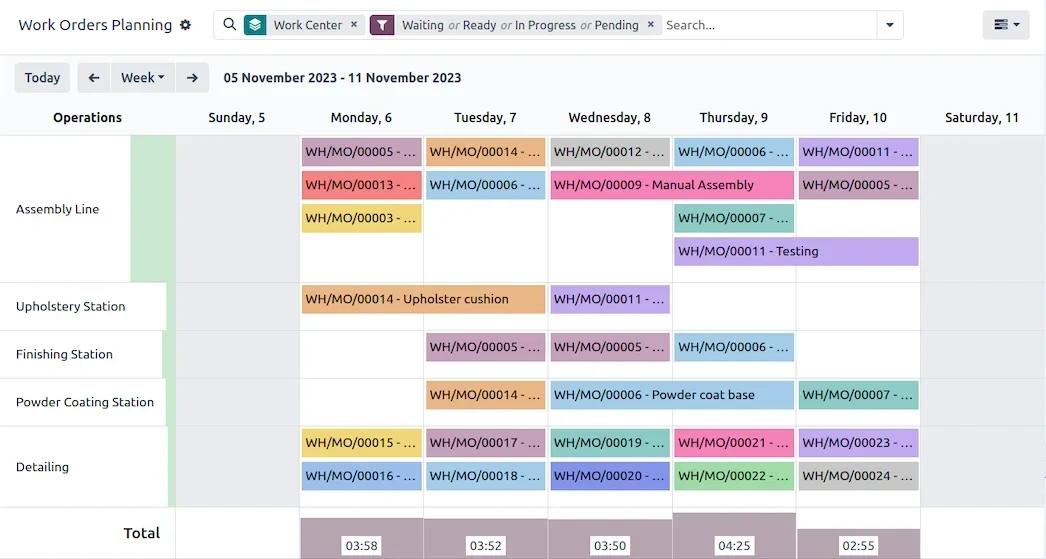
The SAS work order planning board schedules jobs by work centre across a week. Demo data from a generic assembly line, not a tile plant.
Ask for your own stages to be shown at the demo, for example pressing, glazing, firing and sorting. The SAS Manufacturing page describes the production features, and ERP and CRM for Morbi ceramic manufacturers covers how sales and production connect.
What should you ask in a demo of an ERP for the ceramic industry?
Can you show one design, with its batches, from receipt to dispatch?
Can you book an order against stock and show the shortage?
Can a salesperson see only their own customers and orders?
Can you take a rejection from a production job back to its batch?
Can you run it on our own server if our policy needs it?
Our list of 20 questions to ask in an ERP demo goes further. On the last point, SAS runs on Cloud, or On-Premise on the Enterprise plan.
What does SAS cost?
₹300/user/month on Premium (40% off ₹500, GST extra, billed yearly). Enterprise has custom pricing, tailored to your business requirements. On both plans, email support is always free and 20 minutes of phone support is included each month. See the pricing page for the full feature list.
Sales Automation Suite is built by Peanut Square LLP in Ahmedabad, and the company is certified to ISO 9001:2015 and ISO 27001:2022.
FAQ
What is an ERP for the ceramic industry?
It is business software that keeps the item master, stock by batch, orders, purchase, production and accounts in one system for tile, sanitaryware and other ceramic makers, so each team works from the same numbers.
Which ERP module should a tile factory start with?
Start with the item master and stock by batch. Then add orders and billing, purchase and receipt, production, and finally accounts and owner reports, one step at a time.
Can SAS track stock by batch and by store?
Yes. Batches and Multiple Stores are listed as included features on the SAS pricing page, with Stock Reconciliation for counts and Min levels for reorder points.
How much does SAS cost per user?
₹300/user/month on Premium (40% off ₹500, GST extra, billed yearly). Enterprise has custom pricing.
Is there a free trial of SAS?
No. You can book a free demo at sas.peanutsquare.com and see the modules run on your own items and orders.
See it with your own items and orders: Book a free demo at sas.peanutsquare.com.
Sources: SAS pricing page (plans, features, support, deployment), read 28 November 2026; SAS ceramic tiles page, read 28 November 2026; PTI report on Gujarat government figures for Morbi, 6 January 2026 (estimated 1,200 units; 80 to 90 per cent of ceramic exports). Screens show demo data or have names hidden.