Quick answer: ERP implementation in a tile factory usually stalls for five reasons: no owner with authority, messy design and stock codes, too many modules at once, paper running beside the system, and no clear first-month goal. Fix them with one named owner, a cleaned item master and one live process at a time. Sales Automation Suite (SAS) supports a phased start.
Stalled ERP projects in tile factories rarely fail on one day. The software is bought, a few people are trained, the item list is half loaded, and the season gets busy. Months later dispatch is back on the register. The causes are usually the same, and most sit inside the factory, not the software.
Why do ERP projects fail or stall in factories?
Research on manufacturing firms keeps finding the same pattern. A 2019 study of ERP failure factors in Indian manufacturing, by Ninad Sandesh Meher at the National College of Ireland, lists these among the critical failure factors:
Lack of top management commitment.
Improper training and education.
User resistance to change.
Weak testing, and a poorly composed project team.
Over-reliance on heavy customisation.
A 2019 Delphi study of manufacturing consultants by Justin Goldston at Walden University found the strongest agreement on top management support, fit between the system and the organisation, quality management, and a small internal team of the best employees.
In a tile factory, those findings tend to show up as five causes.
Who in the factory should own the rollout?
Cause 1: nobody owns it. The owner signs the order and hands it to the accountant or the IT person, who has no authority over the plant, the godown or sales. When a department head says "we will start next month", nobody can overrule them.
What to do: name one owner who can instruct every department, usually a partner or the plant head, with a small team from sales, stores, production and accounts and a fixed weekly review.
Why do messy design and stock codes stop an ERP?
Cause 2: the item master is not clean. The same design carries three names across sales, the godown and the plant. Sizes are written two ways. Grades and batches are not recorded at all. When this list is loaded as it is, the stock never matches and people stop trusting the screen.
What to do: agree one code for each design, size, finish and grade before anything is loaded. Have sales and the godown sign off the list together, then count opening stock by design, batch and grade on one day.
Why is switching on every module at once a mistake?
Cause 3: too much at once. CRM, stock, production, purchase and accounts all go live in one week. Everyone is learning at once, and nobody can tell which problem caused what.
What to do: start where the pain is and where the data is cleanest, usually the item master, stock and sales orders. Add production and purchase once the first process runs for a few weeks without a parallel register. Our post on which modules a tile factory needs first sets out an order.
What happens when paper and the system run side by side?
Cause 4: the register never goes away. Staff enter orders in the system and in the old book "just in case". Within weeks the book is the real record, and the system is a second job.
What to do: set a date after which a process is done only in the system, and stick to it. Train people on their own daily task with your own designs, not on a demo menu. Give them mobile entry where the work happens, in the godown or at the loading bay.
What should be live in the first month?
Cause 5: no first-month goal. Without a small, visible win, the project drifts. Pick a short list and make it the measure:
Clean item master for every design, size, finish and grade, signed off.
Opening stock counted by design, batch and grade, and loaded.
Users and access rights set for each role, so people see what they need.
Sales orders booked only in the system, with stock checked before confirming.
A weekly review by the owner, with open issues tracked as tasks.
How does SAS support ERP implementation in a tile factory?
Both SAS plans include the full feature set and are priced per user, so a phased start costs no extra in licences. Inventory, Multiple Stores, Batches and Stock Reconciliation cover stock. Quotations, Sales Orders and Billing cover sales. Production Jobs, BOM and Material Issue cover the plant when you are ready. Ledger Import and Excel export help move data in and out, and Mobile Access & Entry lets staff work away from a desk.
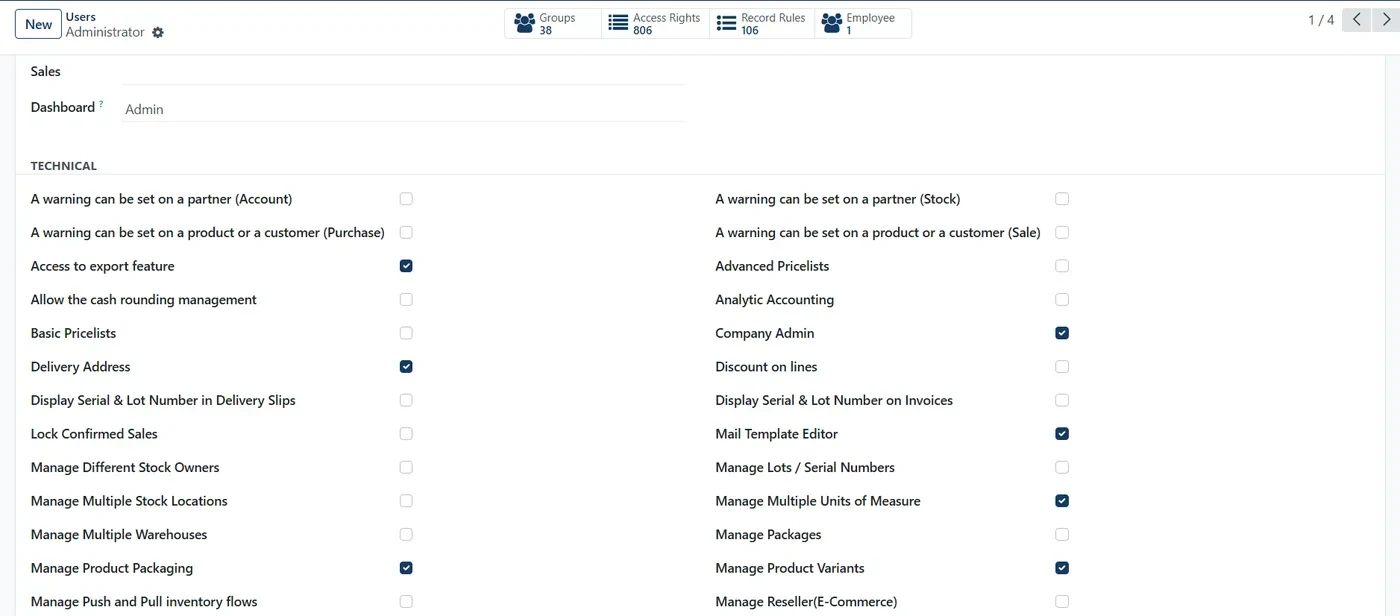
Access rights are set user by user in SAS. Demo data.
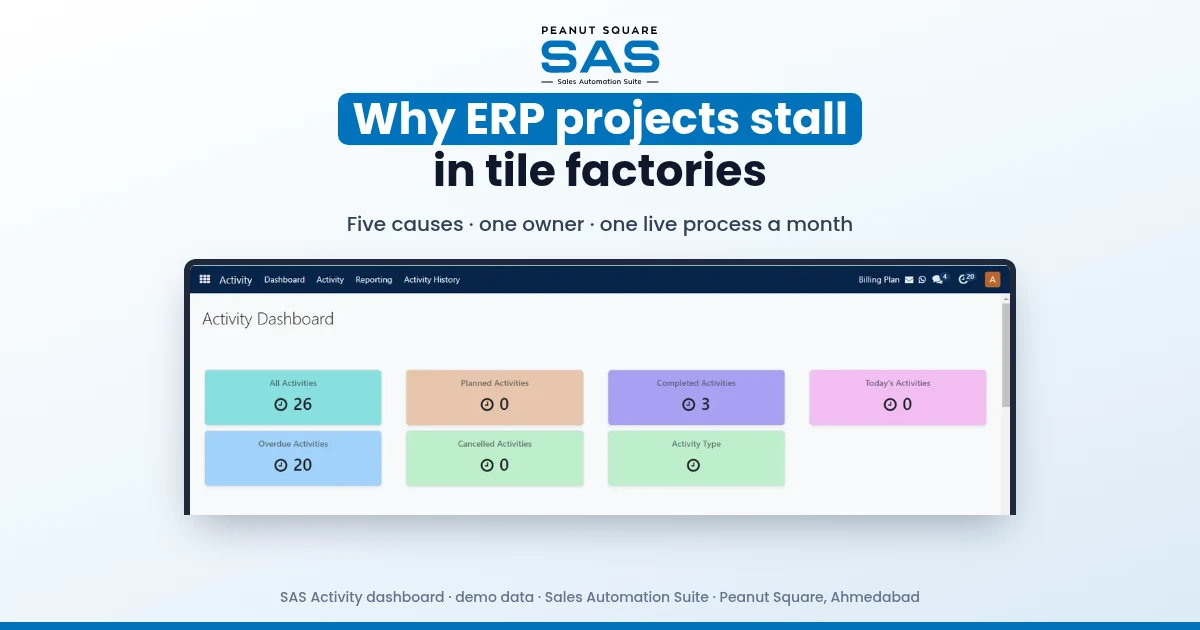
Open rollout tasks can be tracked as activities, so the weekly review sees what is planned, done and overdue.
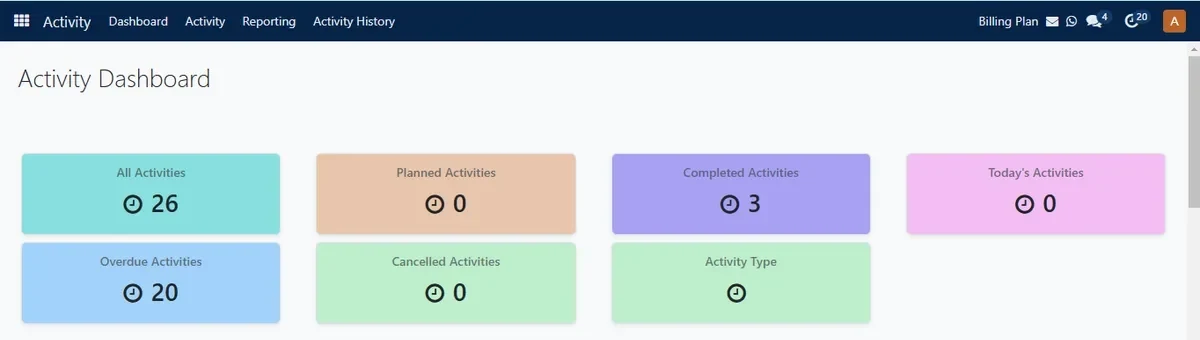
The SAS Activity dashboard counts planned, completed and overdue activities. Demo data.
New users are invited one at a time, so each department can be added when its process goes live.
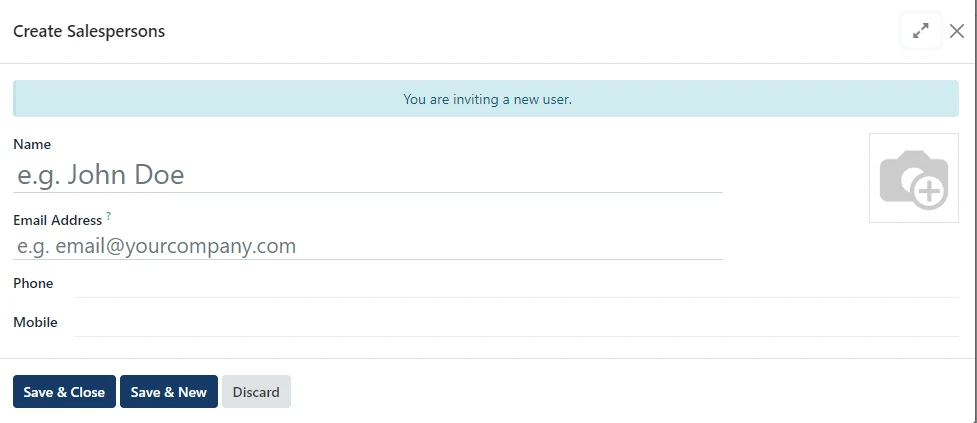
Inviting a new user in SAS. The fields are empty placeholders.
Before you choose, read 20 questions to ask in an ERP demo and ERP and CRM for Morbi ceramic manufacturers. If you are moving off spreadsheets, see how to move to ERP without disrupting billing, and ERP vs CRM for manufacturers explains where each fits.
What does SAS cost?
₹300/user/month on Premium (40% off ₹500, GST extra, billed yearly). Enterprise has custom pricing, tailored to your business requirements. Both plans include the full feature set, email support is always free, and 20 minutes of phone support is included each month. See the pricing page. Sales Automation Suite is built by Peanut Square LLP in Ahmedabad.
FAQ
Why do ERP projects fail in factories?
Studies of manufacturing firms point to weak top management commitment, poor training, resistance to change, a weak project team and too much customisation. In tile factories, messy design codes add to that list.
Who should own an ERP rollout in a tile factory?
One person with authority over every department, usually a partner or the plant head, backed by a small team from sales, stores, production and accounts.
What should be live in the first month of an ERP?
A signed-off item master, opening stock by design, batch and grade, users with the right access, and sales orders booked only in the system.
How much does SAS cost per user?
₹300/user/month on Premium (40% off ₹500, GST extra, billed yearly). Enterprise has custom pricing.
Is there a free trial of SAS?
No. You can book a free demo at sas.peanutsquare.com and plan a phased start around your own designs and processes.
Plan a rollout that keeps moving: Book a free demo at sas.peanutsquare.com.
Sources: Meher, Critical failure factor affecting ERP implementation in Indian manufacturing sector, MSc thesis, National College of Ireland, August 2019; Goldston, Critical Success Factors in ERP Implementation in U.S. Manufacturing, PhD dissertation, Walden University, February 2019; SAS pricing page (features list), read 29 November 2026. Screens show demo data.